メインコンテンツにスキップ
リペアコミュニティに参加 - アカウントの作成
Nokia 2128i Power Button Replacement

必要な工具と部品

  1. Nokia 2128i Power Button Replacement, Battery: 手順 1、 3の画像 1 Nokia 2128i Power Button Replacement, Battery: 手順 1、 3の画像 2 Nokia 2128i Power Button Replacement, Battery: 手順 1、 3の画像 3
    • Be sure cell phone is off before you begin to disassemble the phone.

    • Press the button on the bottom of the back of the cell phone.

    • Slide rear panel down and remove it.

    FixBotに聞いてみる

    コメントを追加

  2. Nokia 2128i Power Button Replacement: 手順 2、 3の画像 1 Nokia 2128i Power Button Replacement: 手順 2、 3の画像 2 Nokia 2128i Power Button Replacement: 手順 2、 3の画像 3
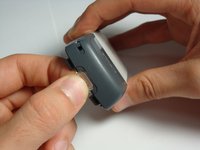
    • Using your fingernail, pry the back of the battery upwards and pull out.

    FixBotに聞いてみる

    コメントを追加

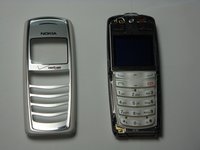
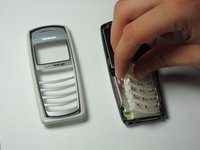
  3. Nokia 2128i Power Button Replacement, Faceplate: 手順 3、 3の画像 1 Nokia 2128i Power Button Replacement, Faceplate: 手順 3、 3の画像 2 Nokia 2128i Power Button Replacement, Faceplate: 手順 3、 3の画像 3
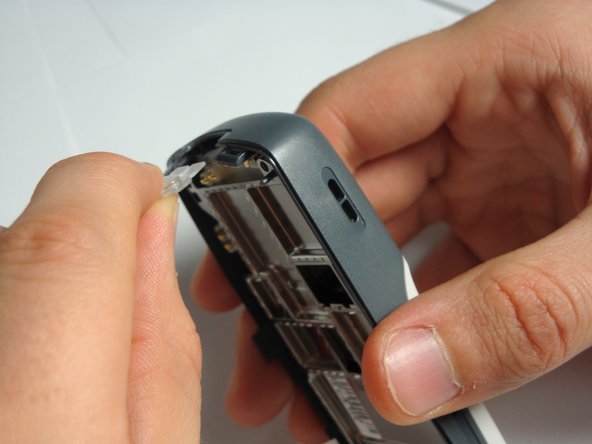
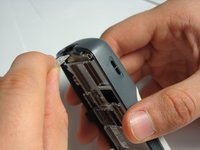
    • Insert the plastic opening tool under the faceplate.

    • Separate the faceplate from main body by twisting the prying tool with some force.

    • The faceplate is held by three plastic fasteners, so pry evenly on both sides of phone.

    FixBotに聞いてみる

    コメントを追加

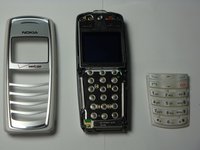
  4. Nokia 2128i Power Button Replacement, Keypad: 手順 4、 3の画像 1 Nokia 2128i Power Button Replacement, Keypad: 手順 4、 3の画像 2 Nokia 2128i Power Button Replacement, Keypad: 手順 4、 3の画像 3
    • With the faceplate removed, simply peel off rubber key pad and remove.

    FixBotに聞いてみる

    コメントを追加

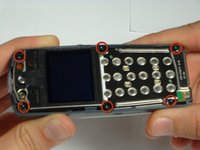
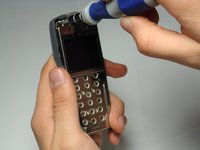
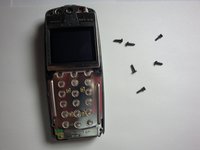
  5. Nokia 2128i Power Button Replacement, Motherboard Assembly: 手順 5、 3の画像 1 Nokia 2128i Power Button Replacement, Motherboard Assembly: 手順 5、 3の画像 2 Nokia 2128i Power Button Replacement, Motherboard Assembly: 手順 5、 3の画像 3
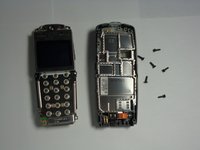
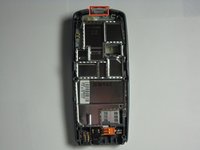
    • Locate and remove the six screws on the front of the phone using a T6 Torx.

    • All 6 screws are 6.9mm long.

    FixBotに聞いてみる

    コメントを追加

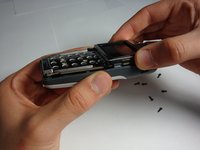
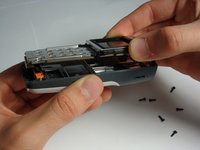
  6. Nokia 2128i Power Button Replacement: 手順 6、 3の画像 1 Nokia 2128i Power Button Replacement: 手順 6、 3の画像 2 Nokia 2128i Power Button Replacement: 手順 6、 3の画像 3
    • After removing screws, lift the motherboard assembly straight off the cell phone body.

    FixBotに聞いてみる

    コメントを追加

  7. Nokia 2128i Power Button Replacement, Power Button: 手順 7、 3の画像 1 Nokia 2128i Power Button Replacement, Power Button: 手順 7、 3の画像 2 Nokia 2128i Power Button Replacement, Power Button: 手順 7、 3の画像 3
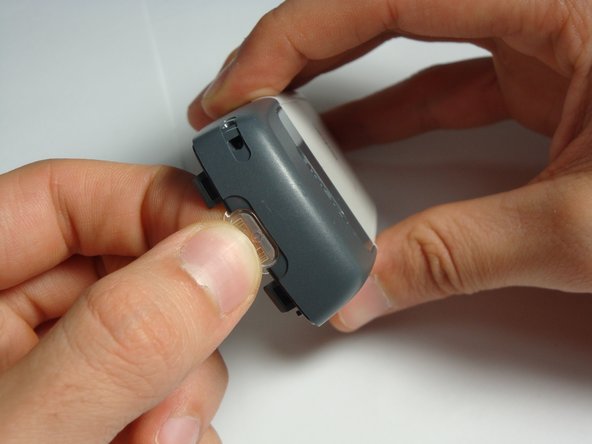
    • With the motherboard and LCD unit removed, gently pull the power button out of its housing.

    FixBotに聞いてみる

    コメントを追加

終わりに

To reassemble your device, follow these instructions in reverse order.

キャンセル: このガイドを終了できませんでした。

作成者

4人の作成者と共同で作成されました。

Curtis Lutje

メンバー登録日: 10/07/10

43 ポイント

6のガイドは作成済み

チーム

Cal Poly, Team 20-8, Maness Fall 2010 Cal Poly, Team 20-8, Maness Fall 2010人のメンバー

CPSU-MANESS-F10S20G8

4 メンバー

24のガイドは作成済み

0件のガイドコメント

コメントを追加

統計データ:

過去 24時間: 0

過去 7 日: 4

過去 30 日: 33

今までの合計 2,101