メインコンテンツにスキップ

NexiGo NS32 Battery Replacement

必要な工具と部品

  1. NexiGo NS32 Battery Replacement, Rear Case: 手順 1、 1の画像 1
    • Orient the controller so that it is face down.

  2. NexiGo NS32 Battery Replacement: 手順 2、 2の画像 1 NexiGo NS32 Battery Replacement: 手順 2、 2の画像 2
    • Remove the eight 9 mm Phillips screws that secure the rear case.

  3. NexiGo NS32 Battery Replacement: 手順 3、 1の画像 1
    • Lift the rear case up and off.

    • You may need to use an opening tool to help release the rear case, but avoid using excessive force so you don't damage the controller.

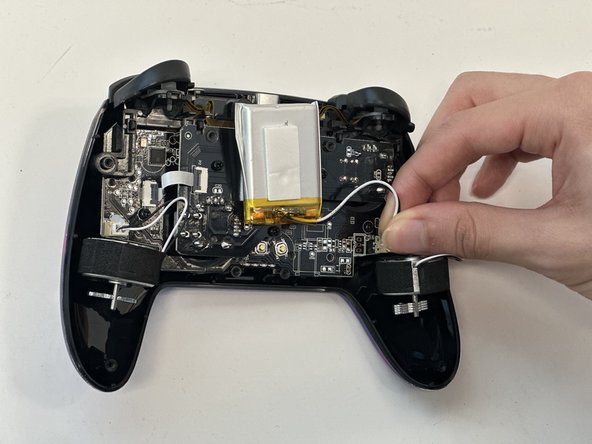
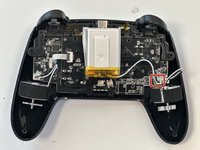
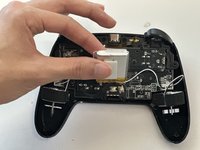
  4. NexiGo NS32 Battery Replacement, Battery: 手順 4、 2の画像 1 NexiGo NS32 Battery Replacement, Battery: 手順 4、 2の画像 2
    • Grip the white battery connector and pull it directly out of its motherboard socket.

    • This may require some force, as the connectors are secured with a bit of adhesive. If you're having trouble with disconnection, apply some high-concentration isopropyl alcohol to the adhesive to loosen it.

    • Do not pull on the wires.

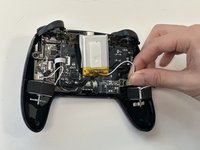
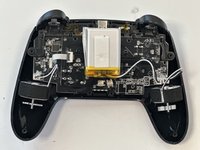
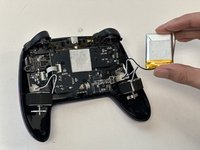
  5. NexiGo NS32 Battery Replacement: 手順 5、 3の画像 1 NexiGo NS32 Battery Replacement: 手順 5、 3の画像 2 NexiGo NS32 Battery Replacement: 手順 5、 3の画像 3
    • Lift the battery up and out.

    • Take care not to bend or puncture the battery as you remove it.

終わりに

To reassemble your device, follow these instructions in reverse order.

作成者

4人の作成者と共同で作成されました。

Matthew Nguyen

メンバー登録日: 01/29/24

235 ポイント

1ガイドが承認済み

チーム

Austin Community College, Team 18-3, Watkins Spring 2024 Austin Community College, Team 18-3, Watkins Spring 2024人のメンバー

AUSTINCC-WATKINS-S24S18G3

4 メンバー

8のガイドは作成済み

1件のガイドコメント

Do you know what model battery I would need to buy to replace the original?

Jack Dunne - 返信

コメントを追加

統計データ:

過去 24時間: 1

過去 7 日: 3

過去 30 日: 14

今までの合計 246