メインコンテンツにスキップ
リペアコミュニティに参加 - アカウントの作成

Motorola SLVR L9 Keypad Replacement

必要な工具と部品

  1. Motorola SLVR L9 Keypad Replacement, Battery: 手順 1、 2の画像 1 Motorola SLVR L9 Keypad Replacement, Battery: 手順 1、 2の画像 2
    • Turn the phone over so that the back of the phone is facing up.

    FixBotに聞いてみる
    コメントを追加

  2. Motorola SLVR L9 Keypad Replacement: 手順 2、 3の画像 1 Motorola SLVR L9 Keypad Replacement: 手順 2、 3の画像 2 Motorola SLVR L9 Keypad Replacement: 手順 2、 3の画像 3
    • Press down on the silver battery cover latch located at the top of the phone.

    • Pull the battery cover down and away from the latch; then lift it up to remove the battery cover.

    FixBotに聞いてみる

    コメントを追加

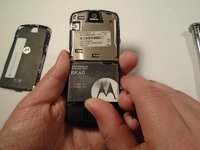
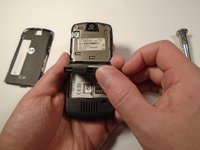
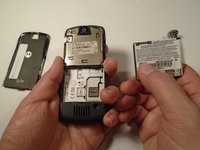
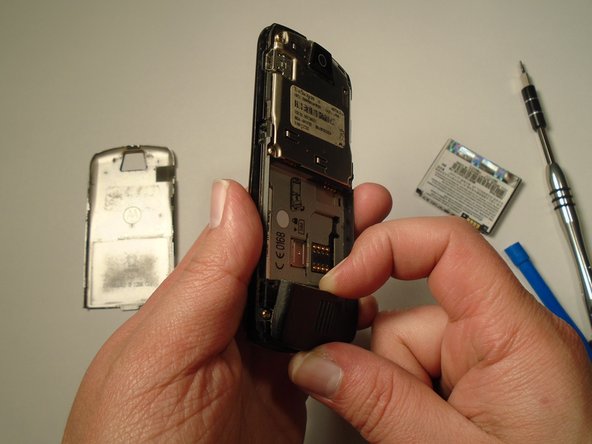
  3. Motorola SLVR L9 Keypad Replacement: 手順 3、 3の画像 1 Motorola SLVR L9 Keypad Replacement: 手順 3、 3の画像 2 Motorola SLVR L9 Keypad Replacement: 手順 3、 3の画像 3
    • To remove the battery, pull the battery up from the bottom center.

    FixBotに聞いてみる
    コメントを追加

  4. Motorola SLVR L9 Keypad Replacement, Camera Lens Cover: 手順 4、 2の画像 1 Motorola SLVR L9 Keypad Replacement, Camera Lens Cover: 手順 4、 2の画像 2
    • Turn the phone over so that the back of the phone is facing towards you.

    FixBotに聞いてみる
    コメントを追加

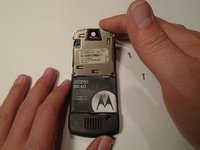
  5. Motorola SLVR L9 Keypad Replacement: 手順 5、 3の画像 1 Motorola SLVR L9 Keypad Replacement: 手順 5、 3の画像 2 Motorola SLVR L9 Keypad Replacement: 手順 5、 3の画像 3
    • Press down on the battery cover latch located at the top of the phone.

    • Pull the battery cover down and away from the latch; then lift it up to remove the battery cover.

    FixBotに聞いてみる
    コメントを追加

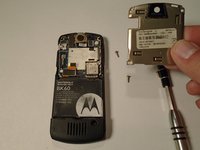
  6. Motorola SLVR L9 Keypad Replacement: 手順 6、 1の画像 1
    • Remove the four housing screws (1/8") from each corner of the transceiver PC board shield. Use a screwdriver with a T6 Torx screwdriver head to turn the screws counter-clockwise (left).

    FixBotに聞いてみる
    コメントを追加

  7. Motorola SLVR L9 Keypad Replacement: 手順 7、 2の画像 1 Motorola SLVR L9 Keypad Replacement: 手順 7、 2の画像 2
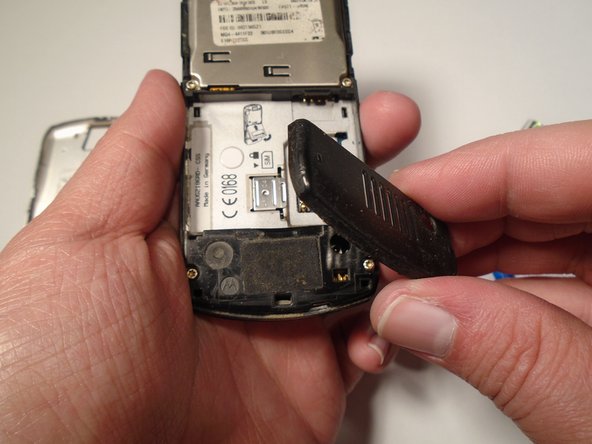
    • Once you have removed all of the screws, lift the transceiver PC board shield up to remove it.

    FixBotに聞いてみる
    コメントを追加

  8. Motorola SLVR L9 Keypad Replacement, Antenna Cover: 手順 8、 3の画像 1 Motorola SLVR L9 Keypad Replacement, Antenna Cover: 手順 8、 3の画像 2 Motorola SLVR L9 Keypad Replacement, Antenna Cover: 手順 8、 3の画像 3
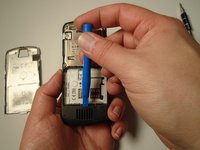
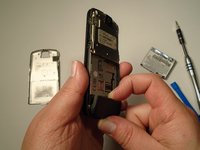
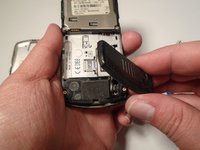
    • Use the plastic opening tool to loosen the cover latch.

    • Once the cover latch has been loosened, gently pull the cover latch off of the device.

    FixBotに聞いてみる

    コメントを追加

  9. Motorola SLVR L9 Keypad Replacement, Keypad: 手順 9、 1の画像 1
    • Use a screwdriver with a T6 Torx screwdriver head to remove both screws (1/8") from the speaker housing. Turn the screw counter-clockwise (left).

    FixBotに聞いてみる

    コメントを追加

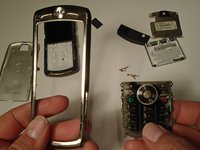
  10. Motorola SLVR L9 Keypad Replacement: 手順 10、 3の画像 1 Motorola SLVR L9 Keypad Replacement: 手順 10、 3の画像 2 Motorola SLVR L9 Keypad Replacement: 手順 10、 3の画像 3
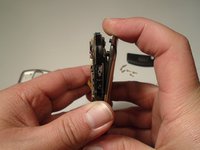
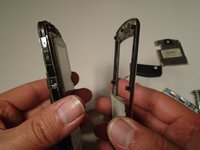
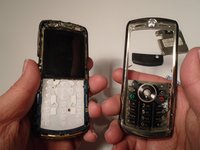
    • Using the grooves around the edge of the phone, gently pull the front plate away from the phone until it is fully removed from the device.

    FixBotに聞いてみる

    コメントを追加

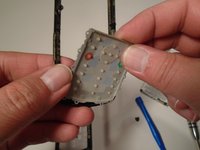
  11. Motorola SLVR L9 Keypad Replacement: 手順 11、 2の画像 1 Motorola SLVR L9 Keypad Replacement: 手順 11、 2の画像 2
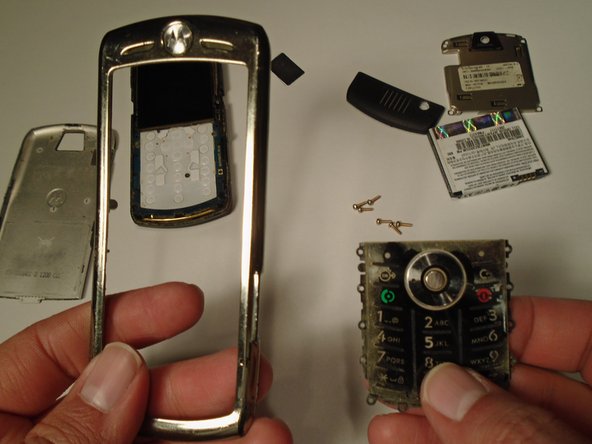
    • Lift the keypad up from the front plate to remove.

    FixBotに聞いてみる

    コメントを追加

終わりに

To reassemble your device, follow these instructions in reverse order.

キャンセル: このガイドを終了できませんでした。

作成者

2人の作成者と共同で作成されました。

Eric Lopez

メンバー登録日: 10/13/15

201 ポイント

2のガイドは作成済み

チーム

Sam Houston State, Team 1-5, Blackburne Fall 2015 Sam Houston State, Team 1-5, Blackburne Fall 2015人のメンバー

SHSU-BLACKBURNE-F15S1G5

3 メンバー

5のガイドは作成済み

0件のガイドコメント

コメントを追加

統計データ:

過去 24時間: 0

過去 7 日: 3

過去 30 日: 24

今までの合計 567