はじめに
When the E815 becomes unresponsive, removing and replacing the battery is often the first and best solution.
To replace the battery, you are going to:
- Remove back cover
- Remove Battery
- Replace Battery
-
-
-
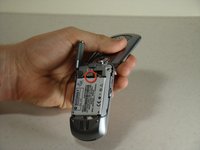
Locate the battery removal slot.
-
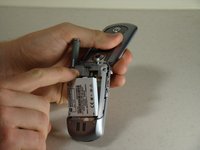
Use your finger to pull the battery out from the top.
-
Remove the battery.
-

 FixBotに聞いてみる


終わりに
To reassemble your device, follow these instructions in reverse order.
2 の人々がこのガイドを完成させました。

チーム

Cal Poly, Team 14-8, Forte Winter 2011 Cal Poly, Team 14-8, Forte Winter 2011人のメンバー
CPSU-FORTE-W11S14G8
5 メンバー
5のガイドは作成済み
