メインコンテンツにスキップ
リペアコミュニティに参加 - アカウントの作成

Motorola Defy Rear Facing Camera Replacement

必要な工具と部品

  1. Motorola Defy Rear Facing Camera Replacement, Rear Case: 手順 1、 1の画像 1
    • Using the screwdriver and the T-5 bit, unscrew the seven 5 mm screws around the outside of the phone.

    FixBotに聞いてみる

    コメントを追加

  2. Motorola Defy Rear Facing Camera Replacement: 手順 2、 2の画像 1 Motorola Defy Rear Facing Camera Replacement: 手順 2、 2の画像 2
    • Remove the back cover of the phone by sliding the bottom black button to the unlock position and lifting it up.

    FixBotに聞いてみる

    コメントを追加

  3. Motorola Defy Rear Facing Camera Replacement, Battery: 手順 3、 1の画像 1
    • Use a plastic opening tool to pry the battery out of the phone.

    FixBotに聞いてみる

    コメントを追加

  4. Motorola Defy Rear Facing Camera Replacement, Midframe: 手順 4、 1の画像 1
    • Unscrew the two silver screws located at the top of the back of the phone.

    FixBotに聞いてみる

    コメントを追加

  5. Motorola Defy Rear Facing Camera Replacement: 手順 5、 1の画像 1
    • Use a plastic opening tool to gently pry the midframe from the rest of the phone.

    FixBotに聞いてみる

    コメントを追加

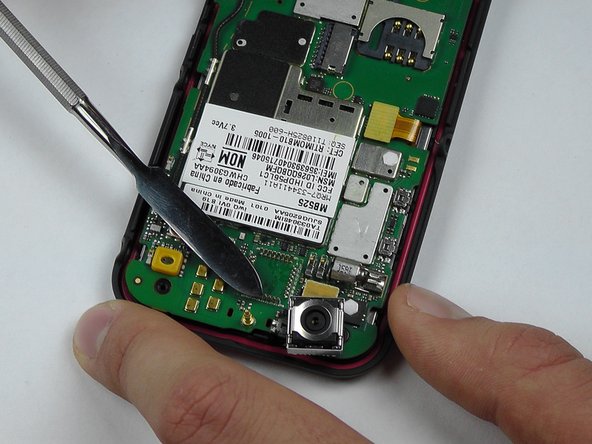
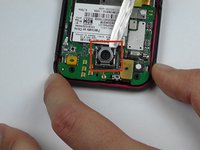
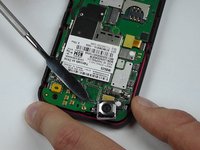
  6. Motorola Defy Rear Facing Camera Replacement, Rear Facing Camera: 手順 6、 2の画像 1 Motorola Defy Rear Facing Camera Replacement, Rear Facing Camera: 手順 6、 2の画像 2
    • Start to pry around the bottom of the camera module with the metal spudger and replace with the new camera module.

    • Be careful of the pins that are connected to the camera module on the bottom.

    FixBotに聞いてみる

    コメントを追加

終わりに

To reassemble your device, follow these instructions in reverse order.

キャンセル: このガイドを終了できませんでした。

作成者

2人の作成者と共同で作成されました。

Morgan Roark

メンバー登録日: 10/08/14

325 ポイント

3のガイドは作成済み

チーム

USF Tampa, Team 14-2, Leahy Fall 2014 USF Tampa, Team 14-2, Leahy Fall 2014人のメンバー

USFT-LEAHY-F14S14G2

4 メンバー

6のガイドは作成済み

0件のガイドコメント

コメントを追加

統計データ:

過去 24時間: 0

過去 7 日: 8

過去 30 日: 32

今までの合計 653