メインコンテンツにスキップ
リペアコミュニティに参加 - アカウントの作成

Logitech Wireless K360 Key Cap Replacement

必要な工具と部品

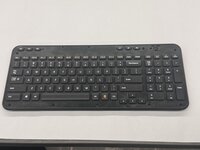
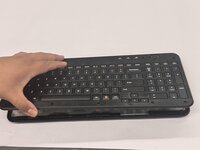
  1. Logitech Wireless K360 Key Cap Replacement, Key Cap: 手順 1、 3の画像 1 Logitech Wireless K360 Key Cap Replacement, Key Cap: 手順 1、 3の画像 2 Logitech Wireless K360 Key Cap Replacement, Key Cap: 手順 1、 3の画像 3
    • Use a Jimmy to pry off the keyboard cover.

    • When reapplying the keyboard cover, glue may be required to keep adhesive properties.

    FixBotに聞いてみる
  2. Logitech Wireless K360 Key Cap Replacement: 手順 2、 2の画像 1 Logitech Wireless K360 Key Cap Replacement: 手順 2、 2の画像 2
    • Remove the eight 6 mm screws using a Phillips #0 screwdriver.

    FixBotに聞いてみる
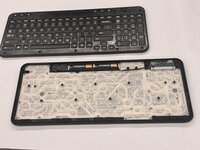
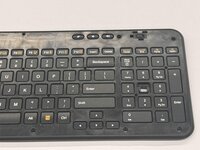
  3. Logitech Wireless K360 Key Cap Replacement: 手順 3、 3の画像 1 Logitech Wireless K360 Key Cap Replacement: 手順 3、 3の画像 2 Logitech Wireless K360 Key Cap Replacement: 手順 3、 3の画像 3
    • Remove the top half of the keyboard.

    • If there are issues removing the top half of the keyboard you can try using something thin to get into the crevices.

    FixBotに聞いてみる
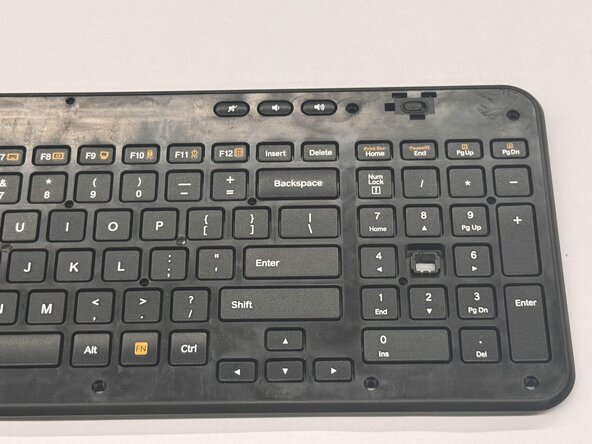
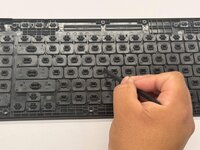
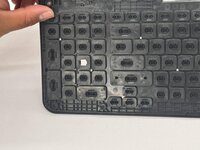
  4. Logitech Wireless K360 Key Cap Replacement: 手順 4、 3の画像 1 Logitech Wireless K360 Key Cap Replacement: 手順 4、 3の画像 2 Logitech Wireless K360 Key Cap Replacement: 手順 4、 3の画像 3
    • Flip the top half of the keyboard over.

    • Use tweezers or an iFixit opening tool to pinch the damaged key cap out of the top half.

    FixBotに聞いてみる
終わりに

To reassemble your device, follow these instructions in reverse order.

作成者

1人の作成者と共同作成されました。

Othon Sanchez

メンバー登録日: 02/20/25

333 ポイント

3のガイドは作成済み

チーム

CSU Los Angeles, Team 7-3, Kershman Spring 2025 CSU Los Angeles, Team 7-3, Kershman Spring 2025人のメンバー

CSULA-KERSHMAN-S25S7G3

5 メンバー

5のガイドは作成済み

0件のガイドコメント

コメントを追加

統計データ:

過去 24時間: 0

過去 7 日: 11

過去 30 日: 44

今までの合計 476