はじめに
For this replacement you do not need any tools, however a prying tool may make the replacement easier.
Make sure that the mouse is turned off before replacing the battery. This will reduce the chance of damaging internal components with a surge of power from the new battery.
必要な工具と部品
-
-
-
The battery compartment cover is located on the top of the mouse. The seam running horizontally across the mouse is the top of the cover.
-
There is a button to pop off the cover. It is located on the bottom of the mouse. you may need to press hard on this button to pop the cover.
-
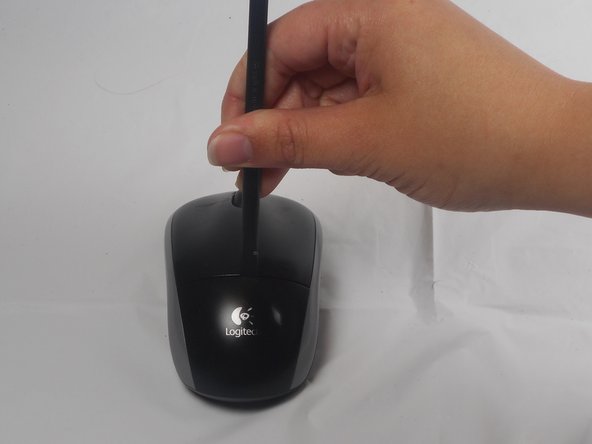
If the button does not work, you will need to pry off the cover. You can use your fingernails or a prying tool in order to do this, as seen in the third image.
 FixBotに聞いてみる
-
-
-
-
Remember to insert the new battery in the same orientation as the old one. The positive (plus) end should be facing away from the buttons.
-
-




To reassemble your device, follow these instructions in reverse order.
28 の人々がこのガイドを完成させました。

チーム

USF Tampa, Team 1-1, Watkins Winter 2015 USF Tampa, Team 1-1, Watkins Winter 2015人のメンバー
USFT-WATKINS-W15S1G1
4 メンバー
28のガイドは作成済み
10件のガイドコメント
I disassembled this exactly as stated and now I can't get the cover back on?
Rei Peterson - 返信 共有
I am a electronic technologist and this is a poor design for a mouse. No wonder the later version is different.
Thanks for the information. It worked perfectly for me. Easy removal. Images and instructions were very helpful.
Tracy Moore - 返信 共有
The green battery light went on, although the lazar light did not. What should I do?
Susan Petho - 返信 共有
