メインコンテンツにスキップ
リペアコミュニティに参加 - アカウントの作成

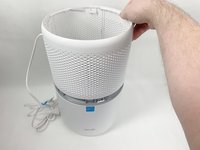
Levoit Core 300-RAC Fan Replacement

必要な工具と部品

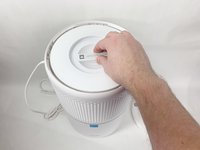
  1. Levoit Core 300-RAC Fan Replacement, Air Filter: 手順 1、 2の画像 1 Levoit Core 300-RAC Fan Replacement, Air Filter: 手順 1、 2の画像 2
    • Make sure your device is turned off and unplugged for safety.

    • Turn the Levoit Core 300-RAC over so the bottom is facing up.

    FixBotに聞いてみる
    コメントを追加

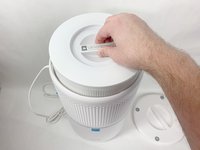
  2. Levoit Core 300-RAC Fan Replacement: 手順 2、 3の画像 1 Levoit Core 300-RAC Fan Replacement: 手順 2、 3の画像 2 Levoit Core 300-RAC Fan Replacement: 手順 2、 3の画像 3
    • Turn the bottom cover counterclockwise and lift it off to remove it.

    • The cover does not "snap" on or off when turned.

    FixBotに聞いてみる
    コメントを追加

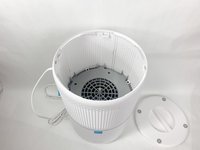
  3. Levoit Core 300-RAC Fan Replacement: 手順 3、 3の画像 1 Levoit Core 300-RAC Fan Replacement: 手順 3、 3の画像 2 Levoit Core 300-RAC Fan Replacement: 手順 3、 3の画像 3
    • Lift the filter straight up and out of the device.

    FixBotに聞いてみる

    コメントを追加

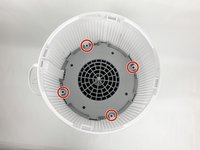
  4. Levoit Core 300-RAC Fan Replacement, Fan: 手順 4、 3の画像 1 Levoit Core 300-RAC Fan Replacement, Fan: 手順 4、 3の画像 2 Levoit Core 300-RAC Fan Replacement, Fan: 手順 4、 3の画像 3
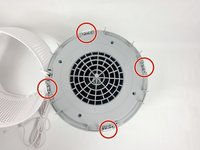
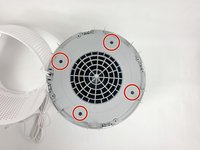
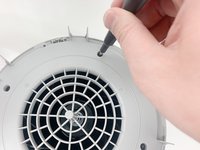
    • Use a Phillips #2 screwdriver to remove the four screws that secure the gray lid towards the base of the device.

    • Set the screws aside in a safe place.

    FixBotに聞いてみる

    コメントを追加

  5. Levoit Core 300-RAC Fan Replacement: 手順 5、 3の画像 1 Levoit Core 300-RAC Fan Replacement: 手順 5、 3の画像 2 Levoit Core 300-RAC Fan Replacement: 手順 5、 3の画像 3
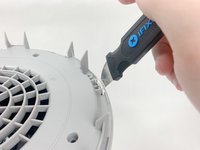
    • Use a metal spudger or Jimmy to gently pry between the four white tabs and the white housing to release the outer housing.

    • Gently pulling up on the outer housing can prevent the clips from resetting.

    FixBotに聞いてみる

    コメントを追加

  6. Levoit Core 300-RAC Fan Replacement: 手順 6、 2の画像 1 Levoit Core 300-RAC Fan Replacement: 手順 6、 2の画像 2
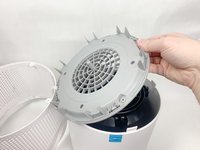
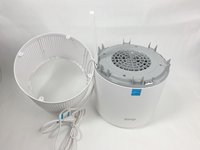
    • Remove the outer white housing and set it to the side.

    • The power cord is fed through a hole in the side of this housing, so it has to sit right next to the device.

    FixBotに聞いてみる
    コメントを追加

  7. Levoit Core 300-RAC Fan Replacement: 手順 7、 3の画像 1 Levoit Core 300-RAC Fan Replacement: 手順 7、 3の画像 2 Levoit Core 300-RAC Fan Replacement: 手順 7、 3の画像 3
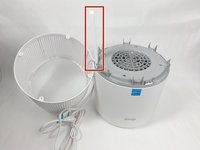
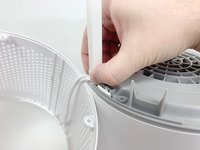
    • Grab the cable channel by its base, squeeze, and pull up at the same time to remove it.

    FixBotに聞いてみる
    コメントを追加

  8. Levoit Core 300-RAC Fan Replacement: 手順 8、 2の画像 1 Levoit Core 300-RAC Fan Replacement: 手順 8、 2の画像 2
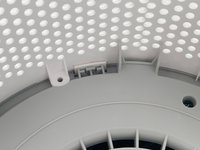
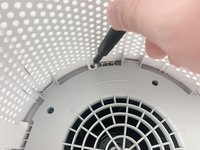
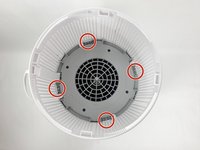
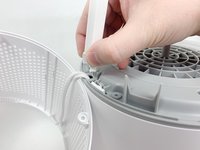
    • Remove the four Phillips #2 screws securing the gray face plate.

    • Set the screws aside in a safe place.

    FixBotに聞いてみる
    コメントを追加

  9. Levoit Core 300-RAC Fan Replacement: 手順 9、 3の画像 1 Levoit Core 300-RAC Fan Replacement: 手順 9、 3の画像 2 Levoit Core 300-RAC Fan Replacement: 手順 9、 3の画像 3
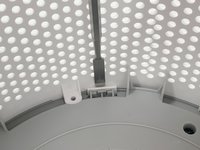
    • Insert a Jimmy or spudger between the white tab and the gray faceplate body to release the faceplate.

    • Lift it out.

    FixBotに聞いてみる

    コメントを追加

  10. Levoit Core 300-RAC Fan Replacement: 手順 10、 1の画像 1
    • Turn your device over so it is upright again.

    FixBotに聞いてみる

    コメントを追加

  11. Levoit Core 300-RAC Fan Replacement: 手順 11、 3の画像 1 Levoit Core 300-RAC Fan Replacement: 手順 11、 3の画像 2 Levoit Core 300-RAC Fan Replacement: 手順 11、 3の画像 3
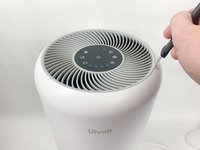
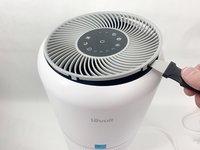
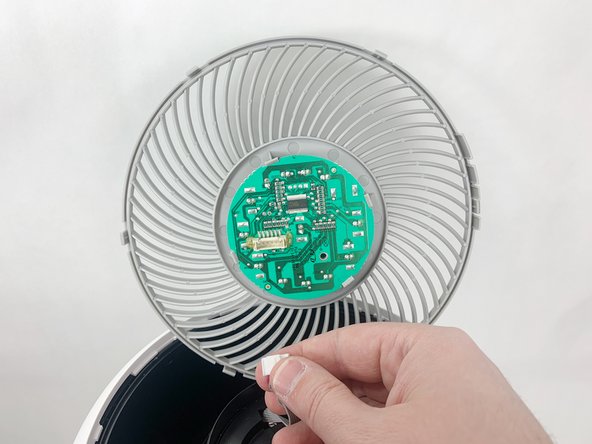
    • Insert the Jimmy between the gray grille cover and the top of the device.

    • Work your way around the grille cover with the Jimmy to release the clips holding it in place.

    • Take note of the placement of the tabs, as they are keyed and need to go back in the exact way they came out.

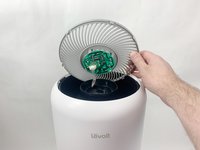
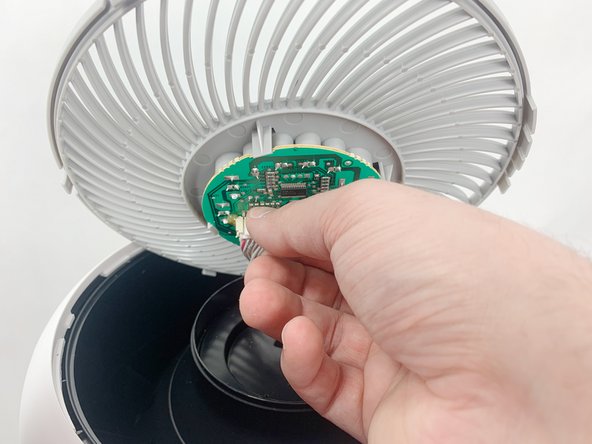
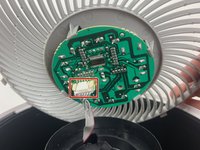
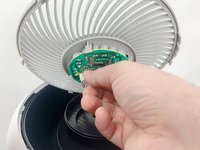
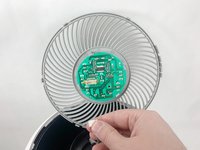
    • Remove the grille cover gently as it is connected by a ribbon cable.

    • Be careful not to put too much strain on the ribbon cable as it may break.

    FixBotに聞いてみる
    コメントを追加

  12. Levoit Core 300-RAC Fan Replacement: 手順 12、 3の画像 1 Levoit Core 300-RAC Fan Replacement: 手順 12、 3の画像 2 Levoit Core 300-RAC Fan Replacement: 手順 12、 3の画像 3
    • Squeeze the tab on the connector to release the bundled cable from the control board.

    • The connector should come out fairly easily, do not force it. Pulling too hard could damage the connector.

    FixBotに聞いてみる
    コメントを追加

  13. Levoit Core 300-RAC Fan Replacement: 手順 13、 3の画像 1 Levoit Core 300-RAC Fan Replacement: 手順 13、 3の画像 2 Levoit Core 300-RAC Fan Replacement: 手順 13、 3の画像 3
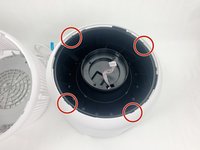
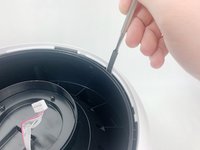
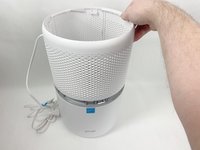
    • Insert a spudger or Jimmy into the four tabs to release them from holding the outer white housing to the inner black core.

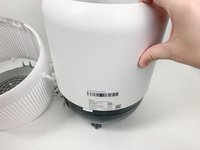
    • Remove the white outer housing.

    FixBotに聞いてみる

    コメントを追加

  14. Levoit Core 300-RAC Fan Replacement: 手順 14、 1の画像 1
    • Flip your device over again so the fan is facing up.

    FixBotに聞いてみる

    コメントを追加

  15. Levoit Core 300-RAC Fan Replacement: 手順 15、 2の画像 1 Levoit Core 300-RAC Fan Replacement: 手順 15、 2の画像 2
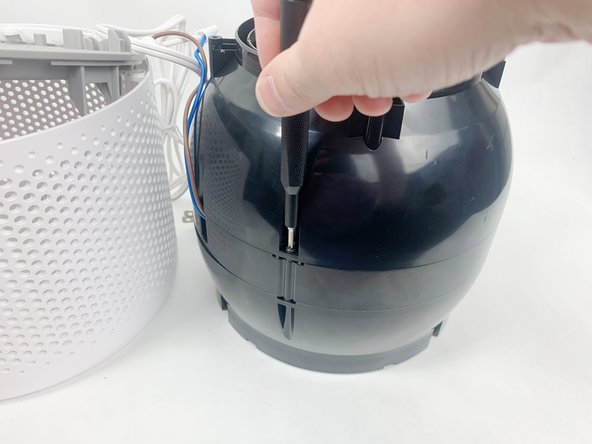
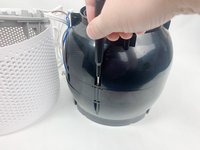
    • Use a Phillips #2 screwdriver to remove the three screws on the upper portion of the black housing.

    • Set the screws aside in a safe place.

    FixBotに聞いてみる

    コメントを追加

  16. Levoit Core 300-RAC Fan Replacement: 手順 16、 3の画像 1 Levoit Core 300-RAC Fan Replacement: 手順 16、 3の画像 2 Levoit Core 300-RAC Fan Replacement: 手順 16、 3の画像 3
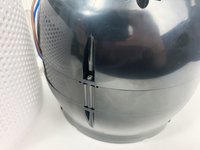
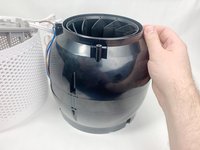
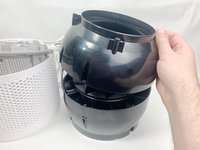
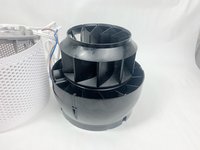
    • Remove the upper portion of the black housing.

    FixBotに聞いてみる

    コメントを追加

  17. Levoit Core 300-RAC Fan Replacement: 手順 17、 3の画像 1 Levoit Core 300-RAC Fan Replacement: 手順 17、 3の画像 2 Levoit Core 300-RAC Fan Replacement: 手順 17、 3の画像 3
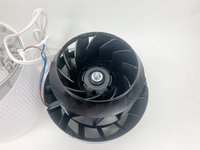
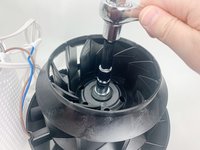
    • Use a 13mm socket wrench with an extension to remove the nut holding the fan in place and remove all hardware from the threaded shaft.

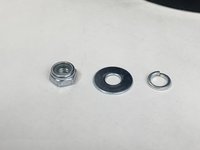
    • There should be a nylon-insert lock nut, a flat washer, and a split ring washer. Set these aside in a safe location.

    FixBotに聞いてみる

    コメントを追加

  18. Levoit Core 300-RAC Fan Replacement: 手順 18、 3の画像 1 Levoit Core 300-RAC Fan Replacement: 手順 18、 3の画像 2 Levoit Core 300-RAC Fan Replacement: 手順 18、 3の画像 3
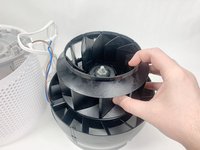
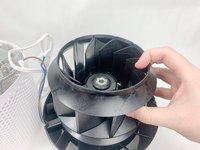
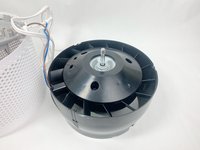
    • Lift the fan up and off of the threaded shaft.

    • There is another washer underneath the fan, leave it in place for the replacement fan.

    FixBotに聞いてみる

    コメントを追加

終わりに

To reassemble your device, follow these instructions in reverse order.

キャンセル: このガイドを終了できませんでした。

ある他の人がこのガイドを完成しました。

作成者

3人の作成者と共同で作成されました。

Stephen Carrozza

メンバー登録日: 11/01/23

253 ポイント

1ガイドが承認済み

チーム

UMass Dartmouth, Team 1-6, Petersen Fall 2023 UMass Dartmouth, Team 1-6, Petersen Fall 2023人のメンバー

UMASSD-PETERSEN-F23S1G6

5 メンバー

8のガイドは作成済み

0件のガイドコメント

コメントを追加

統計データ:

過去 24時間: 2

過去 7 日: 34

過去 30 日: 170

今までの合計 6,064