メインコンテンツにスキップ
リペアコミュニティに参加 - アカウントの作成

Levoit Core 300-RAC Control Board Replacement

必要な工具と部品

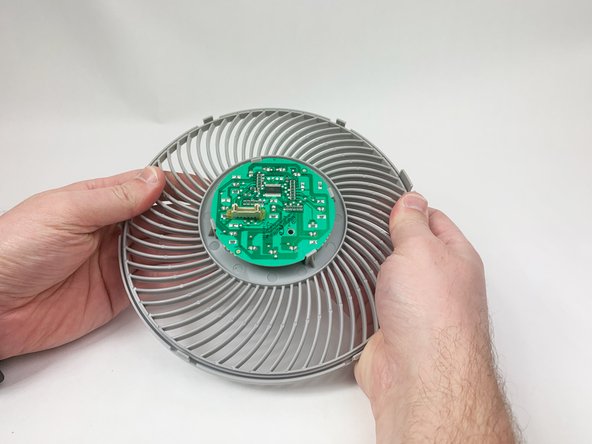
    1. Levoit Core 300-RAC Control Board Replacement, Control Board: 手順 1、 3の画像 1 Levoit Core 300-RAC Control Board Replacement, Control Board: 手順 1、 3の画像 2 Levoit Core 300-RAC Control Board Replacement, Control Board: 手順 1、 3の画像 3
      • Make sure the device is turned off and unplugged before disassembling it.

      • Insert the Jimmy between the gray grille cover and the top of the device.

      • Work your way around the grille cover with the Jimmy to release the clips holding it in place.

      • Take note of the placement of the clips, as they are keyed and need to go back in the exact way they came out.

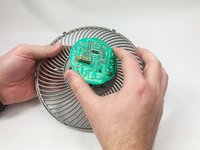
      • Remove the grille cover gently as it is connected by a ribbon cable.

      • Be careful not to put too much strain on the ribbon cable as it may break.

      FixBotに聞いてみる

      コメントを追加

    2. Levoit Core 300-RAC Control Board Replacement: 手順 2、 3の画像 1 Levoit Core 300-RAC Control Board Replacement: 手順 2、 3の画像 2 Levoit Core 300-RAC Control Board Replacement: 手順 2、 3の画像 3
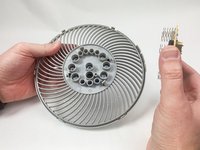
      • Squeeze the tab on the connector to release the bundled cable from the control board.

      • The connector should come out fairly easily, so do not force it. Pulling too hard could damage the connector.

      FixBotに聞いてみる

      コメントを追加

    3. Levoit Core 300-RAC Control Board Replacement: 手順 3、 2の画像 1 Levoit Core 300-RAC Control Board Replacement: 手順 3、 2の画像 2
      • Gently bend the gray plastic cover to release the control board.

      • There are several hard tabs holding the control board in place.

      FixBotに聞いてみる

      コメントを追加

    4. Levoit Core 300-RAC Control Board Replacement: 手順 4、 3の画像 1 Levoit Core 300-RAC Control Board Replacement: 手順 4、 3の画像 2 Levoit Core 300-RAC Control Board Replacement: 手順 4、 3の画像 3
      • Lift the control board from the gray plastic cover.

      • Take note of the orientations of the buttons, as that will help during reassembly.

      FixBotに聞いてみる

      コメントを追加

終わりに

To reassemble your device, follow these instructions in reverse order.

キャンセル: このガイドを終了できませんでした。

作成者

2人の作成者と共同で作成されました。

Mustafa

メンバー登録日: 11/03/23

259 ポイント

1ガイドが承認済み

チーム

UMass Dartmouth, Team 1-6, Petersen Fall 2023 UMass Dartmouth, Team 1-6, Petersen Fall 2023人のメンバー

UMASSD-PETERSEN-F23S1G6

5 メンバー

8のガイドは作成済み

0件のガイドコメント

コメントを追加

統計データ:

過去 24時間: 1

過去 7 日: 21

過去 30 日: 88

今までの合計 1,869