メインコンテンツにスキップ
リペアコミュニティに参加 - アカウントの作成

LG TP 1100 Microphone Replacement

必要な工具と部品

  1. LG TP 1100 Microphone Replacement, Microphone: 手順 1、 1の画像 1
    • Hold antenna between your fingers and unscrew in a counterclockwise direction.

    FixBotに聞いてみる

    コメントを追加

  2. LG TP 1100 Microphone Replacement: 手順 2、 1の画像 1
    • You will remove antenna by pulling it in an upward motion away from the socket.

    FixBotに聞いてみる

    コメントを追加

  3. LG TP 1100 Microphone Replacement: 手順 3、 1の画像 1
    • Turn phone so that the back is facing you.

    FixBotに聞いてみる

    コメントを追加

  4. LG TP 1100 Microphone Replacement: 手順 4、 1の画像 1
    • Use your thumb to pull the tab in an upward motion to release the battery.

    FixBotに聞いてみる

    コメントを追加

  5. LG TP 1100 Microphone Replacement: 手順 5、 1の画像 1
    • Hold phone securely in one hand and pull the battery away from the phone with your other hand.

    FixBotに聞いてみる

    コメントを追加

  6. LG TP 1100 Microphone Replacement: 手順 6、 1の画像 1
    • Use your screwdriver to unscrew the four screws from the back plate.

    FixBotに聞いてみる

    コメントを追加

  7. LG TP 1100 Microphone Replacement: 手順 7、 1の画像 1
    • Turn phone to the side as indicated in the picture.

    FixBotに聞いてみる

    コメントを追加

  8. LG TP 1100 Microphone Replacement: 手順 8、 1の画像 1
    • Remove the back cover that you just unscrewed and set aside.

    FixBotに聞いてみる

    コメントを追加

  9. LG TP 1100 Microphone Replacement: 手順 9、 1の画像 1
    • Open the remaining parts like a book but do not separate the two pieces.

    • Do not tear the tape connecting the two pieces.

    FixBotに聞いてみる

    コメントを追加

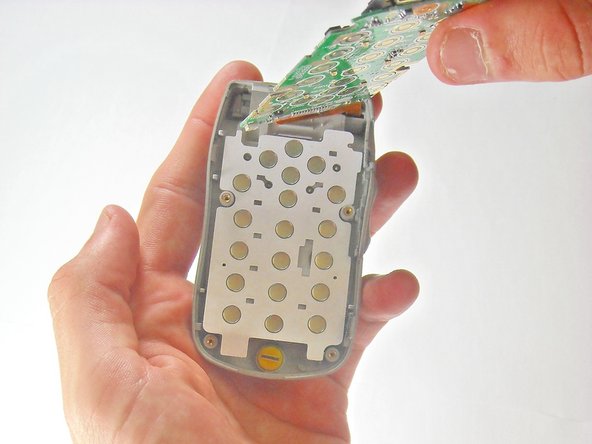
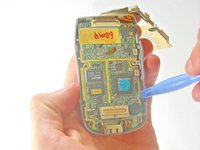
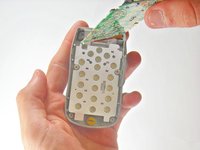
  10. LG TP 1100 Microphone Replacement: 手順 10、 2の画像 1 LG TP 1100 Microphone Replacement: 手順 10、 2の画像 2
    • Rotate the phone so that the circuit board is in the palm of your hand and the part connected with tape hangs behind.

    • Use your opening tool to pry the circuit board from the front cover. Do not let the number pad to fall out.

    FixBotに聞いてみる

    コメントを追加

  11. LG TP 1100 Microphone Replacement: 手順 11、 1の画像 1
    • To remove the microphone, insert your opening tool under microphone and push upward to pry microphone away from the front cover.

    FixBotに聞いてみる

    コメントを追加

終わりに

To reassemble your device, follow these instructions in reverse order.

キャンセル: このガイドを終了できませんでした。

ある他の人がこのガイドを完成しました。

作成者

8人の作成者と共同で作成されました。

Johnny Inlow

メンバー登録日: 04/10/10

19 ポイント

3のガイドは作成済み

チーム

Cal Poly, Team 27-91, Amido Spring 2010 Cal Poly, Team 27-91, Amido Spring 2010人のメンバー

CPSU-AMIDO-S10S27G91

5 メンバー

12のガイドは作成済み

0件のガイドコメント

コメントを追加

統計データ:

過去 24時間: 0

過去 7 日: 5

過去 30 日: 51

今までの合計 1,593