はじめに
This guide will show you how to safely remove and replace the battery in your JBL Grip speaker. You may need to perform this repair if your speaker no longer holds a charge, powers off unexpectedly, or fails to turn on.
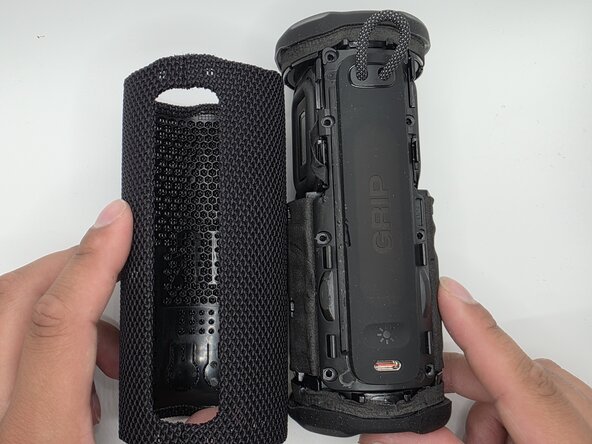
The battery is located inside the device and requires removing the outer case and internal components to access it. During this process, you will disconnect delicate cables and remove several screws, so handle all components carefully to avoid damage.
必要な工具と部品
-
-
-
-
Remove the eight 6mm screws securing the panel with a Phillips #2 screwdriver.
-
-
-
-
-
Unplug the wires from their socket.
-
Once the wire is unplugged, safely remove it.
-


 FixBotに聞いてみる



To reassemble your device, follow these instructions in reverse order.

チーム

University of North Texas, Team 1-4, Kilpatrick Spring 2026 University of North Texas, Team 1-4, Kilpatrick Spring 2026人のメンバー
UNT-KILPATRICK-S26S1G4
5 メンバー
19のガイドは作成済み
