メインコンテンツにスキップ
リペアコミュニティに参加 - アカウントの作成

How To Clean Nikon Coolpix S30 Lens

必要な工具と部品

    1. How To Clean Nikon Coolpix S30 Lens, Batteries: 手順 1、 2の画像 1 How To Clean Nikon Coolpix S30 Lens, Batteries: 手順 1、 2の画像 2
      • Slide the battery cover to the right.

      • The hinge is on the left side of the cover which will allow the cover to stay attached.

      FixBotに聞いてみる

      コメントを追加

    2. How To Clean Nikon Coolpix S30 Lens: 手順 2、 2の画像 1 How To Clean Nikon Coolpix S30 Lens: 手順 2、 2の画像 2
      • Slide the second cover (yellow) to the right (similar to the outer cover). This will allow the batteries to be exposed.

      FixBotに聞いてみる

      コメントを追加

    3. How To Clean Nikon Coolpix S30 Lens: 手順 3、 1の画像 1
      • Remove the batteries by gently tipping the camera.

      FixBotに聞いてみる

      コメントを追加

    1. How To Clean Nikon Coolpix S30 Lens, How To Clean Nikon Coolpix S30 Lens: 手順 4、 1の画像 1
      • Remove the four screws the hold the back of the case to the rest of the camera.

      FixBotに聞いてみる

      コメントを追加

    2. How To Clean Nikon Coolpix S30 Lens: 手順 5、 1の画像 1
      • Remove the left screw from the bottom of the camera first. This can be done using the same T5 tip.

      • Unscrew the screw on the right using a different attachment: PH000 (it is a small Phillip's head)

      FixBotに聞いてみる

      コメントを追加

    3. How To Clean Nikon Coolpix S30 Lens: 手順 6、 1の画像 1
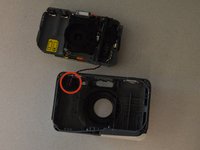
      • Remove back case from the rest of the camera carefully.

      FixBotに聞いてみる

      コメントを追加

    4. How To Clean Nikon Coolpix S30 Lens: 手順 7、 1の画像 1
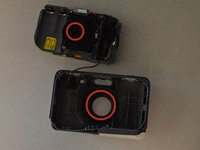
      • Remove the three screws the secure the motherboard to the front case.

      FixBotに聞いてみる

      コメントを追加

    5. How To Clean Nikon Coolpix S30 Lens: 手順 8、 2の画像 1 How To Clean Nikon Coolpix S30 Lens: 手順 8、 2の画像 2
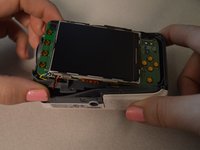
      • Remove the motherboard from the front case.

      • Leave the red and black wire attached but lay the piece in front of the case.

      FixBotに聞いてみる

      コメントを追加

    6. How To Clean Nikon Coolpix S30 Lens: 手順 9、 2の画像 1 How To Clean Nikon Coolpix S30 Lens: 手順 9、 2の画像 2
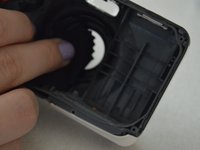
      • Wipe the lens and the clear plastic on the front case to remove debris.

      FixBotに聞いてみる

      コメントを追加

終わりに

To reassemble your device, follow these instructions in reverse order.

キャンセル: このガイドを終了できませんでした。

ある他の人がこのガイドを完成しました。

作成者

3人の作成者と共同で作成されました。

Courtney Weida

メンバー登録日: 01/21/15

167 ポイント

1ガイドが承認済み

チーム

Penn State, Team 2-4, Kaschak Winter 2015 Penn State, Team 2-4, Kaschak Winter 2015人のメンバー

PSU-KASCHAK-W15S2G4

4 メンバー

5のガイドは作成済み

1件のガイドコメント

The first three steps are redundant because you already included the prerequisite guide for removal of the batteries.

Dylan Keiter - 返信 共有

コメントを追加

統計データ:

過去 24時間: 1

過去 7 日: 5

過去 30 日: 19

今までの合計 2,095