はじめに
This is the most common but also the easiest component to replace on the Hitachi CP-X2010N projector. The air filter is responsible for cleaning the air that circulates through your device. If you notice excessive fan noise or difficulty keeping temperature down, the air filter might be dirty or clogged. The air filter will need replacement more often if the projector is operating in a dusty environment.
-
-
-
Lift the front of the projector up so the air filter tray is easily accessible.
 FixBotに聞いてみる
-
-
-
-
Grab the handle at the bottom of the device and pull the air filter straight out.
-
-
-
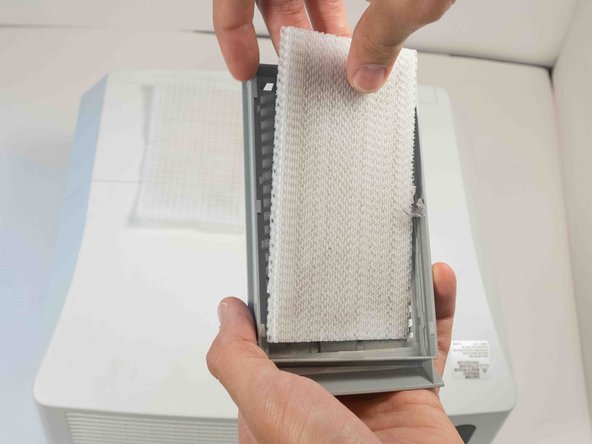
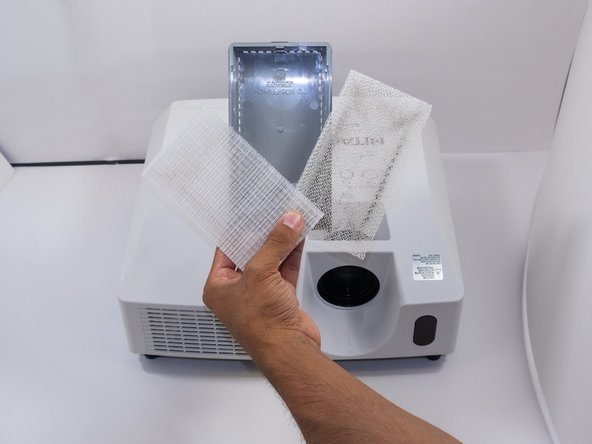
There are two filters in the tray. The top one is a fine mesh, and the bottom is a coarse mesh. Remove the fine mesh filter first.
-
Finally, remove the coarse mesh filter.
-
-


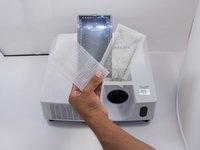
To reassemble your device, follow these instructions in reverse order.
5 の人々がこのガイドを完成させました。

チーム

Austin Community College, Team 9-2, Watkins Fall 2022 Austin Community College, Team 9-2, Watkins Fall 2022人のメンバー
AUSTINCC-WATKINS-F22S9G2
4 メンバー
18のガイドは作成済み
