この翻訳は機械によって生成されたものであり、まだ人間による校正は行われていません。 日本語を話せますか? レビューはこちらから。
はじめに
時間の経過とともに、HTC SMT 6175のバッテリーは充電を保持する能力が低下したり、デバイスの電源が入らなくなったりすることがあります。これは古い携帯電話によく見られる症状です。しかし、バッテリーを交換することで、端末を買い替えることなく、正常なパフォーマンスを取り戻し、寿命を延ばすことができます。
この作業に特別なツールや技術的なスキルは必要ありません。リアカバーを取り外し、古いバッテリーと交換するだけの簡単な作業です。ショートや内部コンポーネントへの損傷を避けるため、作業を開始する前に必ず携帯電話の電源を切ってください。

 FixBotに聞いてみる


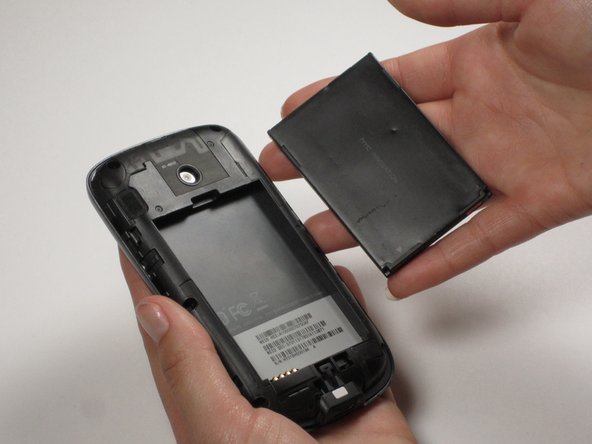
終わりに
デバイスを再組み立てするには、これらのインストラクションを逆の順番に従って作業を進めてください。

チーム

Cal Poly, Team 25-29, Garner Spring 2011 Cal Poly, Team 25-29, Garner Spring 2011人のメンバー
CPSU-GARNER-S11S25G29
3 メンバー
60のガイドは作成済み
