はじめに
You may need to replace the battery for multiple reasons; for example, you may have over charged it which makes it more likely to not work. This guide will show you how to replace the defective battery.
必要な工具と部品
-
-
-
Flip your phone over and hold the phone with the back facing you.
 FixBotに聞いてみる
-
-
-
-
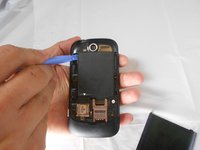
Place the prying tool into the notch at the bottom of the case and pull up to remove.
-
-
-
Use the plastic prying tool in the upper left-hand corner notch of the battery to remove.
-
-


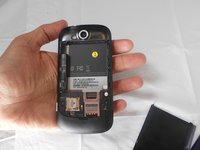
To reassemble your device, follow these instructions in reverse order.
ある他の人がこのガイドを完成しました。

チーム

USF Tampa, Team 16-5, Watkins Spring 2014 USF Tampa, Team 16-5, Watkins Spring 2014人のメンバー
USFT-WATKINS-S14S16G5
2 メンバー
20のガイドは作成済み
