メインコンテンツにスキップ
リペアコミュニティに参加 - アカウントの作成

HTC Droid DNA Micro USB Port Replacement

必要な工具と部品

  1. HTC Droid DNA Micro USB Port Replacement, Remove the SIM Card Tray: 手順 1、 1の画像 1
    • Poke a paperclip into the hole to the right of the SIM Card Tray. The SIM Card Tray will automatically pop out.

    FixBotに聞いてみる

    コメントを追加

  2. HTC Droid DNA Micro USB Port Replacement, Removing the SIM Card Tray: 手順 2、 2の画像 1 HTC Droid DNA Micro USB Port Replacement, Removing the SIM Card Tray: 手順 2、 2の画像 2
    • Pull out the SIM Card Tray with your fingers.

    FixBotに聞いてみる

    コメントを追加

  3. HTC Droid DNA Micro USB Port Replacement, Loosen the Phone Casing: 手順 3、 2の画像 1 HTC Droid DNA Micro USB Port Replacement, Loosen the Phone Casing: 手順 3、 2の画像 2
    • Make sure the USB cover on the bottom of the phone is removed first.

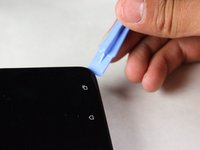
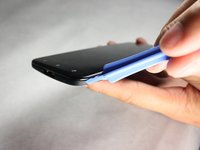
    • Starting at a corner, slowly work your way around the edge of the sides with your prying tool to loosen the front panel.

    • Take your time. A lot of force is necessary to loosen the front panel.

    FixBotに聞いてみる

    コメントを追加

  4. HTC Droid DNA Micro USB Port Replacement, Pull the Casing Apart: 手順 4、 1の画像 1
    • Slowly pull the panel apart from the back of the phone.

    • Apply a moderate force to pry the panel from the back of the phone.

    FixBotに聞いてみる

    コメントを追加

  5. HTC Droid DNA Micro USB Port Replacement, Remove the Black Tape: 手順 5、 1の画像 1
    • Set the device down so that the bottom of the phone is facing to the right.

    • Gently take off the piece of black tape surrounding the motherboard.

    • Be careful not to rip the tape.

    FixBotに聞いてみる

    コメントを追加

  6. HTC Droid DNA Micro USB Port Replacement, Remove the Yellow Tape: 手順 6、 1の画像 1
    この手順で使用する道具:
    Tweezers
    $4.99
    • Use your tweezers to take off the yellow tape on the bottom left corner of the phone.

    FixBotに聞いてみる

    コメントを追加

  7. HTC Droid DNA Micro USB Port Replacement: 手順 7、 1の画像 1
    • Rotate your phone 90 degrees clockwise so the bottom of the phone is facing you.

    • Use the T5 Torx screwdriver to remove the two 4mm screws located at the bottom of the phone.

    FixBotに聞いてみる

    コメントを追加

  8. HTC Droid DNA Micro USB Port Replacement, Remove the Void Screw: 手順 8、 1の画像 1
    • Use the Phillips #000 screwdriver to remove the single 2.7mm void screw on the bottom right.

    FixBotに聞いてみる

    コメントを追加

  9. HTC Droid DNA Micro USB Port Replacement, Remove the Screw Retaining Bracket: 手順 9、 1の画像 1
    • Rotate your phone back 90 Degrees counter-clockwise.

    • Use your tweezers to take off the small metal retaining bracket on the bottom right of the phone.

    FixBotに聞いてみる

    コメントを追加

  10. HTC Droid DNA Micro USB Port Replacement, Remove the Connector Screws: 手順 10、 1の画像 1
    • Remove the following Phillips #000 screws from the motherboard:

    • Four 1.6 mm screws

    • Two 1.5 mm screws

    FixBotに聞いてみる

    コメントを追加

  11. HTC Droid DNA Micro USB Port Replacement, Unfasten the Connectors: 手順 11、 2の画像 1 HTC Droid DNA Micro USB Port Replacement, Unfasten the Connectors: 手順 11、 2の画像 2
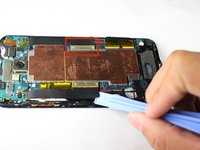
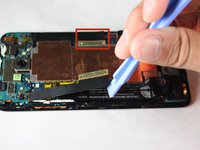
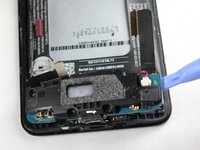
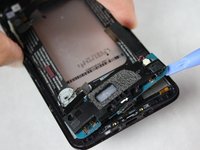
    • Use your pry tool to unfasten the connectors on both sides of the motherboard.

    • The connectors will still be attached to the green camera board at the top so DO NOT try to pull them off or bend them severely.

    FixBotに聞いてみる

    コメントを追加

  12. HTC Droid DNA Micro USB Port Replacement, Remove the Yellow Tape: 手順 12、 1の画像 1
    • Use your tweezers to remove the two pieces of yellow tape shown.

    FixBotに聞いてみる

    コメントを追加

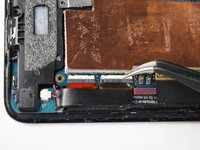
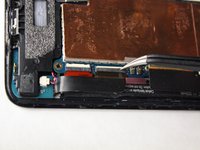
  13. HTC Droid DNA Micro USB Port Replacement, Flipping up the White Board: 手順 13、 2の画像 1 HTC Droid DNA Micro USB Port Replacement, Flipping up the White Board: 手順 13、 2の画像 2
    • Use your tweezers to gently snap up the white board on the bottom right of the motherboard.

    FixBotに聞いてみる

    コメントを追加

  14. HTC Droid DNA Micro USB Port Replacement, Disconnect the Connector: 手順 14、 1の画像 1
    • Use your tweezers to disconnect the black connector on the bottom right of the motherboard.

    • Be careful not to bend the Flex Cable of the Connector.

    FixBotに聞いてみる

    コメントを追加

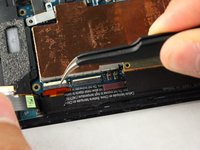
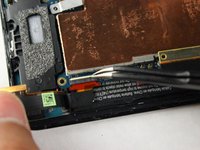
  15. HTC Droid DNA Micro USB Port Replacement, Flipping up the White Board: 手順 15、 2の画像 1 HTC Droid DNA Micro USB Port Replacement, Flipping up the White Board: 手順 15、 2の画像 2
    • Use your tweezers to gently snap the other white board on the bottom right of the motherboard up.

    FixBotに聞いてみる

    コメントを追加

  16. HTC Droid DNA Micro USB Port Replacement, Disconnect the Connector: 手順 16、 1の画像 1
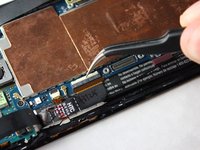
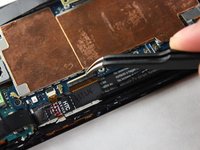
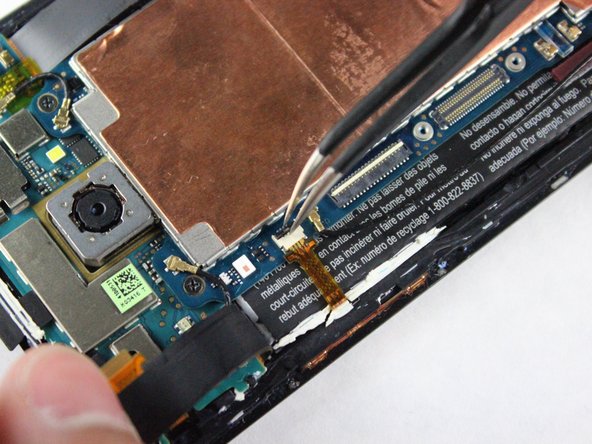
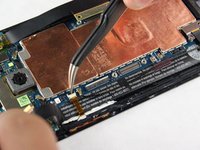
    • Use your tweezers to disconnect the other small connector on the bottom right of the motherboard.

    • Be careful not to bend the Flex Cables for the Connector.

    FixBotに聞いてみる

    コメントを追加

  17. HTC Droid DNA Micro USB Port Replacement, Flipping up the White Board: 手順 17、 2の画像 1 HTC Droid DNA Micro USB Port Replacement, Flipping up the White Board: 手順 17、 2の画像 2
    • Rotate the phone 180 degrees.

    • Use your tweezers to gently snap up the white board on the top left of the motherboard.

    FixBotに聞いてみる

    コメントを追加

  18. HTC Droid DNA Micro USB Port Replacement, Disconnect the Connector: 手順 18、 1の画像 1
    • Use your tweezers to disconnect the cable on the top left of the motherboard.

    • Be careful not to bend the Flex Cable of the Connector.

    FixBotに聞いてみる

    コメントを追加

  19. HTC Droid DNA Micro USB Port Replacement, Flipping up the Black Board: 手順 19、 2の画像 1 HTC Droid DNA Micro USB Port Replacement, Flipping up the Black Board: 手順 19、 2の画像 2
    • Use your tweezers to gently snap up the black board on the top left of the motherboard.

    FixBotに聞いてみる

    コメントを追加

  20. HTC Droid DNA Micro USB Port Replacement, Disconnect the Small Ribbon Connector: 手順 20、 1の画像 1
    • Use your tweezers to gently remove the yellow connector on the top left of the phone.

    FixBotに聞いてみる

    コメントを追加

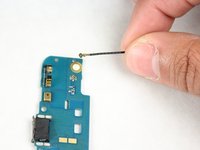
  21. HTC Droid DNA Micro USB Port Replacement, Remove the Black Wire: 手順 21、 1の画像 1
    • Remove the long black wire on the left of the motherboard.

    FixBotに聞いてみる

    コメントを追加

  22. HTC Droid DNA Micro USB Port Replacement, Remove the Two Black Wires: 手順 22、 1の画像 1
    • Reorient the phone so that the green camera board is farthest from you.

    • Use your tweezers to remove the two wires located at the top of the board. The wires snap off very easily so not much force is needed.

    FixBotに聞いてみる

    コメントを追加

  23. HTC Droid DNA Micro USB Port Replacement, Remove the Screws: 手順 23、 1の画像 1
    • Use a Phillips #000 screwdriver to remove the two 3.9mm screws on top of motherboard.

    FixBotに聞いてみる

    コメントを追加

  24. HTC Droid DNA Micro USB Port Replacement, Remove the Motherboard: 手順 24、 2の画像 1 HTC Droid DNA Micro USB Port Replacement, Remove the Motherboard: 手順 24、 2の画像 2
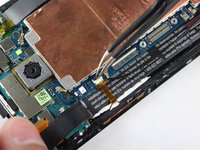
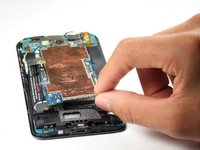
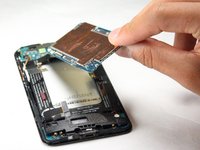
    • Now, use your fingers to slowly pull up the motherboard and remove it from the phone.

    FixBotに聞いてみる

    コメントを追加

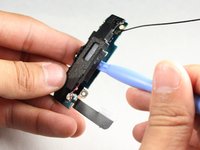
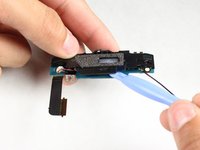
  25. HTC Droid DNA Micro USB Port Replacement, Remove the Charging Port Assembly: 手順 25、 2の画像 1 HTC Droid DNA Micro USB Port Replacement, Remove the Charging Port Assembly: 手順 25、 2の画像 2
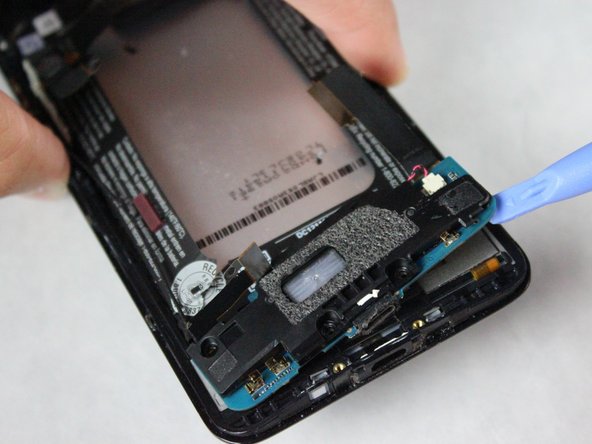
    • Use the plastic prying tool to gently remove the charging port assembly.

    FixBotに聞いてみる

    コメントを追加

  26. HTC Droid DNA Micro USB Port Replacement, Disassemble Charging Port Assembly: 手順 26、 1の画像 1
    • Use a Phillips #000 screw driver to remove the single 2.1mm screw located on the backside of the assembly.

    FixBotに聞いてみる

    コメントを追加

  27. HTC Droid DNA Micro USB Port Replacement, Undo the Wire Connection: 手順 27、 2の画像 1 HTC Droid DNA Micro USB Port Replacement, Undo the Wire Connection: 手順 27、 2の画像 2
    この手順で使用する道具:
    Tweezers
    $4.99
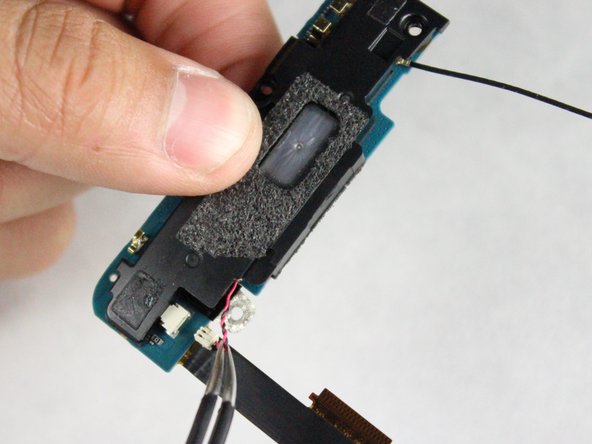
    • Use your tweezers to undo the red and black wire connection.

    FixBotに聞いてみる

    コメントを追加

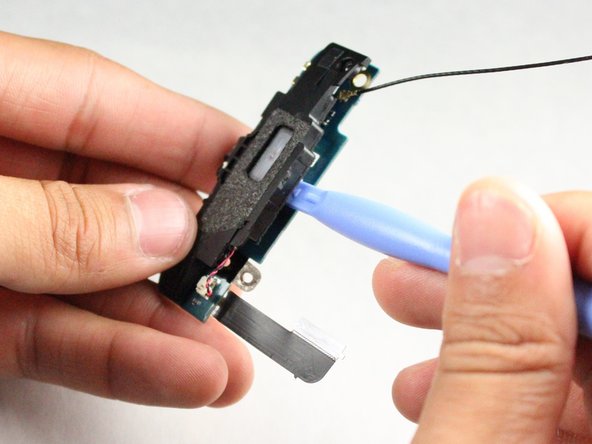
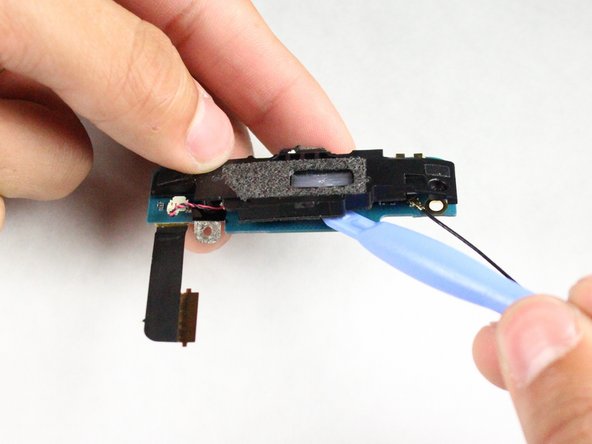
  28. HTC Droid DNA Micro USB Port Replacement, Separate the Black and Blue Assembly Pieces: 手順 28、 3の画像 1 HTC Droid DNA Micro USB Port Replacement, Separate the Black and Blue Assembly Pieces: 手順 28、 3の画像 2 HTC Droid DNA Micro USB Port Replacement, Separate the Black and Blue Assembly Pieces: 手順 28、 3の画像 3
    • Use the plastic prying tool to separate the assembly into two pieces: blue and black.

    FixBotに聞いてみる

    コメントを追加

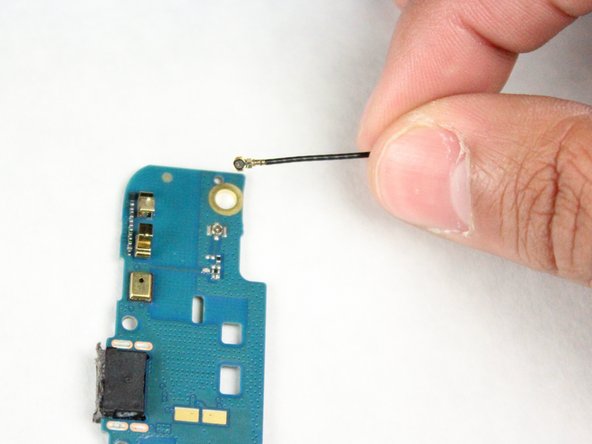
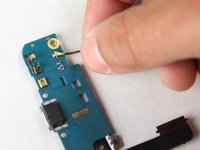
  29. HTC Droid DNA Micro USB Port Replacement, Remove the wire: 手順 29、 2の画像 1 HTC Droid DNA Micro USB Port Replacement, Remove the wire: 手順 29、 2の画像 2
    • Remove the black wire on the blue piece (the Micro USB charging port) so it is out of the way and cannot get damaged.

    • If the micro USB port is damaged, the charging port may need to be replaced.

    FixBotに聞いてみる

    コメントを追加

終わりに

To reassemble your device, follow these instructions in reverse order.

キャンセル: このガイドを終了できませんでした。

ある他の人がこのガイドを完成しました。

作成者

2人の作成者と共同で作成されました。

Madeline Tran

メンバー登録日: 10/14/14

707 ポイント

3のガイドは作成済み

チーム

Cal Poly, Team 4-43, Amido Fall 2014 Cal Poly, Team 4-43, Amido Fall 2014人のメンバー

CPSU-AMIDO-F14S4G43

4 メンバー

10のガイドは作成済み

0件のガイドコメント

コメントを追加

統計データ:

過去 24時間: 0

過去 7 日: 6

過去 30 日: 31

今までの合計 2,729