メインコンテンツにスキップ
リペアコミュニティに参加 - アカウントの作成

HP Mini 110-3735dx Keyboard Replacement

必要な工具と部品

    1. HP Mini 110-3735dx Keyboard Replacement, Battery: 手順 1、 3の画像 1 HP Mini 110-3735dx Keyboard Replacement, Battery: 手順 1、 3の画像 2 HP Mini 110-3735dx Keyboard Replacement, Battery: 手順 1、 3の画像 3
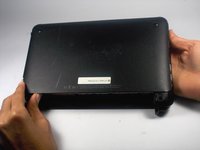
      • With the bottom of the HP Mini facing up, slide both switches inward towards each other.

      FixBotに聞いてみる

      コメントを追加

    2. HP Mini 110-3735dx Keyboard Replacement: 手順 2、 2の画像 1 HP Mini 110-3735dx Keyboard Replacement: 手順 2、 2の画像 2
      • With the left switch still pushed inward, pull the battery towards you to remove it from the computer.

      FixBotに聞いてみる

      コメントを追加

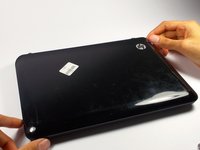
    1. HP Mini 110-3735dx Keyboard Replacement, Backcover: 手順 3、 3の画像 1 HP Mini 110-3735dx Keyboard Replacement, Backcover: 手順 3、 3の画像 2 HP Mini 110-3735dx Keyboard Replacement, Backcover: 手順 3、 3の画像 3
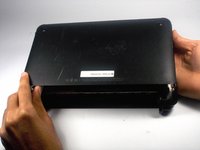
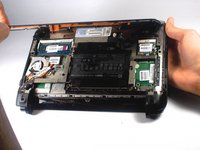
      • Pull upward from under the back cover via the missing battery area.

      • Best to start from one of the corners.

      FixBotに聞いてみる

      コメントを追加

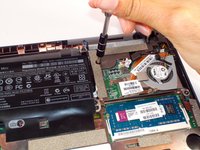
    1. HP Mini 110-3735dx Keyboard Replacement, Keyboard: 手順 4、 2の画像 1 HP Mini 110-3735dx Keyboard Replacement, Keyboard: 手順 4、 2の画像 2
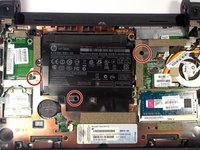
      • Remove the three 4.0 mm screws with the keyboard indicator next to them using a Phillips #1 screw driver.

      FixBotに聞いてみる

      コメントを追加

    2. HP Mini 110-3735dx Keyboard Replacement: 手順 5、 2の画像 1 HP Mini 110-3735dx Keyboard Replacement: 手順 5、 2の画像 2
      • Flip the laptop over, and open it up.

      • Don't worry! No pieces will fall out.

      FixBotに聞いてみる

      コメントを追加

    3. HP Mini 110-3735dx Keyboard Replacement: 手順 6、 2の画像 1 HP Mini 110-3735dx Keyboard Replacement: 手順 6、 2の画像 2
      • With the keyboard facing you, pull the black bezel upward until its loose.

      • You should hear three clicks.

      FixBotに聞いてみる

      コメントを追加

    4. HP Mini 110-3735dx Keyboard Replacement: 手順 7、 2の画像 1 HP Mini 110-3735dx Keyboard Replacement: 手順 7、 2の画像 2
      • Move and hold the bezel slightly towards the screen while lifting the keyboard from the top.

      FixBotに聞いてみる

      コメントを追加

    5. HP Mini 110-3735dx Keyboard Replacement: 手順 8、 1の画像 1
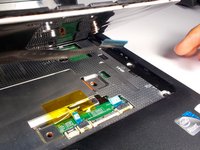
      • Pull up the keyboard from the bottom corners exposing the keyboard cable.

      FixBotに聞いてみる

      コメントを追加

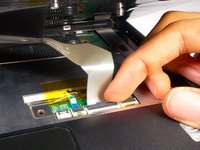
    6. HP Mini 110-3735dx Keyboard Replacement: 手順 9、 2の画像 1 HP Mini 110-3735dx Keyboard Replacement: 手順 9、 2の画像 2
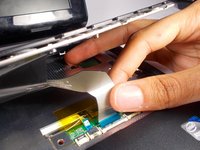
      • Lift the black holder connected to the keyboard cable until it points up.

      FixBotに聞いてみる

      コメントを追加

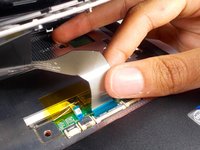
    7. HP Mini 110-3735dx Keyboard Replacement: 手順 10、 2の画像 1 HP Mini 110-3735dx Keyboard Replacement: 手順 10、 2の画像 2
      • Gently pull the keyboard cable from the socket.

      FixBotに聞いてみる

      コメントを追加

終わりに

To reassemble your device, follow these instructions in reverse order.

キャンセル: このガイドを終了できませんでした。

作成者

4人の作成者と共同で作成されました。

Tyrone Williams

メンバー登録日: 03/10/16

923 ポイント

7のガイドは作成済み

チーム

UMass Dartmouth, Team 4-1, Catania Spring 2016 UMass Dartmouth, Team 4-1, Catania Spring 2016人のメンバー

UMASSD-CATANIA-S16S4G1

4 メンバー

54のガイドは作成済み

0件のガイドコメント

コメントを追加

統計データ:

過去 24時間: 0

過去 7 日: 5

過去 30 日: 24

今までの合計 1,089