メインコンテンツにスキップ
リペアコミュニティに参加 - アカウントの作成

HP G60T-600 CTO Power Button Frame Replacement

必要な工具と部品

    1. HP G60T-600 CTO Power Button Frame Replacement, Battery: 手順 1、 1の画像 1
      • Failure to remove the battery before performing any replacement guide may result in electric shock.

      • Close your device, then turn it over.

      FixBotに聞いてみる

      コメントを追加

    2. HP G60T-600 CTO Power Button Frame Replacement: 手順 2、 2の画像 1 HP G60T-600 CTO Power Button Frame Replacement: 手順 2、 2の画像 2
      • Place your index finger on the ridged tab.

      FixBotに聞いてみる

      コメントを追加

    3. HP G60T-600 CTO Power Button Frame Replacement: 手順 3、 1の画像 1
      • Apply moderate pressure to the tab and slide it to the right.

      • While the tab is on the right, you should be able to gently slide your battery out of your device.

      FixBotに聞いてみる

      コメントを追加

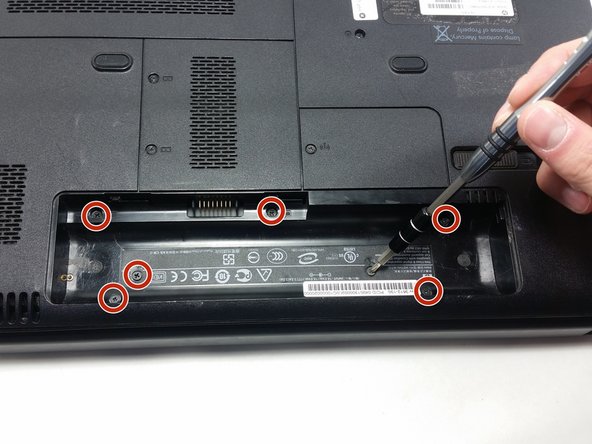
    1. HP G60T-600 CTO Power Button Frame Replacement, Keyboard: 手順 4、 2の画像 1 HP G60T-600 CTO Power Button Frame Replacement, Keyboard: 手順 4、 2の画像 2
      • Unscrew the following 5mm screws with a #0 Phillips screwdriver.

      FixBotに聞いてみる

      コメントを追加

    2. HP G60T-600 CTO Power Button Frame Replacement: 手順 5、 1の画像 1
      • Turn your laptop over and open it up.

      • Grip your laptop firmly from both sides and use your thumbs to slide the keyboard towards the screen.

      FixBotに聞いてみる

      コメントを追加

    3. HP G60T-600 CTO Power Button Frame Replacement: 手順 6、 1の画像 1
      • Pull up on the top of your keyboard with medium force. It should start to pop out.

      • A plastic opening tool may facilitate this task.

      • Run your hands underneath the edges of the keyboard until it is free from the device.

      • Do not pull hard to take the keyboard out. There is a small connection that needs to be undone.

      FixBotに聞いてみる

      コメントを追加

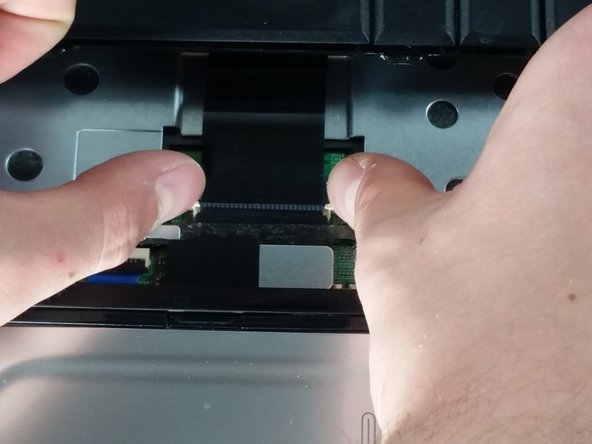
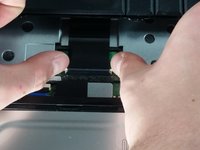
    4. HP G60T-600 CTO Power Button Frame Replacement: 手順 7、 2の画像 1 HP G60T-600 CTO Power Button Frame Replacement: 手順 7、 2の画像 2
      • Place your thumbs on the two small, white tabs.

      • Push these tabs forward to release the connection and free the keyboard from the device.

      FixBotに聞いてみる

      コメントを追加

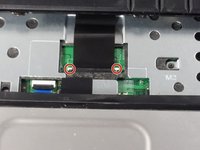
    1. HP G60T-600 CTO Power Button Frame Replacement, Power Button Frame: 手順 8、 1の画像 1
      • Similarly to how you remove the keyboard, gently pry a small section of the power button frame up.

      FixBotに聞いてみる

      コメントを追加

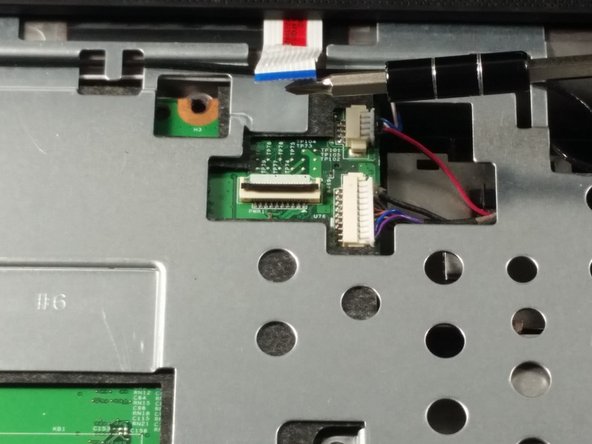
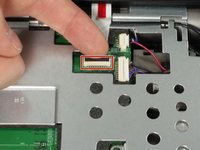
    2. HP G60T-600 CTO Power Button Frame Replacement: 手順 9、 2の画像 1 HP G60T-600 CTO Power Button Frame Replacement: 手順 9、 2の画像 2
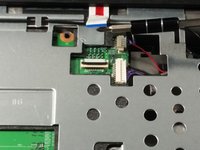
      • Gently pull the white tab upwards.

      • With similar force, pull the connection out.

      • You are now free to pull the power button frame off of your device.

      FixBotに聞いてみる

      コメントを追加

    3. HP G60T-600 CTO Power Button Frame Replacement: 手順 10、 1の画像 1
      • Unscrew the 5mm screw holding the CD player in place.

      FixBotに聞いてみる

      コメントを追加

終わりに

To reassemble your device, follow these instructions in reverse order.

キャンセル: このガイドを終了できませんでした。

作成者

2人の作成者と共同で作成されました。

Dominic DeSantis

メンバー登録日: 10/19/16

772 ポイント

6のガイドは作成済み

チーム

UMass Dartmouth, Team 4-5, Catania Fall 2016 UMass Dartmouth, Team 4-5, Catania Fall 2016人のメンバー

UMASSD-CATANIA-F16S4G5

3 メンバー

24のガイドは作成済み

0件のガイドコメント

コメントを追加

統計データ:

過去 24時間: 0

過去 7 日: 4

過去 30 日: 23

今までの合計 402