はじめに
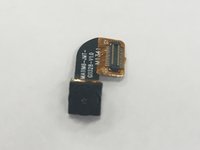
This guide should be used if the front-facing camera is malfunctioning, cracked, or has other damage.
必要な工具と部品
-
-
Using a Torx T4 screwdriver, remove the four 5 mm screws on the back panel.
 FixBotに聞いてみる
-
-
-
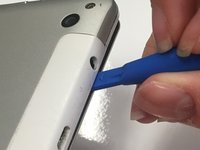
Insert the tip of a plastic opening tool in the seam between the front and back panels.
-
-
-
-
Slide the plastic opening tool around all edges of the device until the back panel detaches.
-
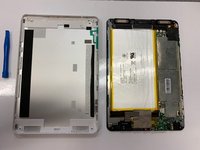
Lift off the back panel.
-
-
-
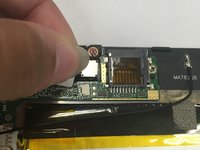
Place the tip of your spudger under the edge of the press fit connector, and pry the connector straight up from its socket.
-
-
-
After the front-facing camera has been removed, the tablet should look like this.
-





To reassemble your device, follow these instructions in reverse order.

チーム

University of Alabama, Team S1-G1, Bedsole Spring 2019 University of Alabama, Team S1-G1, Bedsole Spring 2019人のメンバー
UA-BEDSOLE-S19S1G1
4 メンバー
6のガイドは作成済み
