メインコンテンツにスキップ
リペアコミュニティに参加 - アカウントの作成

General Electric Create Jason Wu Casing Disassembly

必要な工具と部品

  1. General Electric Create Jason Wu Casing Disassembly, General Electric Create Jason Wu Casing Disassembly: 手順 1、 3の画像 1 General Electric Create Jason Wu Casing Disassembly, General Electric Create Jason Wu Casing Disassembly: 手順 1、 3の画像 2 General Electric Create Jason Wu Casing Disassembly, General Electric Create Jason Wu Casing Disassembly: 手順 1、 3の画像 3
    • Begin by removing the 5 screws (located: 2 screws on either side and 1 screw on the bottom) using the PH000 head in the Precision Phillips Screwdriver.

    • These screws were missing in our example. These screws should have been small Phillips PH000 screws 1.5mm in length.

    • These screws are very small. To keep from losing any pieces, place all small metals on a magnetic project mat.

    FixBotに聞いてみる

    コメントを追加

  2. General Electric Create Jason Wu Casing Disassembly: 手順 2、 2の画像 1 General Electric Create Jason Wu Casing Disassembly: 手順 2、 2の画像 2
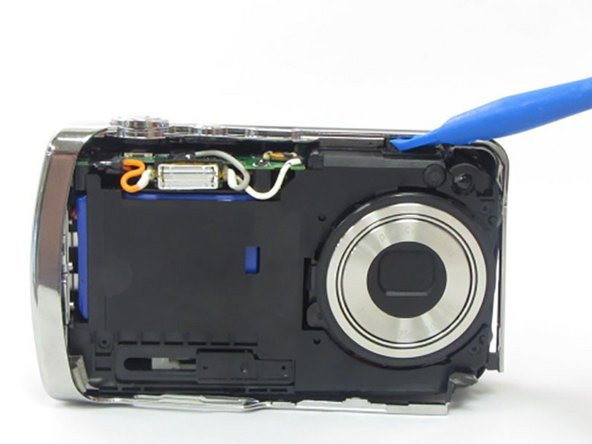
    • After the screws are removed, pull the front casing up and away from the camera.

    • If the casing is difficult to remove, use a plastic opening tool to gently pry up on the front as shown.

    FixBotに聞いてみる

    コメントを追加

  3. General Electric Create Jason Wu Casing Disassembly: 手順 3、 3の画像 1 General Electric Create Jason Wu Casing Disassembly: 手順 3、 3の画像 2 General Electric Create Jason Wu Casing Disassembly: 手順 3、 3の画像 3
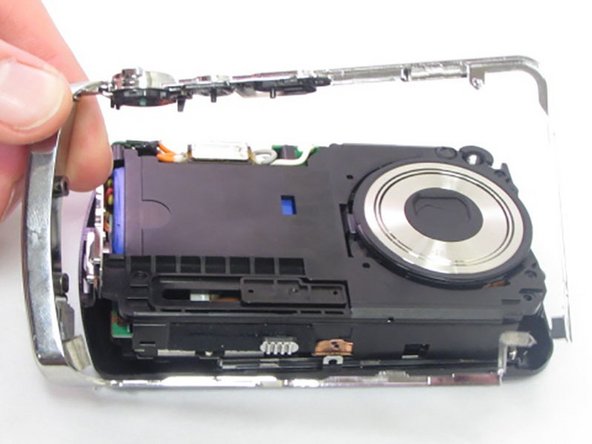
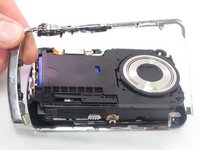
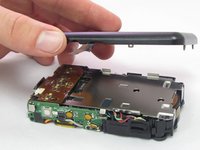
    • Using your hands or an opening tool, pry off the silver frame, taking special care at the top of the camera where the buttons are as it is a little harder to pry off.

    • If the back casing is loose from the camera body, it may be easier to perform step 4 first, then accomplish this step. Proceed as your unit allows.

    FixBotに聞いてみる

    コメントを追加

  4. General Electric Create Jason Wu Casing Disassembly: 手順 4、 3の画像 1 General Electric Create Jason Wu Casing Disassembly: 手順 4、 3の画像 2 General Electric Create Jason Wu Casing Disassembly: 手順 4、 3の画像 3
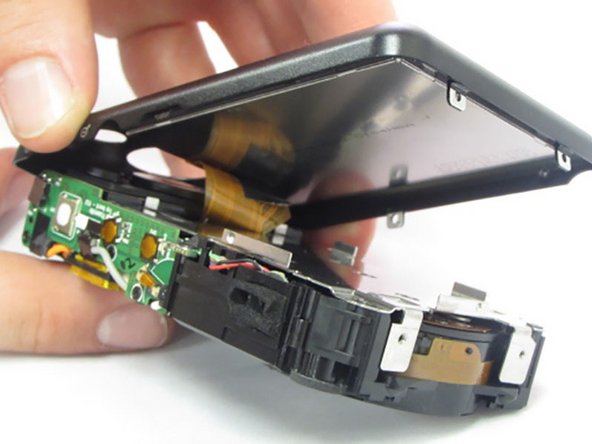
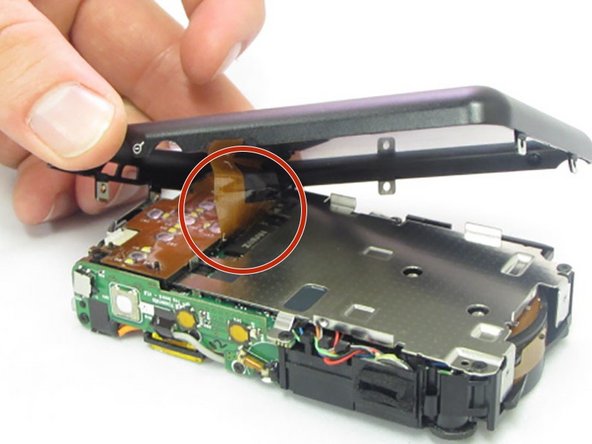
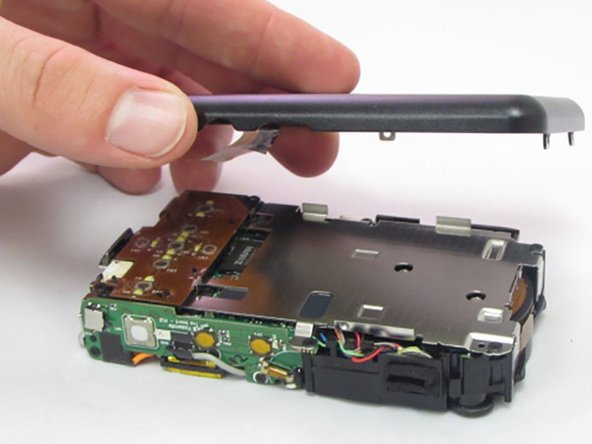
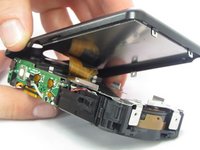
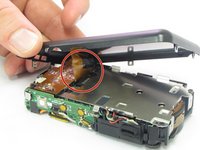
    • The last part of the casing to disconnect is the back that houses the LCD screen.

    • The screen is attached by a connection ribbon. Gently pull the casing and screen away from the camera body to disconnect the casing.

    • The LCD screen is held onto the back casing by a small amount of adhesive. This may come loose during this process. Do not worry if they become separated.

    • This plug and the connection ribbon are fragile, try not to tear the connection ribbon when disconnecting.

    FixBotに聞いてみる

    コメントを追加

終わりに

To reassemble your device, follow these instructions in reverse order.

キャンセル: このガイドを終了できませんでした。

2 の人々がこのガイドを完成させました。

作成者

4人の作成者と共同で作成されました。

Kylan Hennessy

メンバー登録日: 01/23/17

573 ポイント

5のガイドは作成済み

チーム

Eastern Washington University, Team 2-6, Crane Winter 2017 Eastern Washington University, Team 2-6, Crane Winter 2017人のメンバー

EWU-CRANE-W17S2G6

4 メンバー

7のガイドは作成済み

0件のガイドコメント

コメントを追加

統計データ:

過去 24時間: 2

過去 7 日: 9

過去 30 日: 34

今までの合計 529