メインコンテンツにスキップ
リペアコミュニティに参加 - アカウントの作成

Garmin Nuvi 200 Display Replacement

必要な工具と部品

  1. Garmin Nuvi 200 Display Replacement, Rear Casing: 手順 1、 2の画像 1 Garmin Nuvi 200 Display Replacement, Rear Casing: 手順 1、 2の画像 2
    • Peel off the sticker from the bottom of the device to reveal two screws.

    FixBotに聞いてみる

    コメントを追加

  2. Garmin Nuvi 200 Display Replacement: 手順 2、 1の画像 1
    • Remove two T5 Torx screws.

    FixBotに聞いてみる

    コメントを追加

  3. Garmin Nuvi 200 Display Replacement: 手順 3、 2の画像 1 Garmin Nuvi 200 Display Replacement: 手順 3、 2の画像 2
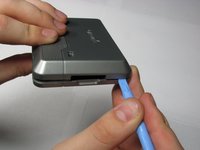
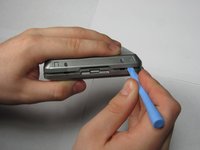
    • Insert a plastic opening tool in the gap between the front and rear casing.

    • Carefully work the tool around the gap, separating the two halves of the case.

    • Keep the power switch in place while removing the rear case.

    FixBotに聞いてみる

    コメントを追加

  4. Garmin Nuvi 200 Display Replacement, Display: 手順 4、 1の画像 1
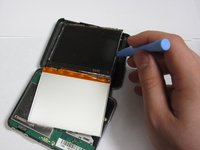
    • Apply pressure to the tabs holding the screen in place with the plastic opening tool

    FixBotに聞いてみる

    コメントを追加

  5. Garmin Nuvi 200 Display Replacement: 手順 5、 2の画像 1 Garmin Nuvi 200 Display Replacement: 手順 5、 2の画像 2
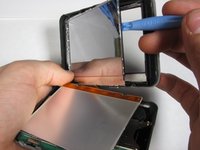
    • Apply pressure to the same tabs again to remove the front of the screen.

    FixBotに聞いてみる

    コメントを追加

  6. Garmin Nuvi 200 Display Replacement: 手順 6、 2の画像 1 Garmin Nuvi 200 Display Replacement: 手順 6、 2の画像 2
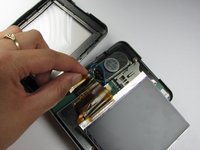
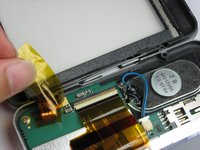
    • Peel away the material holding the ribbon cable in place.

    • Peeling the sticker halfway will allow you to access the ribbon cable. Removing it fully will allow you to detach the upper case from the lower case.

    FixBotに聞いてみる

    コメントを追加

  7. Garmin Nuvi 200 Display Replacement: 手順 7、 2の画像 1 Garmin Nuvi 200 Display Replacement: 手順 7、 2の画像 2
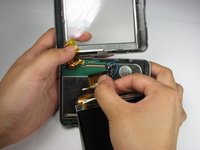
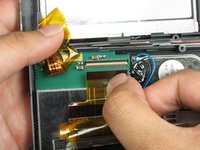
    • Disconnect the ribbon cable from the logic board.

    • Make sure to disconnect the cable from both ports.

    FixBotに聞いてみる

    コメントを追加

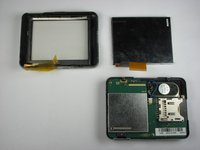
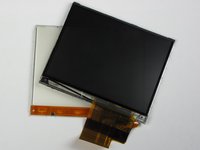
  8. Garmin Nuvi 200 Display Replacement: 手順 8、 2の画像 1 Garmin Nuvi 200 Display Replacement: 手順 8、 2の画像 2
    • The display consists of two screens which are held together by the ribbon.

    FixBotに聞いてみる

    コメントを追加

終わりに

To reassemble your device, follow these instructions in reverse order.

キャンセル: このガイドを終了できませんでした。

4 の人々がこのガイドを完成させました。

作成者

6人の作成者と共同で作成されました。

Nick

メンバー登録日: 04/11/10

7 ポイント

1ガイドが承認済み

チーム

Cal Poly, Team 25-90, Amido Spring 2010 Cal Poly, Team 25-90, Amido Spring 2010人のメンバー

CPSU-AMIDO-S10S25G90

4 メンバー

9のガイドは作成済み

0件のガイドコメント

コメントを追加

統計データ:

過去 24時間: 3

過去 7 日: 9

過去 30 日: 40

今までの合計 11,356