はじめに
Use this guide to remove and replace the motherboard for the Garmin Edge 530 (identified by part number 010-02060-00).
The motherboard is a circuit board for the GPS computer system. It connects all of the components and coordinates how they all work together. Components like the battery, the charging port, and the LCD screen display are connected to the motherboard. The motherboard may need to be replaced if a screen in otherwise good condition is black or blank when the device is powered on.
Before using this guide, inspect the LCD screen display for any imperfections to confirm the issue is not with the LCD screen display itself.
In this guide, you will have to pry up the glass panel with a metal spudger. It is important to note the potential broken glass hazard when prying the screen from the back cover. After this step, use ESD-safe tools to avoid damage to the rest of the device and protect it from electrostatic discharge.
Before beginning, make sure the device is fully powered off.
必要な工具と部品
-
-
-
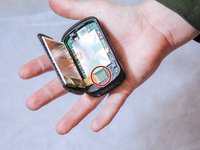
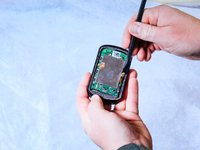
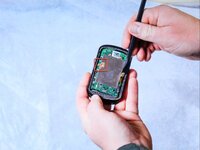
Insert the metal spudger between the edge of the device screen and back cover.
-
Begin to pry along the perimeter between the device screen and back cover.
 FixBotに聞いてみる
-
-
この手順で使用する道具:Halberd Spudger$2.99
-
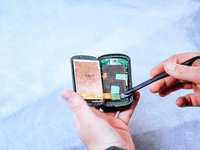
Use the nylon halberd spudger to lift the edge of the screen and begin separating it from the back cover.
-
-
-
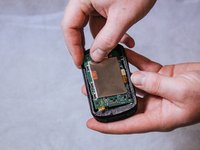
Peel back the tape holding down the orange ribbon cables with the nylon halberd spudger.
-
-
-
-
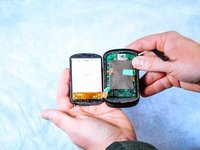
Completely detach the screen from the back cover by disconnecting the orange ribbon cables.
-
-
-
-
この手順で使用する道具:Halberd Spudger$2.99
-
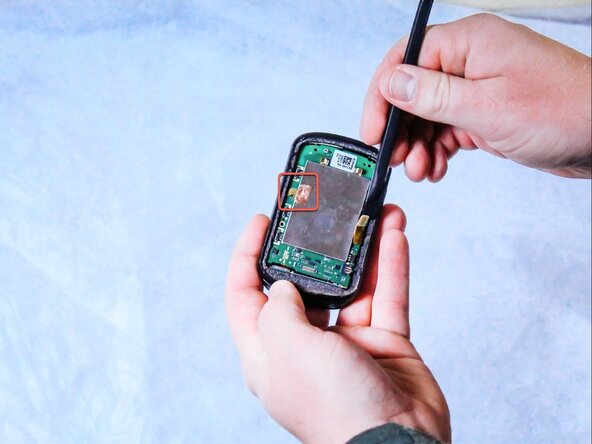
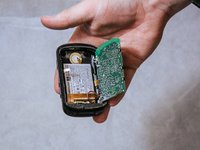
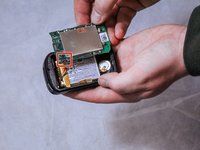
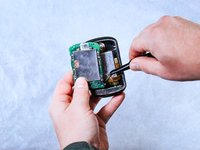
Detach the press-fit connector from the motherboard using the nylon halberd spudger.
-
Gently peel back the copper adhesive strip to free the remaining bonding cable.
-
-
-
Remove the three 6 mm screws connecting the motherboard to the back panel using the T5 Torx screwdriver.
-
-
この手順で使用する道具:Tweezers$3.99
-
Remove the wire harness that connects the motherboard to the battery using the angled tweezers by pulling it out of the compartment.
-
-








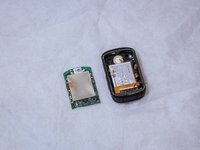
To reassemble your device, follow these instructions in reverse order.
2 の人々がこのガイドを完成させました。

チーム

Clemson, Team 2-1, Hunter Spring 2022 Clemson, Team 2-1, Hunter Spring 2022人のメンバー
CLEM-HUNTER-S22S2G1
5 メンバー
34のガイドは作成済み
2件のガイドコメント
Can you guys do a repair on the buttons? I had a stuck button, I popped it off, now I can't get it back on :(
Guide failed to mention to detatch the ribbon cable from under the copper tape after removing the connector at step 5
Paul Jackson - 返信 共有
