この翻訳は機械によって生成されたものであり、まだ人間による校正は行われていません。 この言語を話せますか? レビューはこちら.
はじめに
D-Padは多くのゲーム体験の中心となるパーツであり、使用に伴い経年劣化することがあります。この修理ガイドでは、EasySMX-15のD-Padを交換する手順を解説します。
必要な工具と部品
-
-
-
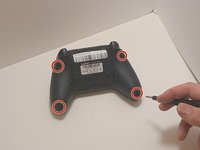
プラスドライバー #00を使用して、EasySMX X15の底面から9 mmのネジを4本外します。
-
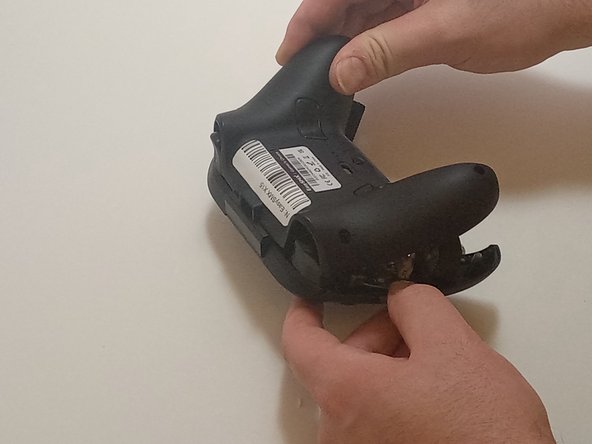
オープニングツールを使用して、コントローラーの継ぎ目を優しくこじ開けて、下部ケースと上部ケースを分離します。
 FixBotに聞いてみる
-
-
-
-
-
-
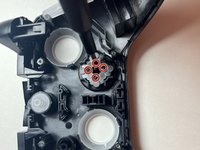
プラスドライバー #00を使用して、Dパッドをコントローラーの筐体に固定している4本の4 mmネジを取り外します。
-
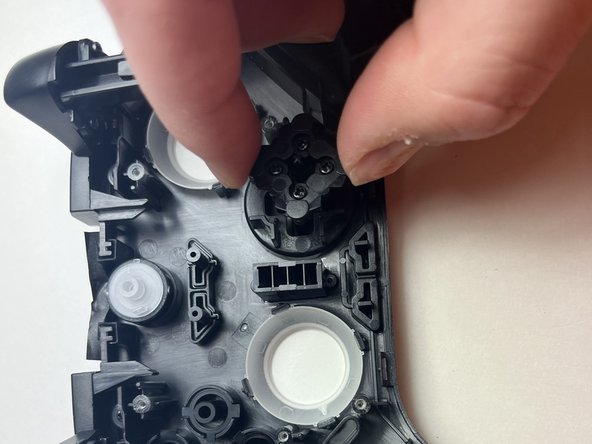
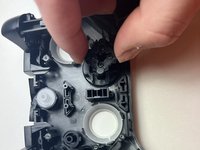
Dパッドの背面をメンブレン(ゴムボタン)と一緒に持ち上げ、コントローラーから取り外します。
-
ケースを持ち上げ、Dパッドを筐体の上部から取り外します。
-
-



終わりに
デバイスを再組み立てするには、これらのインストラクションを逆の順番に従って作業を進めてください。

チーム

Austin Community College, Team 7-3, Watkins Fall 2024 Austin Community College, Team 7-3, Watkins Fall 2024人のメンバー
AUSTINCC-WATKINS-F24S7G3
3 メンバー
77のガイドは作成済み
