メインコンテンツにスキップ
リペアコミュニティに参加 - アカウントの作成

EasySMX X15 A,B,X,Y Buttons Replacement

必要な工具と部品

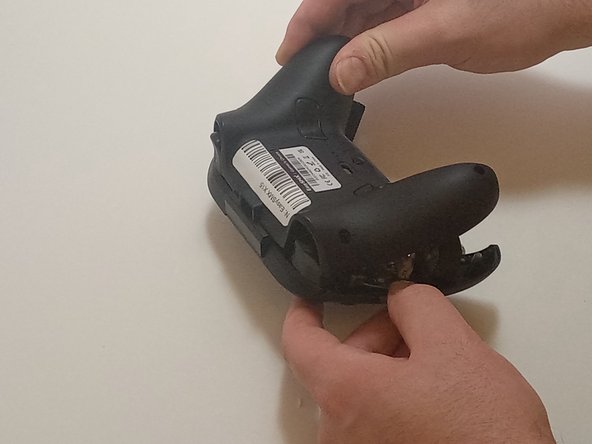
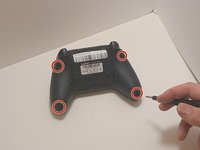
  1. EasySMX X15 A,B,X,Y Buttons Replacement, Bottom Casing: 手順 1、 2の画像 1 EasySMX X15 A,B,X,Y Buttons Replacement, Bottom Casing: 手順 1、 2の画像 2
    • Use a Phillips #00 screwdriver to remove the four 9 mm screws from the bottom of the EasySMX X15.

    • Use an opening tool to gently pry between the seams of the controller to separate the lower and upper casings.

    • Be gentle when separating the lower casing from the upper casing to avoid breaking any of the plastic snap tabs.

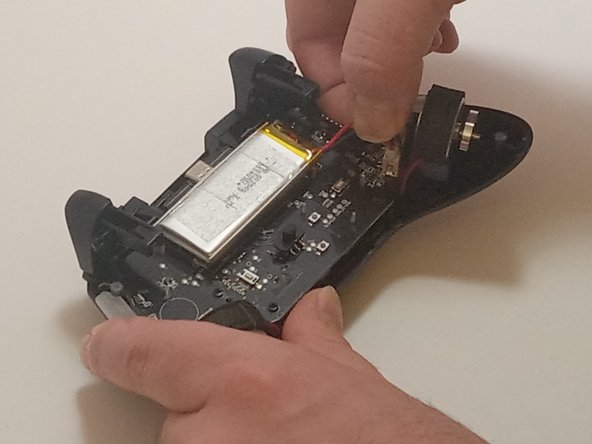
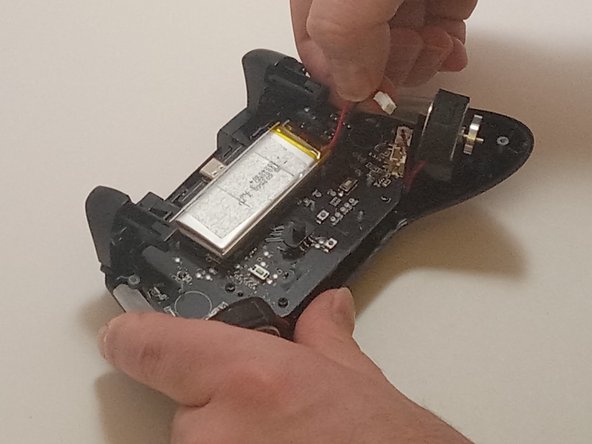
  2. EasySMX X15 A,B,X,Y Buttons Replacement, Battery: 手順 2、 3の画像 1 EasySMX X15 A,B,X,Y Buttons Replacement, Battery: 手順 2、 3の画像 2 EasySMX X15 A,B,X,Y Buttons Replacement, Battery: 手順 2、 3の画像 3
    • Push on alternating sides of the connector to disconnect the red battery cable from the board.

    • If that doesn't work, use a pair of tweezers to firmly grip the sides of the connector and pull straight away from the socket. Hold the tweezers closer to the connector to get a better grip.

    • Pull from the tab, not the cables, to avoid damaging them.

  3. EasySMX X15 A,B,X,Y Buttons Replacement: 手順 3、 1の画像 1
    • Use a spudger to pry the battery loose from the controller.

    • The battery is glued onto the control board, so it may take a bit of work to release it from the adhesive.

    • Remove the battery.

    • Don't bend or pierce the battery. If the battery is swollen, follow the guidelines outlined in this article.

  4. EasySMX X15 A,B,X,Y Buttons Replacement, Main Board: 手順 4、 1の画像 1
    • Disconnect the vibration motor cables from the connectors on the circuit board.

    • Use a Phillips #00 screwdriver to remove six, 6mm screws from the board.

  5. EasySMX X15 A,B,X,Y Buttons Replacement: 手順 5、 1の画像 1
    • Gently lift the board away from the upper casing, maneuvering it around the triggers by lifting it from the bottom, away from the upper casing.

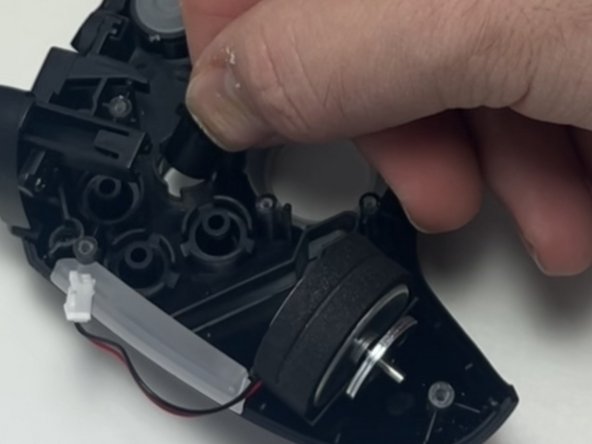
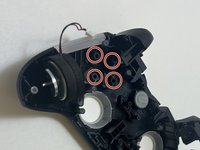
  6. EasySMX X15 A,B,X,Y Buttons Replacement, A B X Y Buttons: 手順 6、 2の画像 1 EasySMX X15 A,B,X,Y Buttons Replacement, A B X Y Buttons: 手順 6、 2の画像 2
    • Remove the buttons from inside of the top case.

    • Check the silicone membranes. If your controller has silicone membranes or conductive pads beneath the buttons, ensure these are properly positioned over the buttons. If necessary, replace worn membranes with new ones.

終わりに

To reassemble your device, follow these instructions in reverse order

作成者

1人の作成者と共同作成されました。

Jhaylen Lozada

メンバー登録日: 09/09/24

245 ポイント

2のガイドは作成済み

チーム

Austin Community College, Team 7-3, Watkins Fall 2024 Austin Community College, Team 7-3, Watkins Fall 2024人のメンバー

AUSTINCC-WATKINS-F24S7G3

3 メンバー

7のガイドは作成済み

0件のガイドコメント

コメントを追加

統計データ:

過去 24時間: 1

過去 7 日: 8

過去 30 日: 34

今までの合計 529