メインコンテンツにスキップ
リペアコミュニティに参加 - アカウントの作成

Dremel 4000 Back Case Replacement

必要条件のみ
これは前提条件のみのガイドです!このガイドは別の手順の一部であり、単独で使用されません。

必要な工具と部品

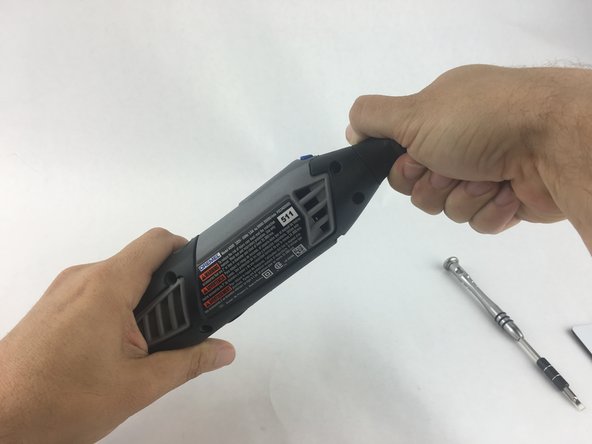
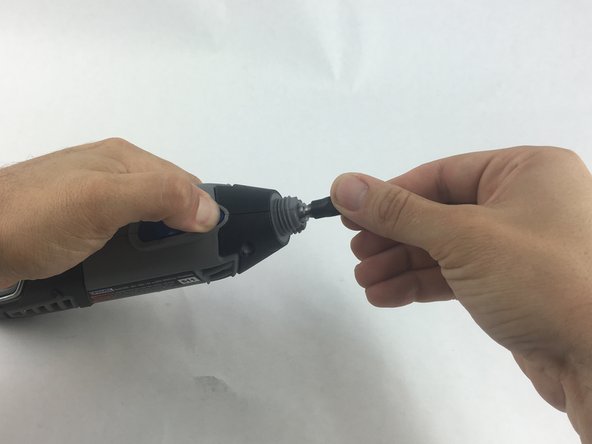
  1. Dremel 4000 Back Case Replacement, Back Case: 手順 1、 2の画像 1 Dremel 4000 Back Case Replacement, Back Case: 手順 1、 2の画像 2
    • Start by removing the housing cap by unscrewing it.

    • Next, unscrew the now exposed collet nut while holding down the shaft lock button.

    • To remove the collet nut, you may need to use the small open-end wrench provided with the Dremel.

    FixBotに聞いてみる

    コメントを追加

  2. Dremel 4000 Back Case Replacement: 手順 2、 1の画像 1
    • Using your hands, carefully remove hanger from casing.

    FixBotに聞いてみる

    コメントを追加

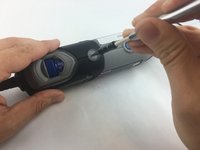
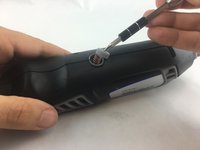
  3. Dremel 4000 Back Case Replacement: 手順 3、 2の画像 1 Dremel 4000 Back Case Replacement: 手順 3、 2の画像 2
    • Remove the brush caps (one on each side) by using a flathead screwdriver bit.

    • The brush caps are spring loaded.

    FixBotに聞いてみる

    コメントを追加

  4. Dremel 4000 Back Case Replacement: 手順 4、 1の画像 1
    • Using the Torx 15 screwdriver tip, remove the 5 screws (12.5 mm) that hold the casing together.

    FixBotに聞いてみる

    コメントを追加

  5. Dremel 4000 Back Case Replacement: 手順 5、 1の画像 1
    • Use a plastic opening tool to gently wedge apart the hard plastic threads.

    FixBotに聞いてみる

    コメントを追加

  6. Dremel 4000 Back Case Replacement: 手順 6、 1の画像 1
    • Use your hands to carefully remove the back casing so that none of the components fall out.

    FixBotに聞いてみる

    コメントを追加

終わりに

To reassemble your device, follow these instructions in reverse order.

キャンセル: このガイドを終了できませんでした。

2 の人々がこのガイドを完成させました。

作成者

2人の作成者と共同で作成されました。

John Cobb

メンバー登録日: 01/20/16

1,842 ポイント

4のガイドは作成済み

チーム

USF Tampa, Team 15-4, Remmell Spring 2016 USF Tampa, Team 15-4, Remmell Spring 2016人のメンバー

USFT-REMMELL-S16S15G4

4 メンバー

17のガイドは作成済み

0件のガイドコメント

コメントを追加

統計データ:

過去 24時間: 0

過去 7 日: 6

過去 30 日: 31

今までの合計 2,147