メインコンテンツにスキップ
リペアコミュニティに参加 - アカウントの作成

Dell XPS M1730 Webcam Replacement

必要な工具と部品

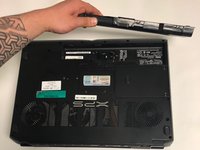
  1. Dell XPS M1730 Webcam Replacement, Battery: 手順 1、 1の画像 1
    • Push the sliding button near the battery compartment.

    FixBotに聞いてみる
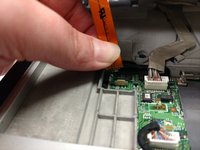
  2. Dell XPS M1730 Webcam Replacement: 手順 2、 1の画像 1
    • Slide the button next to the battery and lift up on the lip of the battery edge.

    FixBotに聞いてみる
  3. Dell XPS M1730 Webcam Replacement: 手順 3、 2の画像 1 Dell XPS M1730 Webcam Replacement: 手順 3、 2の画像 2
    • Lift and remove the battery.

    FixBotに聞いてみる
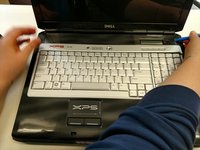
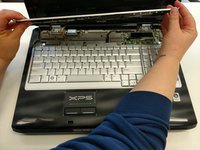
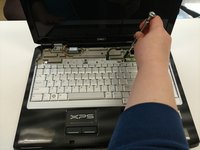
  4. Dell XPS M1730 Webcam Replacement, Keyboard: 手順 4、 3の画像 1 Dell XPS M1730 Webcam Replacement, Keyboard: 手順 4、 3の画像 2 Dell XPS M1730 Webcam Replacement, Keyboard: 手順 4、 3の画像 3
    • Remove the plastic trim at the base of the screen screen. Start from the tab on the right side and work to the left side.

    FixBotに聞いてみる
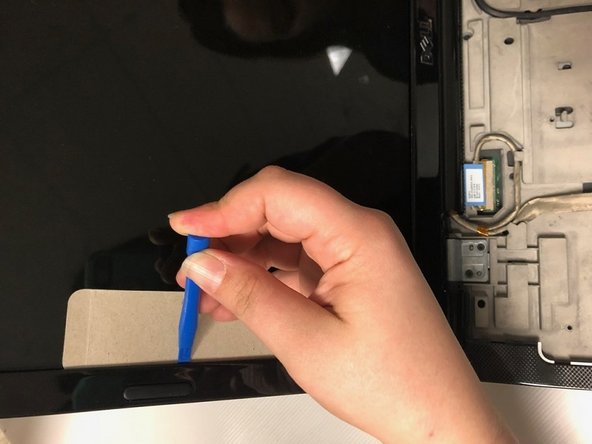
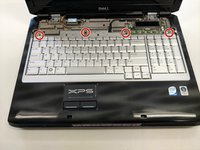
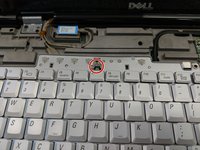
  5. Dell XPS M1730 Webcam Replacement: 手順 5、 2の画像 1 Dell XPS M1730 Webcam Replacement: 手順 5、 2の画像 2
    • Remove the four screws from the top of the keyboard bracket.

    FixBotに聞いてみる
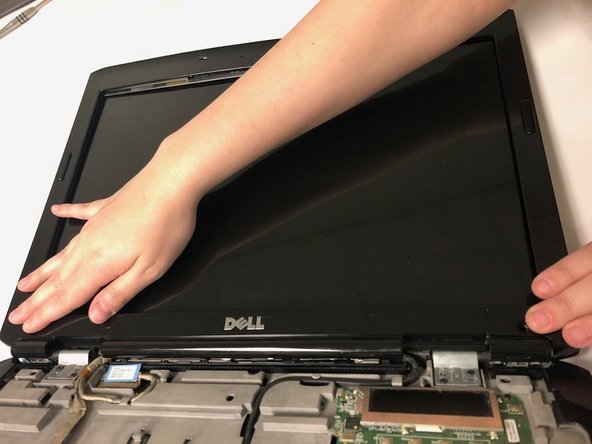
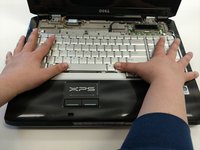
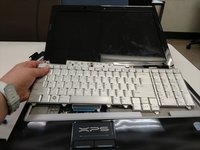
  6. Dell XPS M1730 Webcam Replacement: 手順 6、 3の画像 1 Dell XPS M1730 Webcam Replacement: 手順 6、 3の画像 2 Dell XPS M1730 Webcam Replacement: 手順 6、 3の画像 3
    • Remove the keyboard by sliding it forward, off of the clips, and then lifting up.

    FixBotに聞いてみる
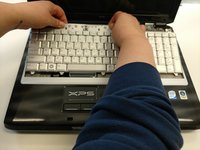
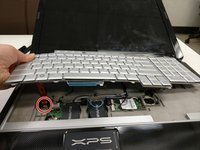
  7. Dell XPS M1730 Webcam Replacement: 手順 7、 3の画像 1 Dell XPS M1730 Webcam Replacement: 手順 7、 3の画像 2 Dell XPS M1730 Webcam Replacement: 手順 7、 3の画像 3
    • Lift the keyboard about 2 inches up from the laptop platform.

    • From this angle the keyboard ribbon connector can be seen and disconnected.

    FixBotに聞いてみる
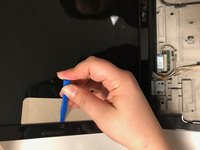
  8. Dell XPS M1730 Webcam Replacement, LCD Screen Display: 手順 8、 1の画像 1
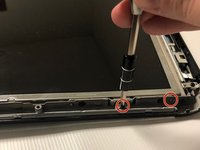
    • Remove 2 M2x3mm screws that are located at the bottom of the plastic bezel with a PH0 screwdriver.

    FixBotに聞いてみる
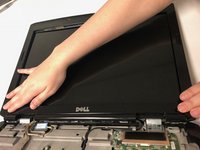
  9. Dell XPS M1730 Webcam Replacement: 手順 9、 3の画像 1 Dell XPS M1730 Webcam Replacement: 手順 9、 3の画像 2 Dell XPS M1730 Webcam Replacement: 手順 9、 3の画像 3
    • Use iFixit plastic tool and a cutout of cardboard to pry out the plastic bezel around the edges of the LCD screen

    FixBotに聞いてみる
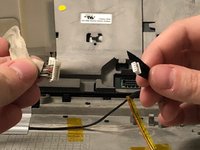
  10. Dell XPS M1730 Webcam Replacement: 手順 10、 3の画像 1 Dell XPS M1730 Webcam Replacement: 手順 10、 3の画像 2 Dell XPS M1730 Webcam Replacement: 手順 10、 3の画像 3
    • Disconnect the display connectors by removing them from the grooves and unplugging them.

    FixBotに聞いてみる
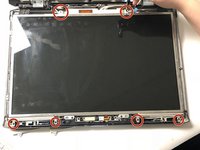
  11. Dell XPS M1730 Webcam Replacement: 手順 11、 3の画像 1 Dell XPS M1730 Webcam Replacement: 手順 11、 3の画像 2 Dell XPS M1730 Webcam Replacement: 手順 11、 3の画像 3
    • Remove 12 M2x3mm screws along the edge of the screen frame with a PH0 screwdriver.

    FixBotに聞いてみる
  12. Dell XPS M1730 Webcam Replacement: 手順 12、 2の画像 1 Dell XPS M1730 Webcam Replacement: 手順 12、 2の画像 2
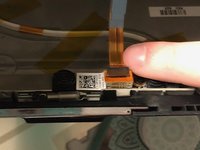
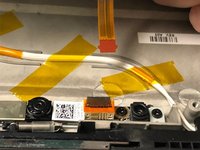
    • Disconnect the display connector behind the top of the screen.

    FixBotに聞いてみる
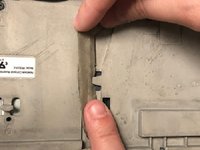
  13. Dell XPS M1730 Webcam Replacement, Webcam: 手順 13、 1の画像 1
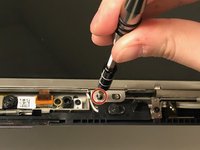
    • Remove the four screws (M2x3mm) surrounding the webcam

    FixBotに聞いてみる
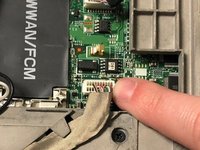
  14. Dell XPS M1730 Webcam Replacement: 手順 14、 1の画像 1
    • Lift up on the webcam bar to pull it out.

    FixBotに聞いてみる
  15. Dell XPS M1730 Webcam Replacement: 手順 15、 1の画像 1
    • Remove webcam bar and the metal tray underneath.

    • Your webcam is now removed.

    FixBotに聞いてみる
終わりに

To reassemble your device, follow these instructions in reverse order.

作成者

1人の作成者と共同作成されました。

Natalie King

メンバー登録日: 02/08/18

159 ポイント

1ガイドが承認済み

チーム

University of North Texas, Team S2-G6, Thomas Spring 2018 University of North Texas, Team S2-G6, Thomas Spring 2018人のメンバー

UNT-THOMAS-S18S2G6

5 メンバー

5のガイドは作成済み

0件のガイドコメント

コメントを追加

統計データ:

過去 24時間: 2

過去 7 日: 11

過去 30 日: 56

今までの合計 646