メインコンテンツにスキップ
リペアコミュニティに参加 - アカウントの作成

Dell Precision T3400 Video Card Replacement

  1. Dell Precision T3400 Video Card Replacement, Remove the computer's side panel.: 手順 1、 2の画像 1 Dell Precision T3400 Video Card Replacement, Remove the computer's side panel.: 手順 1、 2の画像 2
    • Lay the computer on its side so the panel faces up.

    • Push the cover release latch at the back of the computer's case. The cover should pop off and away from the computer.

    • Make sure the computer is on its side before you begin replacing any parts.

    FixBotに聞いてみる

    コメントを追加

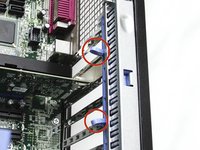
  2. Dell Precision T3400 Video Card Replacement, Move the heat-sink assembly lever out of the way: 手順 2、 1の画像 1
    • Push the tab on the blue plastic secure lever and pivot the lever down and away from the assembly

    • Make sure you ground yourself to prevent static discharge

    FixBotに聞いてみる

    コメントを追加

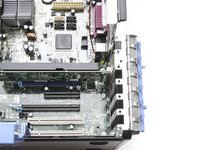
  3. Dell Precision T3400 Video Card Replacement, Open the video card secure hatch.: 手順 3、 2の画像 1 Dell Precision T3400 Video Card Replacement, Open the video card secure hatch.: 手順 3、 2の画像 2
    • Squeeze the two release tabs together and pivot the secure hatch to the right to open.

    FixBotに聞いてみる

    コメントを追加

  4. Dell Precision T3400 Video Card Replacement, Remove the video card: 手順 4、 1の画像 1
    • Hold the card by its top corner and metal bracket and pull it out of its slot.

    FixBotに聞いてみる

    コメントを追加

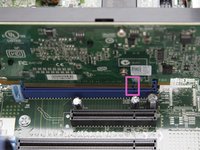
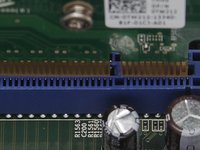
  5. Dell Precision T3400 Video Card Replacement, Install the new video card: 手順 5、 2の画像 1 Dell Precision T3400 Video Card Replacement, Install the new video card: 手順 5、 2の画像 2
    • Match the new card’s connectors with the notches in the slot and gently push it into place. The card should click into position when inserted correctly.

    • Close the card door and move the blue plastic secure lever back into place.\

    • Ensure that the card you are replacing the existing card with meets wattage and connectivity requirements. Do not force a card into the slot.

    FixBotに聞いてみる

    コメントを追加

終わりに

To reassemble your device, follow these instructions in reverse order. Step 1: Install new card and latch it in place. Step 2: Reinstall the side panel. Step 3: Plug everything back in

キャンセル: このガイドを終了できませんでした。

8 の人々がこのガイドを完成させました。

作成者

8人の作成者と共同で作成されました。

Josette Cormier

メンバー登録日: 09/10/13

13 ポイント

2のガイドは作成済み

チーム

UMass Dartmouth, Team 1-2, Gulbrandsen Fall 2013 UMass Dartmouth, Team 1-2, Gulbrandsen Fall 2013人のメンバー

UMASSD-GULBRANDSEN-F13S1G2

3 メンバー

14のガイドは作成済み

1件のガイドコメント

Does it have PCI-E 2.0?

What dimensions the graphics card can have?

Maxime Raguenet - 返信 共有

コメントを追加

統計データ:

過去 24時間: 3

過去 7 日: 12

過去 30 日: 51

今までの合計 7,348