はじめに
Before you attempt this guide make sure your device is not connected to a power source and be sure that the battery is removed. This guide is relatively easy and doesn't require any special skills.
必要な工具と部品
-
-
-
Use a Phillips #1 screwdriver to remove the two 2.5x8mm screws on the back panel.
 FixBotに聞いてみる
-
-
-
-
Place the plastic spudger in the slot. Using the flat side of the spudger pry the back panel upward and off.
-
-
-
-
-
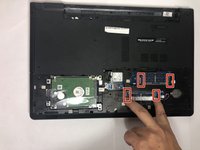
Place a finger on each of the 2 metal prongs on either side of the RAM stick and apply light pressure to release the RAM stick.
-
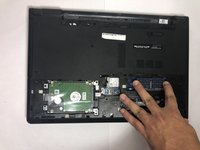
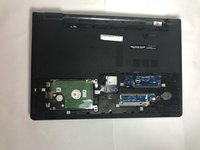
Remove the first stick of RAM. Repeat this process for the second RAM stick.
-
-


To reassemble your device, follow these instructions in reverse order.
ある他の人がこのガイドを完成しました。

チーム

Baylor, Team S5-G5, Williams Spring 2018 Baylor, Team S5-G5, Williams Spring 2018人のメンバー
BU-WILLIAMS-S18S5G5
3 メンバー
5のガイドは作成済み
