メインコンテンツにスキップ
リペアコミュニティに参加 - アカウントの作成

Check Account Information.

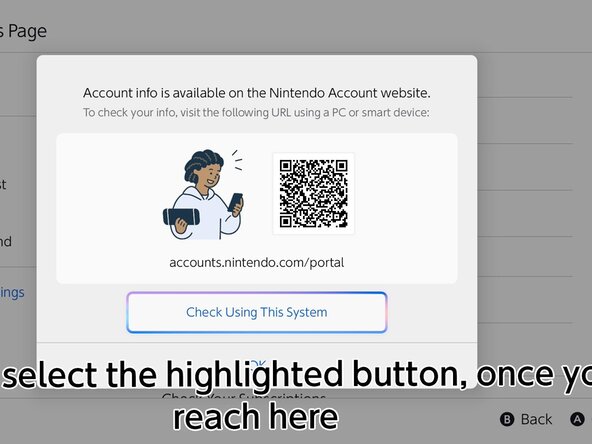
  1. Check Account Information., Head over to the website: 手順 1、 3の画像 1 Check Account Information., Head over to the website: 手順 1、 3の画像 2 Check Account Information., Head over to the website: 手順 1、 3の画像 3
    • Go to the HOME menu, select your user page, then go to User Settings > Nintendo Account (your email) > Check Your Account Information, then click "Check Using This System"

    • Sign in to your Nintendo Account using one of the following methods shown on the system.

    • If your Nintendo Account is automatically filled in, skip this step.

終わりに

Press B to end the portal.

redratchet21

メンバー登録日: 01/29/26

1,627 ポイント

12のガイドは作成済み

0件のガイドコメント

コメントを追加

統計データ:

過去 24時間: 2

過去 7 日: 9

過去 30 日: 28

今までの合計 107