メインコンテンツにスキップ
リペアコミュニティに参加 - アカウントの作成

Ceiling Fan Pull Chain Switch Replacement

必要な工具と部品

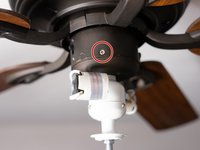
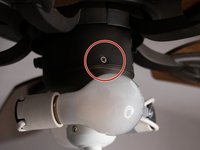
  1. Ceiling Fan Pull Chain Switch Replacement, Pull Chain Switch: 手順 1、 2の画像 1 Ceiling Fan Pull Chain Switch Replacement, Pull Chain Switch: 手順 1、 2の画像 2
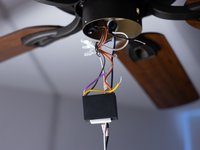
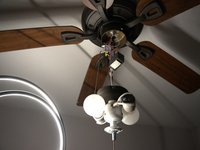
    • Caution: Turn off the power from the circuit breaker and turn off any light switches that provide power to the ceiling fan.

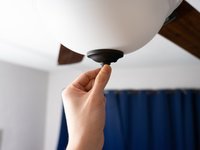
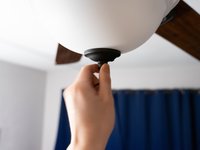
    • Remove the white cover by unscrewing the nut on the bottom from where the chain is hanging.

    FixBotに聞いてみる
  2. Ceiling Fan Pull Chain Switch Replacement: 手順 2、 3の画像 1 Ceiling Fan Pull Chain Switch Replacement: 手順 2、 3の画像 2 Ceiling Fan Pull Chain Switch Replacement: 手順 2、 3の画像 3
    • Caution: Let the bulbs cool off before you remove them.

    • Remove the bulbs from their sockets.

    FixBotに聞いてみる
  3. Ceiling Fan Pull Chain Switch Replacement: 手順 3、 2の画像 1 Ceiling Fan Pull Chain Switch Replacement: 手順 3、 2の画像 2
    • Remove the screws around the base.

    • Remove the fan housing.

    FixBotに聞いてみる
  4. Ceiling Fan Pull Chain Switch Replacement: 手順 4、 1の画像 1
    • Pull the switch out of the fan housing, leaving the wires attached.

    FixBotに聞いてみる
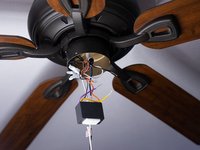
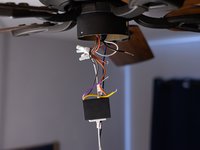
  5. Ceiling Fan Pull Chain Switch Replacement: 手順 5、 3の画像 1 Ceiling Fan Pull Chain Switch Replacement: 手順 5、 3の画像 2 Ceiling Fan Pull Chain Switch Replacement: 手順 5、 3の画像 3
    • Cut the colored wires from the switch using a pair of wire cutters.

    • On some switch models, the wires can be detached by pulling.

    FixBotに聞いてみる
  6. Ceiling Fan Pull Chain Switch Replacement: 手順 6、 3の画像 1 Ceiling Fan Pull Chain Switch Replacement: 手順 6、 3の画像 2 Ceiling Fan Pull Chain Switch Replacement: 手順 6、 3の画像 3
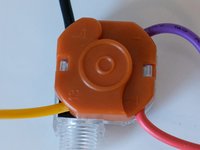
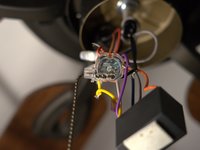
    • Note the wire colors and the terminal they attach to on the old switch.

    • 1 - Red

    • 2 - Purple

    • 3 - Yellow

    • L - Black

    FixBotに聞いてみる
  7. Ceiling Fan Pull Chain Switch Replacement: 手順 7、 1の画像 1
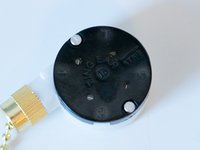
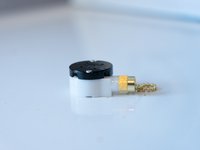
    • Attach the colored wires to the new switch's respective terminals.

    FixBotに聞いてみる
  8. Ceiling Fan Pull Chain Switch Replacement: 手順 8、 2の画像 1 Ceiling Fan Pull Chain Switch Replacement: 手順 8、 2の画像 2
    • Put back the switch in the hole in the fan housing from the inside.

    • Tighten up the screws on the outside.

    FixBotに聞いてみる
  9. Ceiling Fan Pull Chain Switch Replacement: 手順 9、 3の画像 1 Ceiling Fan Pull Chain Switch Replacement: 手順 9、 3の画像 2 Ceiling Fan Pull Chain Switch Replacement: 手順 9、 3の画像 3
    • Put back the white cover and then tighten up the nut at the bottom of the cover from where the chain is hanging.

    FixBotに聞いてみる
  10. Ceiling Fan Pull Chain Switch Replacement: 手順 10、 2の画像 1 Ceiling Fan Pull Chain Switch Replacement: 手順 10、 2の画像 2
    • Turn the power back on and test the switch to find if it is working or not.

    FixBotに聞いてみる
ゴール

3 の人々がこのガイドを完成させました。

作成者

3人の作成者と共同で作成されました。

Berkeli Alashov

メンバー登録日: 02/25/21

244 ポイント

1ガイドが承認済み

チーム

University of North Texas, Team S1-G19, Raign Spring 2021 University of North Texas, Team S1-G19, Raign Spring 2021人のメンバー

UNT-RAIGN-S21S1G19

2 メンバー

2のガイドは作成済み

0件のガイドコメント

コメントを追加

統計データ:

過去 24時間: 19

過去 7 日: 108

過去 30 日: 370

今までの合計 17,475