この翻訳は機械によって生成されたものであり、まだ人間による校正は行われていません。 日本語を話せますか? レビューはこちらから。
はじめに
カメラにメモリーが「ロック」されているというメッセージが表示された場合、この修理ガイドでその解決方法を説明します。まずメモリーカードの場所と取り外し方を紹介します。既に取り外し方をご存知の場合は、メモリーカードのロックを解除する手順3までスキップしてください。
-
-
-
カメラを、レンズが右向きで、底面が手前にくるように置く。
-
カメラをしっかりと持ち、ラベルがある部分を下に強く押し込み、LCD画面側(左)へスライドさせる。
-
フラップが上に開く。
 FixBotに聞いてみる
-
-
-
-
メモリーカード(バッテリーの裏側にあります)を押し込み、その後、指を完全に離します。
-
メモリーカードの両端をつまみ、そのままスライドさせてスロットから取り出します。
-
-


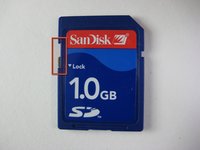
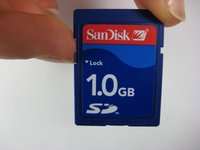
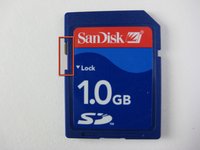
デバイスを再組み立てするには、これらのインストラクションを逆の順番に従って作業を進めてください。
2 の人々がこのガイドを完成させました。

チーム

Cal Poly, Team 17-28, Amido Spring 2012 Cal Poly, Team 17-28, Amido Spring 2012人のメンバー
CPSU-AMIDO-S12S17G28
4 メンバー
84のガイドは作成済み
3件のガイドコメント
My Casio camera works great until I insert the memory card. When it doesn't have the memory card, it turns on, the lenses come out and everything but as soon as I insert the memory card, the lenses will come out have way, and then the camera shuts off like that. The only way to get the lenses to get inside and the camera to turn on, is to remove the memory card. HELP ME PLEASE!
I have a similar issue. My camera won’t recognize the SD card! It’ll turn on & take pic’s in the Memory area, but them it’s FULL after a few. Isn’t there something that can be done?
I see NO ONE HAS ANSWERED THE LAST PERSONS QUESTION….????????????
