メインコンテンツにスキップ
リペアコミュニティに参加 - アカウントの作成

Canon PowerShot A460 Back Casing Replacement

必要な工具と部品

  1. Canon PowerShot A460 Back Casing Replacement, Battery: 手順 1、 1の画像 1
    • Slide the switch on the battery cover labeled "CARD/BATT. OPEN." to the right.

    • While still holding the switch, pull the cover down, allowing it to release and open.

    FixBotに聞いてみる

    コメントを追加

  2. Canon PowerShot A460 Back Casing Replacement: 手順 2、 1の画像 1
    • Tilt the camera slightly to allow the batteries to fall out.

    FixBotに聞いてみる

    コメントを追加

  3. Canon PowerShot A460 Back Casing Replacement: 手順 3、 1の画像 1
    • Press on and release the memory card to eject it.

    FixBotに聞いてみる

    コメントを追加

  4. Canon PowerShot A460 Back Casing Replacement, Front Casing: 手順 4、 1の画像 1
    • Unscrew the 5mm Phillips #00 screw from the bottom of the camera.

    • Make sure to keep the different size screws organized to make reassembling the camera simpler.

    FixBotに聞いてみる

    コメントを追加

  5. Canon PowerShot A460 Back Casing Replacement: 手順 5、 1の画像 1
    • Unscrew the three 2mm Phillips #00 screws that are located on the bottom of the camera.

    FixBotに聞いてみる

    コメントを追加

  6. Canon PowerShot A460 Back Casing Replacement: 手順 6、 1の画像 1
    • Remove the 4mm Phillips #00 screw that is located on the left side of the camera, if the display screen is facing you.

    FixBotに聞いてみる

    コメントを追加

  7. Canon PowerShot A460 Back Casing Replacement: 手順 7、 1の画像 1
    • Take out the 4mm Phillips #00 screw under the rubber flap on the right end of the camera.

    FixBotに聞いてみる

    コメントを追加

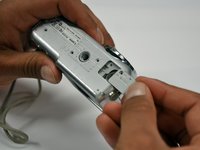
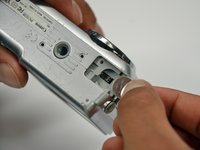
  8. Canon PowerShot A460 Back Casing Replacement: 手順 8、 2の画像 1 Canon PowerShot A460 Back Casing Replacement: 手順 8、 2の画像 2
    • Remove the second battery cover on the bottom of camera.

    • Take the silver battery out of the camera.

    FixBotに聞いてみる

    コメントを追加

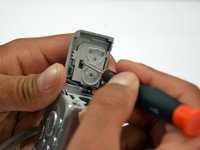
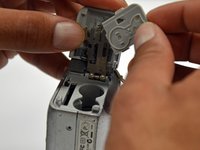
  9. Canon PowerShot A460 Back Casing Replacement: 手順 9、 3の画像 1 Canon PowerShot A460 Back Casing Replacement: 手順 9、 3の画像 2 Canon PowerShot A460 Back Casing Replacement: 手順 9、 3の画像 3
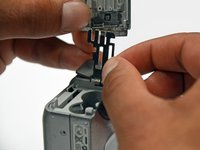
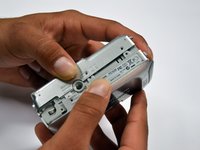
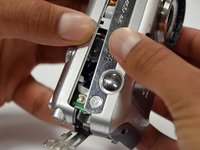
    • Remove the 4mm Phillips #00 screw on the inside of the flap that hides the battery and memory card slots.

    • Remove the light grey, plastic piece.

    • Remove the plastic portion of the battery flap cover. The metal piece will remain attached.

    FixBotに聞いてみる

    コメントを追加

  10. Canon PowerShot A460 Back Casing Replacement: 手順 10、 3の画像 1 Canon PowerShot A460 Back Casing Replacement: 手順 10、 3の画像 2 Canon PowerShot A460 Back Casing Replacement: 手順 10、 3の画像 3
    • Slightly pull on each side of the camera. It should loosen up and come apart.

    • If it does not pull apart right away, use a little more force.

    • Do not give up!

    FixBotに聞いてみる

    コメントを追加

  11. Canon PowerShot A460 Back Casing Replacement, Back Casing: 手順 11、 1の画像 1
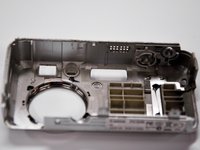
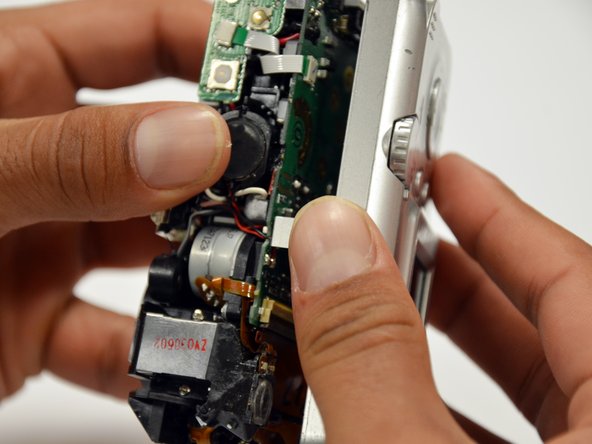
    • Remove the back case of the camera by pulling from the top.

    • Be careful when pulling off the case. There is a delicate gold ribbon connecting the bottom of the camera to the back case.

    FixBotに聞いてみる

    コメントを追加

終わりに

To reassemble your device, follow these instructions in reverse order.

キャンセル: このガイドを終了できませんでした。

作成者

6人の作成者と共同で作成されました。

Stephanie Friend

メンバー登録日: 01/18/13

132 ポイント

2のガイドは作成済み

チーム

Cal Poly, Team 19-42, Regan Winter 2013 Cal Poly, Team 19-42, Regan Winter 2013人のメンバー

CPSU-REGAN-W13S19G42

4 メンバー

12のガイドは作成済み

0件のガイドコメント

コメントを追加

統計データ:

過去 24時間: 4

過去 7 日: 17

過去 30 日: 101

今までの合計 3,942