メインコンテンツにスキップ
リペアコミュニティに参加 - アカウントの作成

Brother PT-210 Battery Replacement

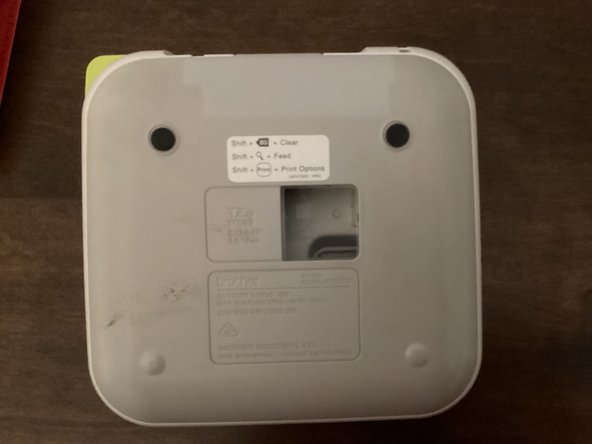
  1. Brother PT-210 Battery Replacement, Back Cover: 手順 1、 3の画像 1 Brother PT-210 Battery Replacement, Back Cover: 手順 1、 3の画像 2 Brother PT-210 Battery Replacement, Back Cover: 手順 1、 3の画像 3
    • Use the tab to open the back cover of your machine.

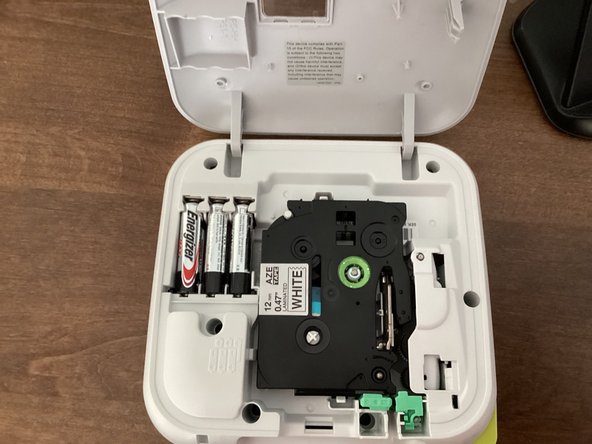
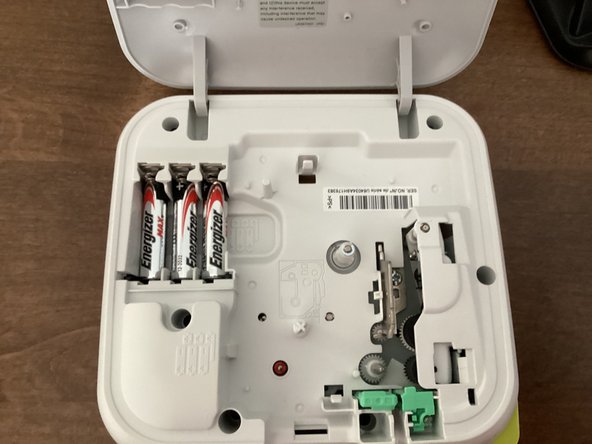
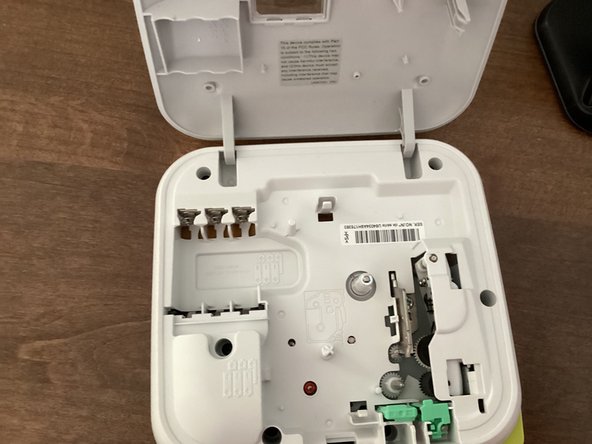
  2. Brother PT-210 Battery Replacement, Batteries: 手順 2、 3の画像 1 Brother PT-210 Battery Replacement, Batteries: 手順 2、 3の画像 2 Brother PT-210 Battery Replacement, Batteries: 手順 2、 3の画像 3
    • Remove all 6 batteries from your machine.

    • When you put the batteries back in, keep in mind that the polarity of them matter. Your machine won't work if the polarities of the batteries are messed up.

    • Do not mix new and old batteries!

    • It might be helpful to take the tape out of your machine. This guide shows you how to.

終わりに

To reassemble your device, follow these instructions in reverse order.

作成者

1人の作成者と共同作成されました。

TheMasterG

メンバー登録日: 07/19/24

1,394 ポイント

12のガイドは作成済み

0件のガイドコメント

コメントを追加

統計データ:

過去 24時間: 3

過去 7 日: 12

過去 30 日: 35

今までの合計 235