はじめに
Use this guide to remove the midframe thats sits under the rear cover of the Blu Studio Selfie. Make sure you have all the necessary tools before you start. It is also a good idea to use a magnetic mat to organize the screws you will be removing from the device.
必要な工具と部品
-
-
Turn the front of the phone away from you.
-
Run your fingers along the sides of the phone to identify where the case can be pulled apart.
 FixBotに聞いてみる
-
-
-
Insert the flat end of your plastic opening into the crevice you found along the side of the phone.
-
Gently apply pressure until you feel the back case pop free of the phone.
-
Continue the previous two steps around the rest of the phone until the case is fully removed.
-
-
-
-
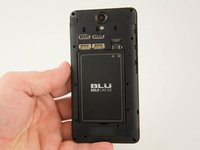
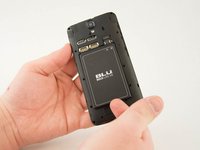
Identify the crevice at the bottom of the battery.
-
Gently lift the battery free of the phone.
-
-
-
Insert the spudger between the midframe and the display assembly.
-
Gently pry up the midframe.
-
-
-
After the rest of the midframe is detached, from the phone place the flat end of the spudger beneath the clip.
-
Gently lift up on the clip until it comes free.
-
Remove the midframe from the phone.
-




2 の人々がこのガイドを完成させました。

チーム

USF Tampa, Team 10-1, Remmell Spring 2016 USF Tampa, Team 10-1, Remmell Spring 2016人のメンバー
USFT-REMMELL-S16S10G1
4 メンバー
18のガイドは作成済み
