メインコンテンツにスキップ

BlackMagic Hyperdeck Studio Mini Fan Replacement

必要な工具と部品

ビデオの概要

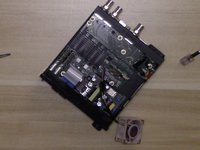
  1. BlackMagic Hyperdeck Studio Mini Fan Replacement, Unscrew the Outer Case: 手順 1、 1の画像 1
    • 4 Screws on each side

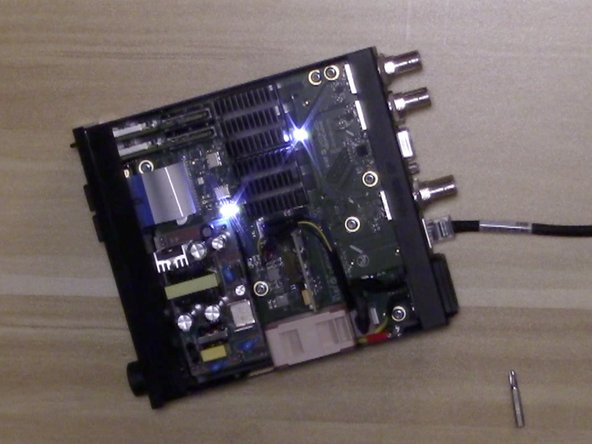
  2. BlackMagic Hyperdeck Studio Mini Fan Replacement, Remove Fan: 手順 2、 1の画像 1
    • 2 - Screws

    • 1 - Pull cable

  3. BlackMagic Hyperdeck Studio Mini Fan Replacement, Cut Off Connector from both the old and new fan: 手順 3、 1の画像 1
    • Leave some length to solder with and to reach connector on main board.

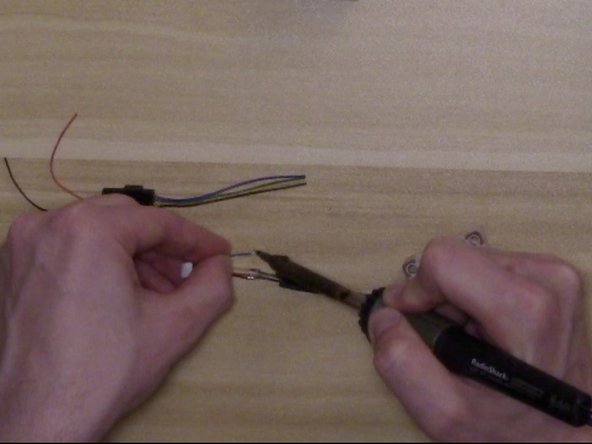
  4. BlackMagic Hyperdeck Studio Mini Fan Replacement, Prep Fan Wires and Connector Wires: 手順 4、 1の画像 1
    • Strip Wires, Tin Wires, and prep by adding heat shrink tubing on wires (before shrinking).

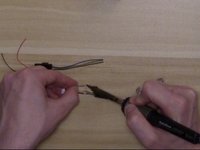
  5. BlackMagic Hyperdeck Studio Mini Fan Replacement, Solder Connecter to Fan: 手順 5、 3の画像 1 BlackMagic Hyperdeck Studio Mini Fan Replacement, Solder Connecter to Fan: 手順 5、 3の画像 2 BlackMagic Hyperdeck Studio Mini Fan Replacement, Solder Connecter to Fan: 手順 5、 3の画像 3
    • Solder the new fan to the old connector using the following pinout.

    • Adjust heat shrink tubing so it covers the solder joints and use heat gun to shrink tubing.

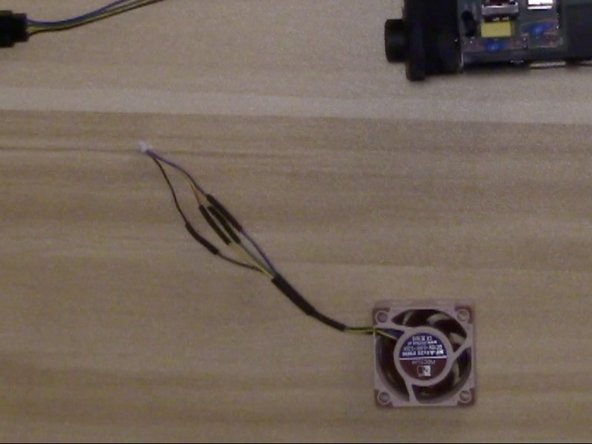
  6. BlackMagic Hyperdeck Studio Mini Fan Replacement, Re-assemble fan to device with fan label facing out: 手順 6、 2の画像 1 BlackMagic Hyperdeck Studio Mini Fan Replacement, Re-assemble fan to device with fan label facing out: 手順 6、 2の画像 2
    • Re-assemble fan to device with fan label facing out.

    • OPTIONAL - Use Small Round Nose Pliers to break off case grill to make fan even quieter.

  7. BlackMagic Hyperdeck Studio Mini Fan Replacement, Re-Assemble Case: 手順 8、 1の画像 1
    • Re-Assemble case.

終わりに

To reassemble your device, follow these instructions in reverse order.

4 の人々がこのガイドを完成させました。

作成者

2人の作成者と共同で作成されました。

Kevin Krautle

メンバー登録日: 10/10/16

562 ポイント

2のガイドは作成済み

7件のガイドコメント

THANK YOU SO MUCH!!!! This was the perfect solution. The new Noctua fan even came with solderless connectors. The whole job only took 20 minutes. It is now completely silent!

tberntson - 返信

Just replaced mine monitoring the temperature now. As @tberntson mentioned, the fan comes with some Skotchlok connectors and no soldering even required. I can’t believe how quiet the new fan is. Complete night and day difference. Kevin, thanks so much for sharing this.

Adrian Cho - 返信

Hi! any one that have the part number for the Nactua fan with Skotchlok connectors is it NF-A4x20-PWM?

mikaelf - 返信

The connector you need is a Micro JST ZH 1.5mm 4-pin female connector. You can pick them up pre-wired on eBay.

Jamie - 返信

Thank you so much! I soldered it and it works great! So silent now that I can´t hear it at all!

pzacharias - 返信

コメントを追加

統計データ:

過去 24時間: 1

過去 7 日: 24

過去 30 日: 90

今までの合計 5,319