メインコンテンツにスキップ
リペアコミュニティに参加 - アカウントの作成

Audiovox CDM-8910 Keyboard Replacement

必要な工具と部品

  1. Audiovox CDM-8910 Keyboard Replacement, Antenna: 手順 1、 1の画像 1
    • Locate the antenna (shown in red box) at the top of the phone when closed.

    FixBotに聞いてみる

    コメントを追加

  2. Audiovox CDM-8910 Keyboard Replacement: 手順 2、 1の画像 1
    • Using your thumb and index finger, grip the antenna near its base and unscrew counter clockwise. Once loose, remove the antenna by pulling it from its insert hole.

    FixBotに聞いてみる

    コメントを追加

  3. Audiovox CDM-8910 Keyboard Replacement, Battery: 手順 3、 1の画像 1
    • Locate the back side of the phone.

    • The battery is the large main compartment (red box).

    FixBotに聞いてみる

    コメントを追加

  4. Audiovox CDM-8910 Keyboard Replacement: 手順 4、 1の画像 1
    • Use your finger to slide the latch (circled) upwards.

    • While holding the latch up, pull the battery off the phone.

    FixBotに聞いてみる

    コメントを追加

  5. Audiovox CDM-8910 Keyboard Replacement: 手順 5、 1の画像 1
    • The back of the phone will look like this when the battery is correctly removed.

    FixBotに聞いてみる

    コメントを追加

  6. Audiovox CDM-8910 Keyboard Replacement, Rear Case: 手順 6、 1の画像 1
    • Peel the rubber indicated toward the top of the phone

    FixBotに聞いてみる

    コメントを追加

  7. Audiovox CDM-8910 Keyboard Replacement: 手順 7、 1の画像 1
    • Remove the screw that sits underneath the rubber covering.

    FixBotに聞いてみる

    コメントを追加

  8. Audiovox CDM-8910 Keyboard Replacement: 手順 8、 1の画像 1
    • Remove the five (5) total screws using a Philips head screwdriver.

    FixBotに聞いてみる

    コメントを追加

  9. Audiovox CDM-8910 Keyboard Replacement: 手順 9、 1の画像 1
    • Use spudger and insert it towards the bottom of the phone as pictured.

    • Carefully working yourself around the phone with the spudger, pry it open. This may require a bit of force.

    • The volume control button will be loose, so make sure to take it out once the rear case is fully removed.

    FixBotに聞いてみる

    コメントを追加

  10. Audiovox CDM-8910 Keyboard Replacement: 手順 10、 1の画像 1
    • The back case should now be completely removed and the motherboard will be visible.

    FixBotに聞いてみる

    コメントを追加

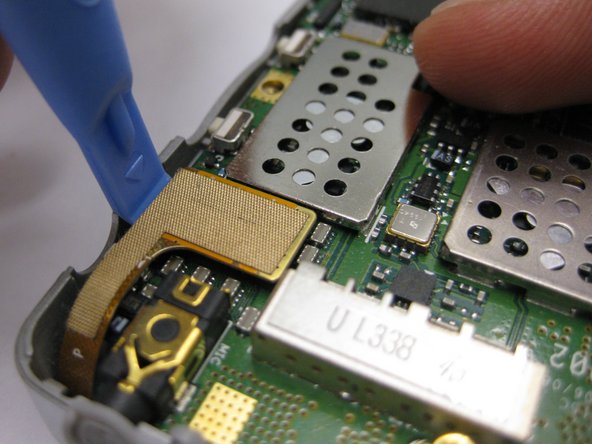
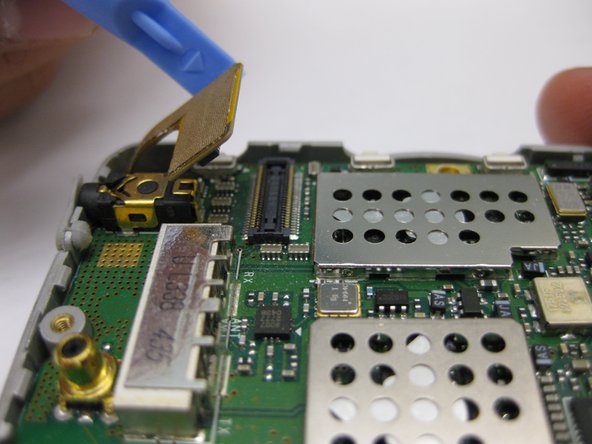
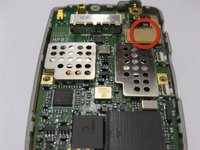
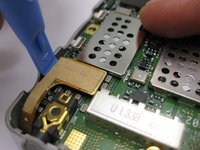
  11. Audiovox CDM-8910 Keyboard Replacement, Motherboard: 手順 11、 3の画像 1 Audiovox CDM-8910 Keyboard Replacement, Motherboard: 手順 11、 3の画像 2 Audiovox CDM-8910 Keyboard Replacement, Motherboard: 手順 11、 3の画像 3
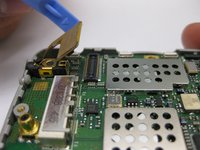
    • Disconnect the gold connection patch

    • Use a spudger or finger to disconnect the piece.

    FixBotに聞いてみる

    コメントを追加

  12. Audiovox CDM-8910 Keyboard Replacement: 手順 12、 1の画像 1
    • Using a spudger, lift the motherboard out of the phone case as pictured.

    FixBotに聞いてみる

    コメントを追加

  13. Audiovox CDM-8910 Keyboard Replacement: 手順 13、 1の画像 1
    • The motherboard should now be completely removed from the phone.

    FixBotに聞いてみる

    コメントを追加

  14. Audiovox CDM-8910 Keyboard Replacement, Keyboard: 手順 14、 1の画像 1
    • Once the motherboard has been removed, peel the keyboard as pictured.

    FixBotに聞いてみる

    コメントを追加

終わりに

To reassemble your device, follow these instructions in reverse order.

キャンセル: このガイドを終了できませんでした。

作成者

4人の作成者と共同で作成されました。

Carlos Guerrero

メンバー登録日: 10/04/10

1 ポイント

2のガイドは作成済み

チーム

Cal Poly, Team 3-24, Regan Fall 2010 Cal Poly, Team 3-24, Regan Fall 2010人のメンバー

CPSU-REGAN-F10S3G24

4 メンバー

12のガイドは作成済み

0件のガイドコメント

コメントを追加

統計データ:

過去 24時間: 0

過去 7 日: 10

過去 30 日: 58

今までの合計 1,739