必要な工具と部品
-
-
-
-
Use plastic opening tool to pry off the back cover of the phone.
-
-
この手順で使用する道具:Tweezers$4.99
-
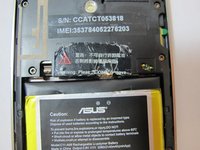
Remove the warning sticker that covers the battery plug and connecting cord.
-
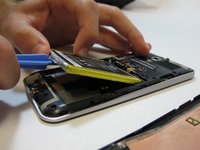
Look for the widest gap on either side of the battery. Using the plastic opening tool carefully lift battery out.
-
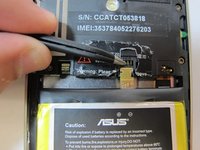
Disconnect battery connecting cord using tweezers.
-

 FixBotに聞いてみる


To reassemble your device, follow these instructions in reverse order.
7 の人々がこのガイドを完成させました。

チーム

USF Tampa, Team 5-4, Mcgee Fall 2014 USF Tampa, Team 5-4, Mcgee Fall 2014人のメンバー
USFT-MCGEE-F14S5G4
4 メンバー
15のガイドは作成済み
1件のガイドコメント
Pull the battery connector towards USB. You will break it if you pull it up, as I did.
I wouldn’t recommend metal tweezers as it could shortcut the battery.
Los Karlos - 返信 共有
