メインコンテンツにスキップ
リペアコミュニティに参加 - アカウントの作成

Archos 70b 0.3 MP Camera Replacement

必要な工具と部品

    1. Archos 70b 0.3 MP Camera Replacement, Back plate: 手順 1、 1の画像 1
      • Remove all the tape and plugs to access the screws beneath.

      FixBotに聞いてみる

      コメントを追加

    2. Archos 70b 0.3 MP Camera Replacement: 手順 2、 1の画像 1
      • Unscrew all 5 of the .3mm t4 screws from the back plate of the device.

      FixBotに聞いてみる

      コメントを追加

    3. Archos 70b 0.3 MP Camera Replacement: 手順 3、 1の画像 1
      • Gently go around the outside of the back plate and pry the back cover off.

      FixBotに聞いてみる

      コメントを追加

    1. Archos 70b 0.3 MP Camera Replacement, 0.3 MP Camera: 手順 4、 1の画像 1
      • Locate the camera on the motherboard.

      FixBotに聞いてみる

      コメントを追加

    2. Archos 70b 0.3 MP Camera Replacement: 手順 5、 1の画像 1
      • Remove the plastic cover from the camera.

      • Removal of the plastic cover makes disassembly easier.

      FixBotに聞いてみる

      コメントを追加

    3. Archos 70b 0.3 MP Camera Replacement: 手順 6、 2の画像 1 Archos 70b 0.3 MP Camera Replacement: 手順 6、 2の画像 2
      この手順で使用する道具:
      Tweezers
      $4.99
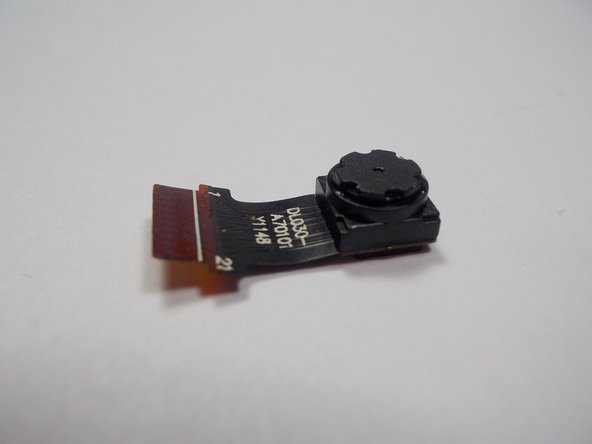
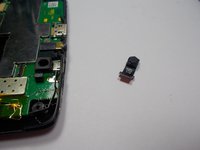
      • Using tweezers remove the camera by the pins from the motherboard.

      FixBotに聞いてみる

      コメントを追加

終わりに

To reassemble your device, follow these instructions in reverse order.

キャンセル: このガイドを終了できませんでした。

3 の人々がこのガイドを完成させました。

作成者

4人の作成者と共同で作成されました。

Joshua Stoddard

メンバー登録日: 10/28/15

541 ポイント

3のガイドは作成済み

チーム

UMass Dartmouth, Team 1-3, Miles Fall 2015 UMass Dartmouth, Team 1-3, Miles Fall 2015人のメンバー

UMASSD-MILES-F15S1G3

3 メンバー

9のガイドは作成済み

0件のガイドコメント

コメントを追加

統計データ:

過去 24時間: 0

過去 7 日: 6

過去 30 日: 24

今までの合計 1,009