メインコンテンツにスキップ
リペアコミュニティに参加 - アカウントの作成

AlphaSmart Pro Lithium Coin Battery Replacement

必要な工具と部品

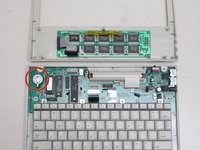
  1. AlphaSmart Pro Lithium Coin Battery Replacement, Separating Panels: 手順 1、 3の画像 1 AlphaSmart Pro Lithium Coin Battery Replacement, Separating Panels: 手順 1、 3の画像 2 AlphaSmart Pro Lithium Coin Battery Replacement, Separating Panels: 手順 1、 3の画像 3
    • Removing the lithium coin battery will erase existing files. Make sure all important files have been safely transferred to another device before attempting to remove the lithium coin battery.

    • Power off your AlphaSmart Pro device and remove the batteries before beginning disassembly.

    • Remove the eight 1 cm Phillips head screws from the back panel of the AlphaSmart Pro with the Phillips #00 Screwdriver.

    • Carefully separate the front panel from the back panel.

    • Notice that the front and back panels are still connected by a ribbon cable.

    FixBotに聞いてみる

    コメントを追加

  2. AlphaSmart Pro Lithium Coin Battery Replacement, Detaching Ribbon Cable: 手順 2、 2の画像 1 AlphaSmart Pro Lithium Coin Battery Replacement, Detaching Ribbon Cable: 手順 2、 2の画像 2
    • To remove the ribbon cable, use the spudger to lift each side of the connector from the socket.

    • Gently pull up on the connector to completely remove the connector from the socket.

    FixBotに聞いてみる

    コメントを追加

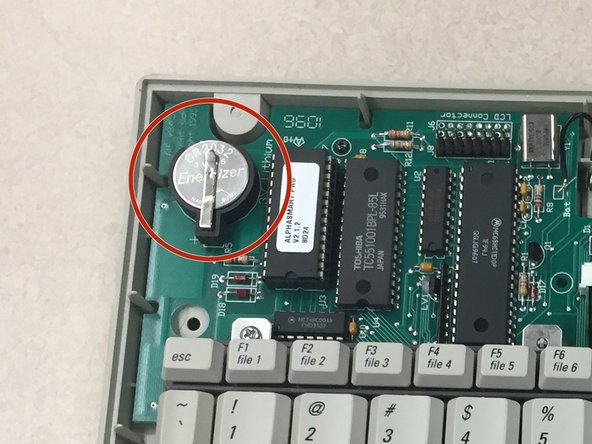
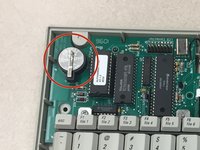
  3. AlphaSmart Pro Lithium Coin Battery Replacement, Locate Lithium Coin Battery: 手順 3、 2の画像 1 AlphaSmart Pro Lithium Coin Battery Replacement, Locate Lithium Coin Battery: 手順 3、 2の画像 2
    • With the front panel removed, locate the lithium coin battery at the top left corner of the motherboard.

    FixBotに聞いてみる

    コメントを追加

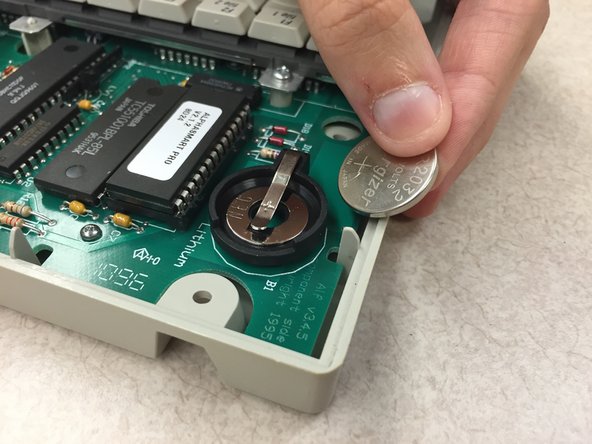
  4. AlphaSmart Pro Lithium Coin Battery Replacement, Remove Lithium Coin Battery: 手順 4、 2の画像 1 AlphaSmart Pro Lithium Coin Battery Replacement, Remove Lithium Coin Battery: 手順 4、 2の画像 2
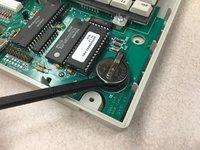
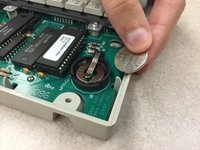
    • Use the spudger, plastic opening tool, or your finger/fingernail to lift up the lithium coin battery.

    • Slide the battery out from underneath the clip that holds it in place.

    • The positive side of the battery is facing up.

    FixBotに聞いてみる

    コメントを追加

終わりに

To reassemble your device, follow these instructions in reverse order.

キャンセル: このガイドを終了できませんでした。

作成者

3人の作成者と共同で作成されました。

Katy Beth Culp

メンバー登録日: 10/13/14

1 ポイント

2のガイドは作成済み

チーム

Clemson, Team 1-1, Benson Fall 2014 Clemson, Team 1-1, Benson Fall 2014人のメンバー

CLEM-BENSON-F14S1G1

4 メンバー

16のガイドは作成済み

0件のガイドコメント

コメントを追加

統計データ:

過去 24時間: 2

過去 7 日: 12

過去 30 日: 54

今までの合計 1,382