メインコンテンツにスキップ
リペアコミュニティに参加 - アカウントの作成

ATT CL2940 Handset Cord Replacement

  1. ATT CL2940 Handset Cord Replacement, Handset Cord: 手順 1、 3の画像 1 ATT CL2940 Handset Cord Replacement, Handset Cord: 手順 1、 3の画像 2 ATT CL2940 Handset Cord Replacement, Handset Cord: 手順 1、 3の画像 3
    • Locate the plug-in jack on the bottom right side of the phone.

  2. ATT CL2940 Handset Cord Replacement: 手順 2、 3の画像 1 ATT CL2940 Handset Cord Replacement: 手順 2、 3の画像 2 ATT CL2940 Handset Cord Replacement: 手順 2、 3の画像 3
    • Pinch the clip on the plug and pull the cord from the base in order to release the cord.

  3. ATT CL2940 Handset Cord Replacement: 手順 3、 1の画像 1
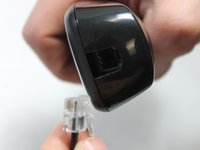
    • Locate the plug-in jack on the handset.

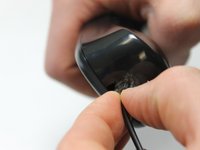
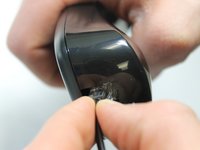
  4. ATT CL2940 Handset Cord Replacement: 手順 4、 3の画像 1 ATT CL2940 Handset Cord Replacement: 手順 4、 3の画像 2 ATT CL2940 Handset Cord Replacement: 手順 4、 3の画像 3
    • Pinch the clip on the plug and pull away from the handset in order to release the cord.

終わりに

To reassemble your device, follow these instructions in reverse order.

ある他の人がこのガイドを完成しました。

作成者

5人の作成者と共同で作成されました。

Charles Messmore

メンバー登録日: 02/15/16

577 ポイント

5のガイドは作成済み

チーム

IUPUI, Team 1-1, Harley Spring 2016 IUPUI, Team 1-1, Harley Spring 2016人のメンバー

IUPUI-HARLEY-S16S1G1

4 メンバー

13のガイドは作成済み

0件のガイドコメント

コメントを追加

統計データ:

過去 24時間: 0

過去 7 日: 8

過去 30 日: 46

今までの合計 651