はじめに
Batteries get old and stop holding a charge. This guide will show you how to remove and replace that bad battery.
必要な工具と部品
-
-
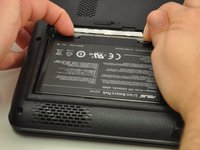
Slide the tab over to unlock the battery cover located on the bottom-left corner of the laptop.
 FixBotに聞いてみる
-
-
-
-
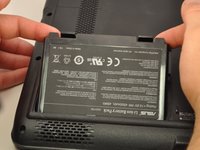
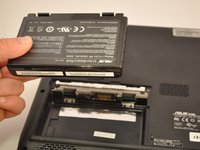
Press the tabs on the battery and lift them. The battery should come out easily.
-


終わりに
To reassemble your device, follow these instructions in reverse order.
ある他の人がこのガイドを完成しました。

チーム

Eastern Washington University, Team S1-G3, Carnegie Fall 2017 Eastern Washington University, Team S1-G3, Carnegie Fall 2017人のメンバー
EWU-CARNEGIE-F17S1G3
4 メンバー
5のガイドは作成済み
