
メインコンテンツにスキップ
リペアコミュニティに参加 - アカウントの作成

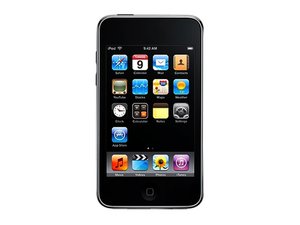
モデル番号A1288/ 8, 16もしくは32 GB容量

iPod Touch won't stop rebooting

My 2nd gen iPod touch (which is no longer under warranty) has lost it's mind. I was having trouble connecting to my wifi network so I went to Apple's troubleshooting site and it suggested I reset the network settings. Immediately after doing so the iPod stating rebooting and will not stop (it goes black, shows the apple logo screen, flashes white for a sec, then starts over). It keeps rebooting till the battery dies and starts up again as soon as I charge it. iTunes won't recognize the pod while it's stuck in the reboot loop so I tried putting it in dfu/recovery mode. iTunes recognizes it then but I get an error (1611) when I try to restore. I've never had any problems with it prior to this. Any suggestions on how to fix it?

回答がありました! 回答を表示 同じ問題があります

この質問は役に立ちましたか?

スコア 1
コメントを追加

5件の回答

ベストアンサー

1. Charge the iPod battery to max

2. Ensure you have latest iTunes

3. Shutdown your computer; complete shutdown

4. Unplug all USB devices (except for those absolutely required - mouse, keyboard)

5. Start your PC

6. Start up iTunes

7. Connect the iPod to an USB port closest to the motherboard

8. Start the restore

If this fails do it on a newer computer with USB 2 ports

このアンサーは役に立ちましたか?

スコア 2

1件のコメント:

Thanks for the suggestion, but I tried the above with my laptop which does have usb 2 ports and have had no luck. Any other suggestions?

さんによる

コメントを追加

I fixed it on mine, you must open it and remove the battery (just unplug it)then connect the charger and when is on connect the bat again and these will work.

このアンサーは役に立ちましたか?

スコア 1
コメントを追加

@Oscar

That really wouldnt work ... You must de-solder the battery to disconnect it, and then re-solder the battery to reconnect it.

A little dodgy when you are soldering to have it plugged in to a USB supply too.

There is no "plug.." on the battery (See Guide..) perhaps you are confusing this device with another?

このアンサーは役に立ちましたか?

スコア 1
コメントを追加

You may want to try the following: Restore using a known good 30-pin Dock Cable, or try restoring on another computer. If you've tried the above and it still keeps rebooting, then you may have some sort of hardware issue. On the Apple Support Website, Error 1611 points to hardware issues, and since you're getting that error message, I recommend that you send your iPod Touch in to Apple and have them repair it. Since the warranty for your device has expired as you mentioned, you'll be charged for the repair, which could be costly. That said, you may want to purchase a new device, but I suggest you wait until next month, since Apple will release the next iteration of the iPod Touch. Good luck!!!

このアンサーは役に立ちましたか?

スコア 0
コメントを追加

I had a bad sync cable that caused the same error. Hope its something that simple for you.

このアンサーは役に立ちましたか?

スコア 0
コメントを追加

回答を追加する

tracyhovis さん、ありがとうございました!
統計データ:

過去 24時間: 1

過去 7 日: 5

過去 30 日: 28

今までの合計 15,096


