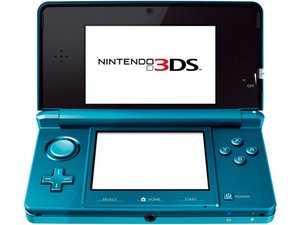
Okay, this shouldn't be too difficult at all. The first thing to understand, though, is that the 3DS wifi slots and the DS wifi slots are separate; you can't use a 3DS slot in DS mode or vice-versa. If you wanna use DS wifi, you'll need a DS compatible access point.
Now, on to fixing this thing. In theory, that should only require either reconfiguring or deleting your wifi slots. Since you apparently can't do that through the normal settings app, we're going to do it through safe mode. First, make sure your console can't connect to any networks, either by moving out of range or by simply turning off the wifi. Then boot into safe mode and try to update. The update should fail, and ask you to change your internet settings. From there, you can undo your changes or just delete the connections entirely, and you should be home free! Feel free to re-create any deleted connections, minus the console-freezing parts :)
Bonus note on how to actually connect to community WFC servers, for both DS and 3DS:
DS: The trickiest part is getting a compatible AP. The wiki here has some suggestions. I typically just use an open wifi hotspot on my phone. Once you've got an access point, go to System Settings > Internet Settings > Nintendo DS Connections and connect to it. Now change the DNS settings to point to your preferred servers (typically Wimmifi, AltWFC, or Kaeru). Test the connection and you're golden
3DS: The 3ds server replacement is called Pretendo Network. They're still in progress, and don't have support for every game yet, but the coverage is still quite good. Setup is more complicated than for DS, and unfortunately I can't go into detail here. The first step, though, is to install Luma3DS. The only guide for that is 3ds.hacks.guide. When that's done, the end of the guide will link you to Pretendo's installation guide.
(If you go for this, don't use the same name for your PNID as you did for your NNID. It will break things)

 1
1 
 7
7  15
15 
Hi @darthmango
Can you check this one out??
Thank you :)!
koppie007 さんによる
Youre using CFW yeah?
Thomas さんによる
koppie007 im really new to this this and i couldn't figure out how to find something on there lol but im sure they have something that can help me, ill try again later tho
Nona Nelson さんによる
Also im looking at the 3ds rn and I made it to my Internet settings, but ill keep this just in case it freezes again :3
Nona Nelson さんによる
I pressed save and it froze noooo D:
Nona Nelson さんによる
9件以上のコメントを表示