
メインコンテンツにスキップ

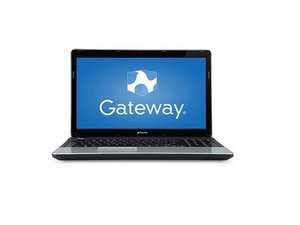
The Gateway NE series was released in 2012 as a line of budget laptops.

Not opening screen"a disk read error occurred"

Laptop gateway NE46Rs1

While I'm pressing the power button first it started then a disc read error occurred press ctrl + alt + del to restart like its coming. when I press this, again it is coming like this it is not opening and going to the screen

Can anyone help me to solve this problem

回答がありました! 回答を表示 同じ問題があります

この質問は役に立ちましたか?

スコア 1
1件のコメント

How to install windows 7 os

さんによる

コメントを追加

1 件の回答

ベストアンサー

@farhan56524 sounds like your computer can't access your drive with the OS on startup. Could be a drive failure or a software failure. Check in your computers BIOS and see if it can "see" your HDD. If so, it is possible a software issue. Get a USB bootable drive and start your computer form that. Then see if you can access your HDD.

To enter your BIOS reboot the laptop, and as soon as it begins to restart, press the "F1" key at one-second intervals until the laptop enters the BIOS utility. If the laptop boots without entering the BIOS, reboot again and press "F2" instead; this is the BIOS-access key for some Gateway models. Sometimes it takes a few attempts to get it just right.

Ultimately it does sound like a bad hard-drive, but let us know what you find out. Gateway NE56R Series Hard Drive Replacement

このアンサーは役に立ちましたか?

スコア 0

2 件のコメント:

Whether installing the OS will help ?

さんによる

@farhanm that will only work if your HDD is still working. That is why you need to check the BIOS first. If it is seen etc. You can absolutely try and reinstall the OS.

さんによる

コメントを追加

回答を追加する

Farhan さん、ありがとうございました!
統計データ:

過去 24時間: 0

過去 7 日: 0

過去 30 日: 4

今までの合計 102
