
メインコンテンツにスキップ
リペアコミュニティに参加 - アカウントの作成

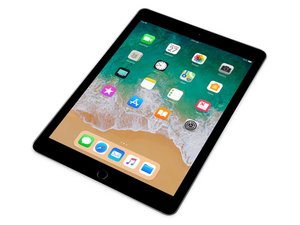
第6世代Apple iPadの修理ガイド、分解、トラブルシューティング情報です。Wi-FiモデルとCellularモデルがあり、ストレージ容量は32GBまたは128GBです。2018年3月発売。モデル番号A1893およびA1954で識別できます。9.7インチRetinaディスプレイと64ビットA10 Fusionチップを搭載しています。

Home Button doesn't work after iPad 6 screen replacement

I have been repairing electronics for years. Never had any issues with iPads until recently, home buttons stop working after digitizer replacement. There is no damage to the home button or the cable or anywhere. Anyone else having this problem?

Or have found a solution?

この質問に回答する 同じ問題があります

この質問は役に立ちましたか?

スコア 3
コメントを追加

2件の回答

It could just be an alignment issue, is the metal part of the home button bracket (which is the contact for the button) aligned with the center receiver of the home button?

このアンサーは役に立ちましたか?

スコア 0

2 件のコメント:

No, it even makes the clicking sound and everything. Even when I install a new button, still doesn't work.

さんによる

The clicking sound is not an indicator of anything. Try to align it better with the bracket. I had this issue as well last week.

さんによる

コメントを追加

Look at the back of the home button. There should be a tiny black dot in the center of the switch. If all you see is amber that dot has fallen of and the switch will not work when installed.

このアンサーは役に立ちましたか?

スコア 0
コメントを追加

回答を追加する

minnabeezy さん、ありがとうございました!
統計データ:

過去 24時間: 0

過去 7 日: 1

過去 30 日: 9

今までの合計 1,299
