修理ガイド
手順毎の修理ガイドを使って、何にでも修理できる方法を学ぶ
アプリ
あなたの便利なリペアヘルパー。
FixBot
フレンドリーなAIリペアアシスタント。
リペアビリティ
修理できる製品がなぜ良いのでしょうか
分解
最新ガジェットの内側を覗いてみる
アンサーフォーラム
解決方法を共有して、友人に助けてもらう
自分に合うコミュニティを見つける
チーム、イベント、フィクサー仲間を探す。
ヘルプ・アウト
修理の知識を誰でも無料で利用できるようにする。
修理する権利
修理する権利のムーブメントやこの支持者になる方法を知る。
おすすめ
高品質のパーツとツールには、iFixitの生涯保証が付けられています。
ツール
精密ツールの厳選セレクションを見る
パーツ
iFixitの品質基準を満たしたパーツを購入する
iPhoneバッテリー
バッテリーは検査済みで保証付き、必要なすべてが揃ったキット。
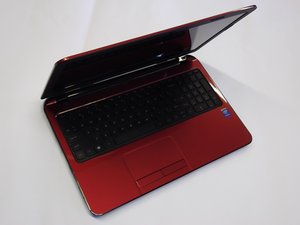
HP Flyer Redは、2014年12月頃にHewlett-Packardから発売されたノートパソコンです。
Nathan Travis @nathantravis
評価: 1
投稿日: 2019年3月19日
Cleaned ram drive, Tried the windows and b key reset. Didn't work what could be the problen
この質問は役に立ちましたか?
Carlos Oulman @coulman
評価: 2.1千
Tech Beam Media
11
5
4
投稿日: 2019年3月20日
Do you hear any beeps? Not sure what you mean by RAM drive. I’m guessing you mean you took the RAM out and cleaned the slots. Not sure why that would be necessary but anyway. I would check to make sure your SO-DIMM(S) are pushed in all the way.
このアンサーは役に立ちましたか?
過去 24時間: 15
過去 7 日: 23
過去 30 日: 26
今までの合計 223


 11
11  5
5  4
4