メインコンテンツにスキップ
リペアコミュニティに参加 - アカウントの作成

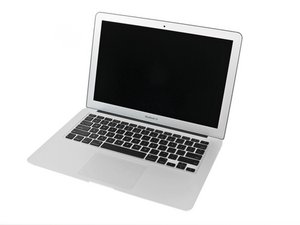
モデルA1369、1.6、1.7または1.8 GHzプロセッサー、64、128、または256GBフラッシュドライブ

No Keyboard function after reassembly

Hi there

I spilled some gin on my Macbook, immediately opened it, cleaned it with a paper towel to dry and then with some IPA.

Heres the thing, except the Keyboard, wich worked before, everything seems fine.Even the Backlight of the Keyboard is working properly

cheers Guys

この質問に回答する 同じ問題があります

この質問は役に立ちましたか?

スコア 0
コメントを追加

3件の回答

最も参考になった回答

There are numerous videos on how to replace just the keyboard on this model. Lots of labor but only about $25 for a good part. Here’s one:

how to replace the keyboard on a macbook air 2011

このアンサーは役に立ちましたか?

スコア 2
コメントを追加

Did you have some tonic water with it and the Lime? :-/

Sorry to say you’ll need to replace the uppercase to fix this MacBook Air 13" (Mid 2011) Upper Case with Keyboard. Here’s the guide you’ll need to follow MacBook Air 13インチ Mid 2011 上部ケースの交換

Replace an upper case assembly compatible with the Mid 2011 MacBook Air 13 inch laptop. Includes the keyboard, palmrest area, and power button.の画像

製品

MacBook Air 13" (Mid 2011) Upper Case with Keyboard

$49.99

このアンサーは役に立ちましたか?

スコア 1
コメントを追加

Hey mate

Id recommend removing your motherboard and cleaning it.

Drying out water damage is really what you want to avoid, your only speeding up the corrosion process. The board needs to be cleaned not dried.


You can use Isoprophyl Alcohol and a toothbrush at the very least.

or EC cleaner & distilled water

このアンサーは役に立ちましたか?

スコア 1
コメントを追加

回答を追加する

Andreas Schmid さん、ありがとうございました!
統計データ:

過去 24時間: 0

過去 7 日: 5

過去 30 日: 13

今までの合計 125

