メインコンテンツにスキップ
リペアコミュニティに参加 - アカウントの作成

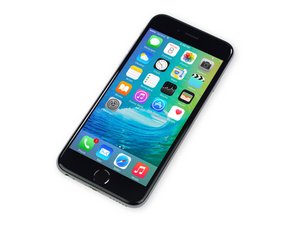
2015年9月25日にAppleから発売されたiPhone 6Sの修理情報とガイドです。モデル A1688、A1633。

Screen not working after installing replacement

I tried to replace my cracked screen and it seemed to work at first. The home button wasn't working whatsoever, but I don't think that's relevant to the bigger problem. After an hour or so the screen just stopped working. I was getting no output and I'm pretty sure it wasn't registering touch either. I took it to a professional and he said it looked like messed up backlight caps. What I got from that was that the display may as well be dead, and until I get the caps fixed it would remain so. However, the other day I picked it up randomly, pressed the power button and got the dead screen that prompts you to connect to a charger. I can get output like this consistently when the phone is dead. After a few minutes on the charger, I tried to get some output from the screen. Seemingly randomly, the lock screen will show for a split second. Basically I was wondering if this implies that the screen (or caps, whatever it may be) may not be shot, and the repair could be much more simple than having to completely replace a certain part? Also, I was reading a similar question and one of the answers said something about replacing the screen without the battery unplugged can cause some sort of mishap that sounded similar to my problem. But yeah, I didn't unplug the battery during the repair if that matters.

回答がありました! 回答を表示 同じ問題があります

この質問は役に立ちましたか?

スコア 1
コメントを追加

2件の回答

ベストアンサー

Forgetting to disconnect the battery prior to replacing the screens can cause the backlight circuit to fail. Usually it's just the backlight filter that blows but in some cases it can blow the whole circuit (diode, coil, IC). Normally when that happens, the backlight will not work at all and the only thing you will see is a dim image.

However, it is possible that the backlight filter is only partially damaged or hanging on by a thread. It may work for a brief period of time or when the circuit/board has cooled down but fail after only a short amount of time.

The Touch circuit is embedded into the screen so one way to isolate that problem is to try the original, cracked screen to see if it works okay. As for the Home Button, you may have damaged the flex or the connectors when you transferred the button over.

このアンサーは役に立ちましたか?

スコア 2

2 件のコメント:

I am getting a very faint image. Would any of the fixes to the possible problems be fairly comparable to replacing a screen or battery in terms of difficulty, or would I need to take it to a professional?

さんによる

No, your repair requires micro-soldering...best to take it to a professional.

さんによる

コメントを追加

Try this first. Disconnect your battery then disconnect your screen assembly. Then reconnect your screen assembly and reconnect your battery then try to power on.

このアンサーは役に立ちましたか?

スコア 0

1件のコメント:

Tried this twice to no avail. Thanks for the help though!

さんによる

コメントを追加

回答を追加する

Luke Doub さん、ありがとうございました!
統計データ:

過去 24時間: 0

過去 7 日: 2

過去 30 日: 8

今までの合計 386

