メインコンテンツにスキップ
リペアコミュニティに参加 - アカウントの作成

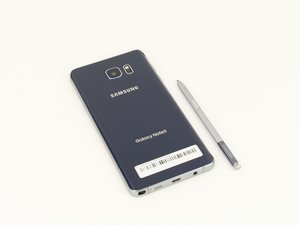
Samsung Galaxy Note 5は2015年8月に発売されたSamsung製のスタイラスペン付きファブレットスタイルのスマートフォンです。

bootlooped note 5 data pull

I found my note 5 caught in a boot loop after I woke up this morning. I've been doing everything to try and get it out but no luck. I am willing to reset my phone if I have my data though, so I was wondering if there is any software I could download which would let me pull data (such as pictures, videos, music etc) while the phone is stuck in a loop. I can power it off using recovery settings. Clearing the cache doesn't help. I'm not even sure if resetting would solve the looping issue but any info would be much appreciated, thanks!

回答がありました! 回答を表示 同じ問題があります

この質問は役に立ちましたか?

スコア 0
コメントを追加

2件の回答

ベストアンサー

You need to be able to flash a custom recovery then use the file system mtp mounting to computer then you can read the data. System and data partition should be mounted in system recovery.

You might even be able to just get the phone working again by reflash the firmware via Odin.

How to flash android firmware: http://updato.com/how-to/how-to-install-...

I usually use TWRP or clockworkmod recovery Odin flashable to do data recovery on firmware that refuses to boot without factory reset (and or firmware reflash).

このアンサーは役に立ちましたか?

スコア 3

4 件のコメント:

So I flashed new firmware onto it and it is still looping. Should I try flashing an older version of the firmware or something? What do you suggest?

さんによる

Then you need to flash a custom recovery so that you can use MTP mode to backup contacts and photos while in a custom recovery.

https://twrp.me/devices/samsunggalaxynot...

さんによる

I tried flashing TWRP and It keeps failing, I also get an error on my download screen(on the phone) saying the FAP lock is on? Thanks for your help!

さんによる

Oh.. If you have FRP lock then you are literally out of luck for data recovery. I'm afraid you will have to do a wipe data / factory reset in recovery mode and lose all your data.

If you can still get into the recovery menu and do wipe-data then do it. Otherwise reflash firmware again and wipe data / factory reset in recovery mode.

さんによる

コメントを追加

If you can get the phone into recovery mode, connect it to a PC with the adb tool.

The command 'adb pull <file>' can grab <files> from the phone.

このアンサーは役に立ちましたか?

スコア 0

3 件のコメント:

Could you give me an example of how I could do this to pull music for example and which tool would be the easiest to use? Also, I know I had developer tools enabled on my phone but I'm not sure if USB debugging was enabled. Thanks!

さんによる

Here is a great article on that.

http://www.droidviews.com/push-pull-file...

さんによる

I followed that tutorial but I kept on getting an error that it couldn't find the phone, I might be because the phone isn't in USB debugging mode but I have no way to change that.

さんによる

コメントを追加

回答を追加する

Robel Efrem さん、ありがとうございました!
統計データ:

過去 24時間: 0

過去 7 日: 1

過去 30 日: 14

今までの合計 3,263
