修理ガイド
手順毎の修理ガイドを使って、何にでも修理できる方法を学ぶ
アプリ
あなたの便利なリペアヘルパー。
FixBot
フレンドリーなAIリペアアシスタント。
リペアビリティ
修理できる製品がなぜ良いのでしょうか
分解
最新ガジェットの内側を覗いてみる
アンサーフォーラム
解決方法を共有して、友人に助けてもらう
自分に合うコミュニティを見つける
チーム、イベント、フィクサー仲間を探す。
ヘルプ・アウト
修理の知識を誰でも無料で利用できるようにする。
修理する権利
修理する権利のムーブメントやこの支持者になる方法を知る。
おすすめ
高品質のパーツとツールには、iFixitの生涯保証が付けられています。
ツール
精密ツールの厳選セレクションを見る
パーツ
iFixitの品質基準を満たしたパーツを購入する
iPhoneバッテリー
バッテリーは検査済みで保証付き、必要なすべてが揃ったキット。
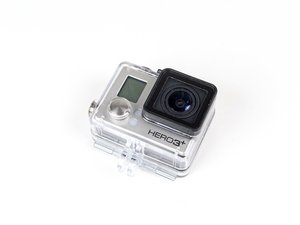
GoPro Hero3+ Black Editionは、モデル番号CHDHX-302で識別できます。2013年10月に発売された第8世代のカメラです。GoPro Hero3+ Black Editionは、Wi-Fi対応の4K解像度デジタルカムコーダーです。
Liz Fischer @liz_1945
評価: 1
投稿日: 2017年5月12日
My Go Pro Hero 3 Black will not switch off. Once it is switched on, nothing works - absolutely nothing and it cannot be used. Where can I send it to be worked on?
この質問は役に立ちましたか?
1件のコメント:
Here is what you can try:
-Pull the battery from the camera to turn it off. Remove the SD card. Reinsert just the battery (no card), and see if you can turn it on and use it.
-Reformat the SD card (file system FAT-32 or MS-DOS-FAT if 32GB or under and EXFAT if 64GGB). Then test it out in the camera again.
-Run a manual update to the camera using the link HERE.
Harley Middleton さんによる2017年5月12日
過去 24時間: 0
過去 7 日: 0
過去 30 日: 8
今までの合計 225


Here is what you can try:
-Pull the battery from the camera to turn it off. Remove the SD card. Reinsert just the battery (no card), and see if you can turn it on and use it.
-Reformat the SD card (file system FAT-32 or MS-DOS-FAT if 32GB or under and EXFAT if 64GGB). Then test it out in the camera again.
-Run a manual update to the camera using the link HERE.
Harley Middleton さんによる